Finding the Right Buffer Alternative for Modern Social Media

Searching for a Buffer alternative? Discover the best social media tools for AI content creation, scheduling, and analytics to scale your growth.
For a long time, Buffer was the go-to tool for social media scheduling, and for good reason. It had a clean interface and made queuing up posts a breeze. But the game has changed. Today, finding a powerful Buffer alternative means looking for a platform that does more than just schedule posts.
The real challenge now isn't just posting content; it's creating enough of it to keep up. That's where modern tools like NicheTrafficKit come in. They’re built to handle the entire content process—from generating ideas with AI to spotting viral trends and optimizing your publishing schedule for real growth. For example, instead of just scheduling a post for Tuesday at 10 AM, a modern tool can tell you that your audience is most active on TikTok on Monday nights, then help you generate a short-form video to capture that engagement. It’s about saving you hours of manual work, not just minutes.
Why Modern Marketers Need a Buffer Alternative
The simple truth is that social media marketing has outgrown basic schedulers. Success is no longer about just filling a content calendar. It demands a constant, high-quality stream of content tailored for each platform, and that's a heavy lift for any team. Learning how to automate social media posts from start to finish is the new central challenge.
The scale of it all is staggering. The social media automation market hit USD $4.5 billion in 2024 and is expected to jump to $12.8 billion by 2033. This isn't surprising when you consider there are over 5.4 billion social media users, each active on about seven platforms daily. That creates a massive appetite for content and a real need for smarter tools to manage it all.
Moving Beyond Basic Scheduling
A true Buffer alternative understands that the biggest time-sink for marketers isn't hitting "publish"—it's the never-ending hamster wheel of content creation. Buffer is great for organizing what you’ve already made, but the new wave of platforms focuses on the entire content lifecycle.
The core difference is simple: a scheduler helps you publish content, while a modern automation platform helps you create, optimize, and publish content at scale.
This is why we need to judge these tools by a new set of standards, ones that tackle the real pain points marketers face today.
Criteria | Buffer (Classic Scheduler) | Modern Alternative (e.g., NicheTrafficKit) |
|---|---|---|
Content Source | Manual creation required | AI-powered content generation |
Workflow Focus | Publishing and queuing | End-to-end automation (idea to analytics) |
Analytics | Basic engagement metrics | Deep insights and trend analysis |
Key Benefit | Saves time on posting | Saves time on creation and strategy |
Ultimately, looking for a Buffer alternative isn't just about switching tools. It's about upgrading from a simple scheduler to a strategic partner that helps build and run your entire content engine.
Comparing The Top Buffer Alternatives
When you're looking for a social media tool, the choice often boils down to a simple question: do you need a scheduler or a true automation partner? It's a subtle but massive difference. Buffer is fantastic at one thing—queuing up the posts you've already created. But a genuine Buffer alternative like NicheTrafficKit thinks bigger, aiming to automate the entire content lifecycle from the initial idea all the way to analyzing its performance.
The market has definitely caught on. We've seen social media automation go from a niche tactic to a mainstream strategy. In fact, 83% of marketing departments are now automating their posting. It’s a clear sign that doing things manually is quickly becoming a thing of the past.
Heading into 2024, nearly half—49% of marketing decision-makers—reported that they rely on automation just to keep up with the sheer chaos of managing multiple platforms for 5.4 billion users. This is precisely why tools like NicheTrafficKit are built around unified dashboards that bring AI content creation, auto-publishing, and content repurposing all under one roof. Efficiency isn't a luxury anymore; it's a necessity.
This whole shift is about moving away from just filling a calendar and toward an intelligent, automated workflow that actually does some of the thinking for you.
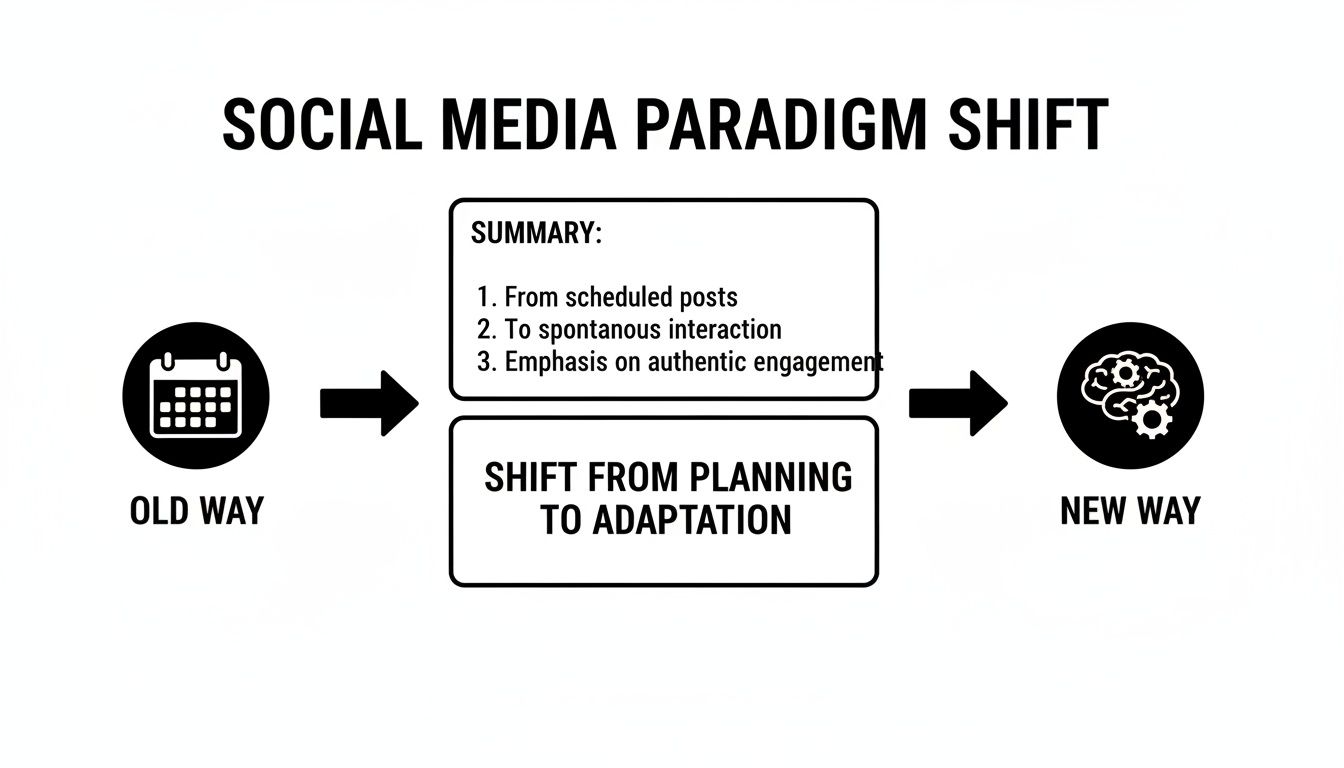
As you can see, the old way was all about scheduling. The new way is about using smart systems to drive your entire content strategy from creation to execution.
AI Content Generation And Ideation
Buffer has an AI assistant, and it’s a decent starting point. It's good for rephrasing a sentence or getting a few simple post ideas when you’re stuck. For example, you could type "make this more exciting" and it will punch up your copy. Think of it as a helpful editor, not a full-on content creator. It’s not really designed to build a post from the ground up.
NicheTrafficKit, on the other hand, comes with a complete AI content engine. It actually learns your brand’s voice and starts generating content that's already tailored for specific platforms—captions, hashtags, even faceless videos for your TikTok or YouTube Shorts. For example, you could feed it your latest blog post URL and watch it spin up a week's worth of unique posts for Pinterest, LinkedIn, and Instagram, visuals included.
Key Takeaway: Buffer's AI is there to help you refine what you've already thought of. NicheTrafficKit's AI is designed to be a creative partner, generating original content from scratch and saving you hours of brainstorming and production time.
Automation And Publishing Workflows
At its core, Buffer is all about its straightforward scheduling queue. You load your content, pick a schedule, and it reliably pushes everything out. For anyone with a steady stream of content they’re already creating by hand, it works perfectly. Before jumping to an alternative, it’s always smart to see where the original stands—you can check out our in-depth Buffer review to see how its classic features stack up today.
But modern alternatives see automation very differently. NicheTrafficKit, for instance, goes beyond just publishing. It actively researches viral trends to tell you what's hot right now and finds the absolute best times to post for your audience, even across different time zones. For instance, if a specific audio clip is trending on TikTok, the AI can flag it and suggest you create a post using it to boost visibility. It also automates repurposing by identifying your best-performing content and creating new variations to get more mileage out of your wins. It’s a dynamic, self-optimizing system, not just a linear queue.
Feature Breakdown Buffer vs NicheTrafficKit vs Other Tools
To really see the difference in philosophy, let's put these tools side-by-side. This table breaks down how a dedicated Buffer alternative tackles the full scope of social media management in a way that simpler schedulers just don't.
A side-by-side analysis of key capabilities across social media tools, focusing on AI, automation, content creation, and analytics to guide your decision.
Feature Category | Buffer | NicheTrafficKit | Other Alternative (e.g., Later) |
|---|---|---|---|
AI Content Creation | Basic text generation and rewriting. | Full-suite engine for posts, captions, hashtags, and faceless videos. | Limited to caption suggestions and hashtag tools. |
Automation | Simple post scheduling and queuing. | Trend research, optimal time publishing, and automated content repurposing. | Visual scheduling with a focus on Instagram grid planning. |
Analytics | Standard engagement metrics (likes, comments, shares). | In-depth performance insights, trend discovery, and growth drivers. | Focuses on Instagram-specific metrics and best times to post. |
Supported Platforms | Major platforms like Facebook, Instagram, LinkedIn, TikTok. | Broader support including Pinterest, Reddit, and YouTube. | Primarily visual platforms like Instagram, TikTok, and Pinterest. |
What this table really shows is a fundamental split. Buffer and similar tools have perfected the art of scheduling. Meanwhile, platforms like NicheTrafficKit are built to automate the entire creative and strategic process from start to finish. If you want to explore even more options, take a look at our comprehensive guide on the best social media management tools available right now.
Automating Content Creation with an AI Engine
The biggest leap you'll make when moving from Buffer to a more modern tool is in how content gets made in the first place. Traditional schedulers are fantastic for managing content you've already created. But platforms like NicheTrafficKit function more like a content operations partner, using a powerful AI engine to automate the entire workflow, from a spark of an idea all the way to a published post. We're talking about more than just a few hashtag suggestions; this is about generating a constant flow of on-brand content.
It all starts with the AI learning your brand's unique voice. The system gets to know your tone, style, and core messaging by looking at your website, existing content, or even a few simple prompts you provide. From that point on, it can generate platform-specific posts, captions, and visuals that sound genuinely like you.

Transforming One Idea into a Full Campaign
The real magic of an AI-driven Buffer alternative is its ability to multiply your content output from a single idea. Think about it: you just published a new blog post. Turning that one article into a week's worth of social media content is a mind-numbing, multi-hour chore when done manually.
With an AI engine, that entire process shrinks to just a few clicks. You simply give it the blog post URL, and the system immediately starts building a complete, multi-platform campaign.
For LinkedIn: It will draft a professional, thought-leadership post that pulls out key takeaways for a business-focused audience.
For Pinterest: The AI designs several eye-catching Pins, complete with SEO-optimized titles and descriptions aimed at driving traffic.
For TikTok: It can script a short, punchy video and even generate faceless visuals or carousels that fit the platform’s energetic vibe.
This approach takes your core content and spins it into a diverse set of assets, each one perfectly tailored for the channel where it will live. To see more on how this works, check out our guide on using AI for social media marketing.
The goal is to break the endless cycle of manual repurposing. An AI engine doesn’t just copy and paste; it completely reimagines your content for each platform, making every single post feel native and relevant.
Beyond Text Generation to Visual Creation
Social media today is a visual game, and a true content engine tackles this directly. Buffer lets you add alt text to your images, which is great for accessibility, but it still expects you to bring your own finished visuals to the table. Advanced alternatives build visual creation right into the workflow.
This means the AI doesn't just write the words; it builds the entire creative package.
Carousels: It can create informative, multi-slide carousels for Instagram or LinkedIn from a single block of text.
Faceless Videos: It can produce short-form videos for TikTok, Reels, or Shorts—no camera or on-screen talent needed.
Quote Cards and Infographics: It designs simple, shareable graphics that highlight key statistics or powerful messages.
By handling both the text and the visuals, the AI engine becomes a genuine force multiplier for your team. This fundamentally changes what a social media tool is. It's no longer just a publisher; it's a core part of your creative strategy that saves countless hours and clears up content creation bottlenecks for good.
Picking the Right Tool for Your Business
Choosing a Buffer alternative isn't about finding a single "best" tool. It's about finding the right tool for you. The best choice hinges on your specific goals, the size of your team, and—most critically—what’s slowing you down the most. A basic scheduler might be all one business needs, while another can't scale without a powerful AI engine.
To help you decide, let's look at a few common scenarios. Each profile faces unique hurdles that naturally point toward a certain type of tool.
For the Solo Creator or Influencer
If you're a one-person show, you know the struggle is real. You're the strategist, writer, designer, and community manager all rolled into one. Your biggest enemy? The sheer amount of time it takes to create fresh content just to stay visible. Your time is everything.
Primary Challenge: The never-ending grind of content creation and repurposing.
Best-Fit Solution: An AI-powered content engine like NicheTrafficKit. You need something that doesn’t just schedule posts but actually helps create them. Actionable Insight: Use the AI to turn a single YouTube video script into a week’s worth of TikToks, Pinterest Pins, and LinkedIn posts automatically. That frees you up to spend more time engaging with comments and DMs.
For the E-Commerce Store Owner
When you run an e-commerce store, social media is all about driving sales. It's a direct extension of your product pages. Scheduling is a piece of the puzzle, but what really matters is visually planning your feed and coordinating campaigns for product launches and sales.
Primary Challenge: Visually mapping out campaigns and tying posts directly to products.
Best-Fit Solution: A visually-first scheduler. While NicheTrafficKit can do this, other tools specifically built for visual planning also work well here. Actionable Insight: Look for a tool with a drag-and-drop calendar that shows you what your Instagram grid or Pinterest board will look like ahead of time. This helps ensure you’re building a cohesive, shoppable aesthetic.
If your bottleneck is creating the content, not just scheduling it, then an AI automation platform is how you'll break through that ceiling.
For the Marketing Agency
Agencies live in a world of controlled chaos, juggling dozens of clients with different voices, goals, and content calendars. The name of the game is efficiency and scale. The biggest challenge is managing all those unique client needs without burning out your team on manual tweaks for every single account.
Primary Challenge: Managing multiple client accounts at scale, each with a distinct brand voice.
Best-Fit Solution: An advanced automation platform. A tool like NicheTrafficKit lets you train the AI on each client’s specific tone and style. Actionable Insight: Create a separate "Brand Voice" profile for each client within the tool. Once trained, the AI generates content that’s already on-brand, slashing review and edit time and allowing you to scale your client roster.
At the end of the day, Buffer is still a great option if your content is already made and you just need a straightforward way to schedule a handful of posts. But if your real goal is to ramp up content production and put your strategy on autopilot, moving to a true AI-driven Buffer alternative is the logical next step.
A Practical Guide to Switching Platforms
Thinking about moving from a basic scheduler like Buffer to a more powerful Buffer alternative? The idea might feel a little overwhelming, but the actual process is surprisingly straightforward. If you're methodical about it, you can migrate your whole content schedule without skipping a beat and start reaping the benefits of better automation almost immediately.
First things first, you need to audit and export what you've already got. Most tools, including Buffer, let you download your content calendar. Grab that data. It's full of proven posts and evergreen content that you can repurpose or import directly into your new system. Don't let your best work get left behind.
Setting Up for Automated Success
Okay, you've picked your new platform. Now comes the important part: the initial setup. This is where you build the foundation that turns your old manual process into a smart, automated workflow.
Here’s a practical, step-by-step approach to get started:
Securely Connect Your Accounts: The first step is always to link up your social profiles—TikTok, Pinterest, LinkedIn, Facebook, all of them. Good platforms use official, secure APIs, so your data stays safe. This is ground zero for anyone learning how to properly manage multiple social media accounts from one place.
Train the AI on Your Brand Voice: This is where the magic happens. Actionable Step: Feed the AI URLs to your top 3-5 blog posts, your "About Us" page, and a few of your best-performing social posts. The system will learn your style, so the content it generates actually sounds like it came from you.
Establish Publishing Workflows: Forget a simple, linear queue. Think in terms of rules and categories. Practical Example: Set up content "buckets" for "Blog Repurposing," "Industry News," and "User-Generated Content." Then, create a rule like, "Post one item from 'Blog Repurposing' every Monday and Wednesday, and one from 'Industry News' every Friday." The system intelligently builds the calendar for you.
This shift is crucial. When you build workflows instead of just scheduling posts one-by-one, you're creating a content engine that runs itself 24/7.
Onboarding and Final Steps
With the core setup done, it's time to get your team comfortable and finalize the switch. Make sure you set clear roles and permissions inside the new tool so everyone knows exactly what they're supposed to do. If your new provider offers any kind of onboarding support, use it. It’s the fastest way to get answers and smooth out any kinks.
One last tip: run both platforms side-by-side for a week. This gives you a safety net. You can double-check that your new automated workflows are firing correctly before you pull the plug on your old scheduler. It’s a simple step that guarantees a smooth, stress-free transition.
Got Questions About Buffer Alternatives? Let's Clear Things Up.
When you start looking past simple schedulers, a few common questions always pop up. Picking the right Buffer alternative is a big deal, so getting straight answers is key to finding a tool that actually helps you grow. Let's tackle the most frequent ones.
What's The Real Difference Between A Scheduler And An AI Automation Platform?
It's easy to lump them together, but their core purpose is completely different. A scheduler, which is what Buffer is at its heart, is a publishing tool. You make the content, and it helps you line it up and post it on a schedule. It answers one question: "When should this post go live?"
An AI automation platform like NicheTrafficKit, on the other hand, is a full-blown content engine. It's built to answer the questions that come way before you even think about scheduling: "What should I even post about? How can I create it faster? Will this idea work better as a TikTok video or a LinkedIn carousel?" This kind of tool helps with everything from spotting trends and generating ideas to actually creating the content and seeing what works.
The easiest way to see it is this: a scheduler just manages your calendar. An AI automation platform helps you fill that calendar with high-impact content, pretty much on autopilot.
Can An AI Tool Truly Replace A Content Creator?
This is a big one, but the short answer is no. An AI tool doesn't replace a creator; it amplifies them. You still need a human with vision to steer the ship, understand the nuances of your audience, and make the final call on creative direction. Think of the AI as the ultimate assistant, taking all the grunt work off your plate.
For instance, a content creator can lean on AI to:
Brainstorm 50 post ideas in minutes instead of staring at a blank screen for hours.
Turn one blog post into ten different social media posts, each tailored to a specific platform, automatically.
Generate faceless videos or slick carousels without ever opening a design or video editing program.
The AI handles the heavy lifting—the production side of things—which frees up the creator to focus on strategy, engaging with the community, and adding that uniquely human touch. It’s a partnership, not a replacement.
How Does Token-Based AI Pricing Compare To A Standard Subscription?
Most people are used to standard subscription models, which is what tools like Buffer use. You pay a flat fee every month for access to a specific set of features. It’s predictable, which is great for tools with a fixed purpose. You know your bill will be the same whether you use it a little or a lot.
Token-based pricing, which is common with AI platforms, works more like a pay-as-you-go system. You're paying for the specific computing power you use—like generating a post, creating an image, or producing a video. Every action "costs" a certain number of tokens, so your cost is directly tied to your output.
For a growing business or an agency, this model is incredibly flexible. Practical Example: If you have a slow month with minimal content needs, your bill could be very low. But when you’re launching a huge campaign and need to crank out hundreds of posts, carousels, and videos, you can scale up your usage instantly without having to upgrade to a much pricier, fixed-tier plan. You only ever pay for the value you're actually creating.
Ready to stop just scheduling and start automating your entire content strategy? NicheTrafficKit gives you the AI-powered engine to create, publish, and analyze your social media content at scale. Start your free trial today and see the difference.
