How to Post on LinkedIn to Get Real Engagement and Reach
Learn how to post on LinkedIn with proven strategies. This guide shares actionable tips for crafting posts that drive engagement and build your brand.
It’s easy enough to post on LinkedIn. You just head to your homepage, click “Start a post,” type something up, maybe add an image, and hit send. But making that post actually do something for you? That’s where the real work begins. The difference between adding to the noise and driving real engagement comes down to a little bit of prep work and a lot of actionable strategy.
Laying the Groundwork for a High-Impact LinkedIn Post
Before you even think about writing, you need to know why you're posting. Every single piece of content should have a purpose. Without a clear goal, you're just shouting into the void. Knowing your objective from the start shapes everything—your message, your format, your tone, and even your call to action.
Define Your Primary Goal
So, what are you trying to accomplish with this post? Every piece of content should ladder up to a bigger strategy, which usually falls into one of three buckets. Nailing this down first makes everything else fall into place.
Build Thought Leadership: Are you trying to establish yourself as an expert? Then share a unique take on an industry trend, break down a complicated topic, or talk about a surprising lesson you learned from a recent project. Example: A marketing manager could post, "Everyone is obsessed with AI-generated content, but here's the one thing it can't replicate: genuine customer empathy. A recent campaign taught us..."
Generate Qualified Leads: If sales are the goal, your content needs to reflect that. Announce a new service, showcase a client's success story (with real numbers), or offer a free webinar. Your post should hit on a specific pain point and gently guide people toward your solution. Example: A SaaS founder could post, "We just helped a client cut their project management time by 30% in one month. Here's the case study on how they did it (and the specific feature they used)."
Expand Your Professional Network: Sometimes, it’s just about connecting with other humans. You could ask a provocative question to get a conversation started, share a personal career story that others can relate to, or give a shout-out to a colleague. It's all about building relationships. Example: An HR professional could ask, "What's the best piece of career advice you've ever received? Mine came from a former boss and it completely changed my approach to feedback."
Understand Your Platform: Profile vs. Company Page
Where you post is just as important as what you post. The vibe is completely different between your personal profile and your company’s official page, and your content needs to match.
A personal post is your voice; a Company Page post is the brand’s voice. A person might share a lesson learned from a project mistake. The brand, on the other hand, announces the project's successful launch with a glowing client testimonial.
Before you start posting from your personal account, it’s worth taking a moment for some housekeeping. A lot of people overlook the importance of optimizing your LinkedIn profile. A polished profile acts as a strong foundation for all your content, making you more discoverable. Did you know that just listing five or more skills can boost your profile views by a staggering 17 times? On a platform with over a billion users, that’s a massive leg up.
And of course, consistency is everything. The best way to stay on track is to plan your content ahead of time. If you're not sure where to start, you can learn more about this by checking out our guide on how to create a content calendar.
Choosing the Right Format to Tell Your Story
The content of your LinkedIn post is important, but how you present it can make all the difference. Think of the format as the packaging for your message. A great idea wrapped in a boring text-only post is easy to scroll past. The same idea, however, presented as a sharp video or an engaging carousel can stop someone in their tracks.
The trick is to match the format to your goal. Are you trying to teach something complex? Start a debate? Or simply share a quick win? Each format has its own strengths.
This visual breaks down the core objectives that should drive your content decisions.
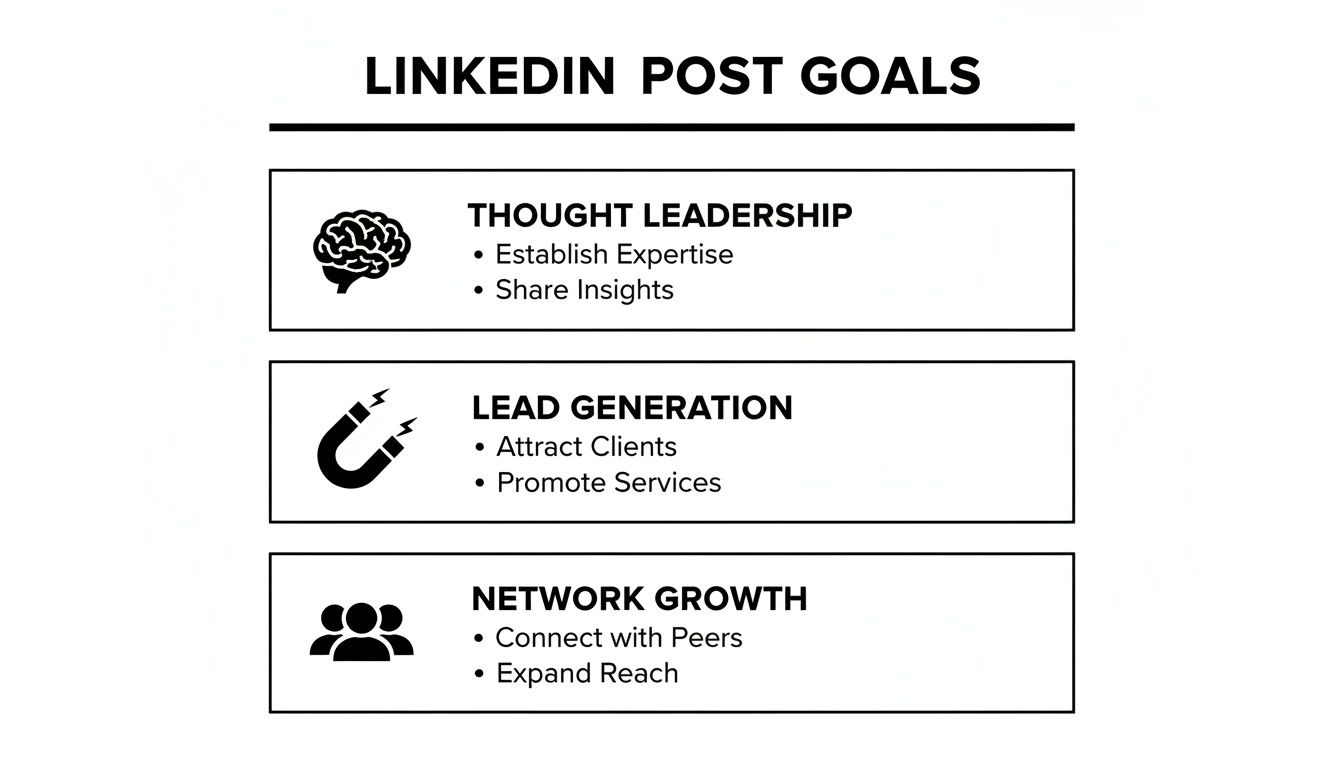
When you align your format with one of these goals—thought leadership, lead generation, or network growth—every post you create has a clear purpose.
Turn Complex Ideas into Engaging Carousels
Carousels, also known as document posts, are a fantastic way to break down big ideas into easy-to-digest, swipeable slides. Instead of just dropping a link to a blog post and pulling people away from LinkedIn, you can repurpose the key points into a visually compelling summary that keeps them on the platform.
Here’s an actionable example: You just published a deep-dive article on "5 SEO Mistakes to Avoid." Instead of a simple link post, create a 6-slide carousel.
Slide 1: A bold title slide: "Stop Making These 5 SEO Mistakes."
Slide 2: Mistake 1: "Ignoring Internal Linking" with a simple graphic of connected dots.
Slides 3-5: Cover the remaining mistakes, each with its own slide.
Slide 6: End with a call to action: "What's the biggest SEO mistake you've seen? Drop it in the comments!"
This format is brilliant because it increases dwell time—the amount of time someone spends interacting with your post. The LinkedIn algorithm sees this as a strong signal that your content is valuable, which helps boost its reach.
Stop the Scroll with Native Video
Let's be clear: video is a powerhouse on LinkedIn. Video uploads have jumped 34% year-over-year, and users are a staggering 20 times more likely to share a video than any other type of content. With just a small fraction of users creating most of the content, a good video can give you an incredible advantage. If you're curious, you can find more detail in recent research on LinkedIn's powerful video statistics.
Don't get bogged down by production value. An authentic, off-the-cuff video shot on your phone often resonates more than a slick corporate ad. People want to connect with other people, not just a polished brand.
Here are a few simple video ideas you can try this week:
Quick Tip Video: Film a 60-second clip sharing one practical piece of advice. Example: A financial advisor could explain the "50/30/20" budgeting rule using a whiteboard.
Client Success Story: Grab your phone and record a short, informal interview with a happy client. Ask them: "What was the one problem we solved that made the biggest difference?"
Behind-the-Scenes Look: Show your team whiteboarding ideas for a new project. It’s a great way to humanize your business and show your process.
Spark Genuine Conversation with Polls
Polls are an excellent way to get quick engagement and learn more about your audience, but they need to be used with a bit of strategy. Skip the generic questions like "Coffee or tea?" and focus on creating polls that kickstart a real professional discussion.
Here's a practical example: A project manager could post a poll asking:
"What's your go-to tool for managing remote team tasks?"
A) Asana/Trello
B) Jira
C) Monday.com
D) Something else? (Tell me your favorite in the comments!)
This approach does more than just boost your post's visibility; it gives you valuable insights into your audience's preferences and opens the door for meaningful conversations in the comments section.
Ultimately, picking the right format isn't just a creative choice—it's a strategic one. To help you decide, here's a quick breakdown of which format works best for different goals.
Choosing the Right LinkedIn Post Format
Post Format | Best For | Key Tip |
|---|---|---|
Carousel | Breaking down complex topics, tutorials, and storytelling. | Keep text minimal on each slide and use a strong call to action on the final slide to encourage engagement. |
Video | Showcasing personality, testimonials, and behind-the-scenes content. | Add captions! 85% of social media videos are watched with the sound off. |
Poll | Gathering quick audience feedback and starting conversations. | Ask a question relevant to your industry and always engage with the responses in the comments. |
Image | Announcing news, sharing quotes, or highlighting a key data point. | Use high-quality, branded graphics. Avoid generic stock photos that blend in with the noise. |
Text-Only | Sharing personal reflections, asking open-ended questions, or quick takes. | Use short paragraphs and strategic spacing to make it easy to read. A wall of text is a recipe for scrolling. |
By being intentional about your format, you'll learn how to post on LinkedIn in a way that not only grabs attention but also helps you achieve your specific professional goals.
Crafting Compelling Content That People Actually Read
Let's be honest: even the most groundbreaking idea will get lost in the noise if it isn't packaged well. The real difference between a post that gets scrolled past and one that actually starts a conversation often boils down to the first few words.
This is where you move beyond just knowing how to post on LinkedIn and start learning how to post in a way that grabs—and holds—a professional's attention.

Think of the first two lines of your post as your entire pitch. They’re what determines whether someone clicks that crucial "...see more" button or just keeps on scrolling. Your job is to create an immediate information gap or spark a bit of curiosity.
Here are three actionable hook formulas you can steal:
The Contrarian Take: "Everyone says you should [common advice]. I disagree. Here's why..."
The Personal Story: "I made a huge mistake early in my career. It taught me one critical lesson about leadership..."
The Numbered List: "3 surprising tools that have saved me 10+ hours a week. My favorite is #2..."
Structure for Effortless Reading
Okay, so you’ve hooked them. Now what? You have to make the rest of the post incredibly easy to read. Nobody has time for a dense wall of text, especially on their phone. The trick is to create a visual flow that pulls the reader's eye down the page.
Keep paragraphs short. Aim for one to three sentences, max. This creates valuable white space and makes your post feel approachable.
Use emojis tastefully. A well-placed emoji can break up text and inject personality. Think 💡 for a new idea or 🚀 to announce a launch. Don't overdo it.
Lean on bullet points or lists. This is the perfect way to highlight key takeaways, steps, or benefits. It makes your most important information instantly scannable.
This kind of structure shows you respect your reader’s time, which makes them far more likely to absorb your message. If you want to get more mileage out of what you’ve already created, look into some smart content repurposing strategies to adapt your best stuff for LinkedIn's unique format.
Use Hashtags and Mentions Strategically
Hashtags and mentions are your secret weapons for extending your reach, but you have to use them with purpose. Slapping a dozen irrelevant tags on a post just looks spammy and unprofessional.
A good rule of thumb is to stick to 3-5 highly relevant hashtags. A solid mix usually includes:
Broad Tags (1-2): These are the big-picture topics like
#Marketingor#Leadership.Niche Tags (2-3): Get more specific to your industry, like
#B2BContentStrategyor#SaaSSales.Branded/Community Tags (Optional): Create a unique tag for your company or an event, like
#NicheTrafficKitTips.
When it comes to mentions (@), only tag people or companies that are directly involved in your post. Actionable Tip: If you're sharing an insight you learned from a conference speaker, tag them and ask a follow-up question in your post. This sends them a notification and invites them to engage.
A word of caution: Avoid the temptation to tag a long list of influencers just to get their attention. It’s a transparent tactic that rarely works and can really hurt your credibility.
Make Your Content Accessible to Everyone
Finally, there's a crucial but often-forgotten step: adding alt text to your images. Alt text is simply a short, written description of an image that screen readers use to explain it to visually impaired users.
Here's how to do it: Once you've uploaded an image to your post, look for the "Alt text" option. Click it and write a clear, descriptive sentence. For a photo of your team celebrating, write: "Our marketing team smiling and giving thumbs-up in the office after a successful product launch."
It's a small step that makes your content more inclusive and ensures your message can reach everyone.
Optimizing Your Posting Schedule for Maximum Visibility
Creating brilliant content is a huge part of the puzzle, but it's not the whole picture. If you share a game-changing insight when your entire audience is offline, it’s like it never even happened. Knowing how to post on LinkedIn is as much about when you post as what you post.
LinkedIn's algorithm loves content that gets a quick burst of engagement. When your post starts racking up likes and comments right after you hit publish, LinkedIn takes that as a sign of quality and pushes it out to a much wider audience. That initial traction is absolutely everything.
Finding the Best Days and Times to Post
While every audience has its own unique rhythm, general data gives us a fantastic starting point. Timing your LinkedIn posts can seriously boost your visibility on a platform with over 1.2 billion members and a jaw-dropping 1.77 billion monthly visits.
So, when is everyone online? Industry-wide data consistently points to Tuesdays, Wednesdays, and Thursdays as the prime days to post. The peak engagement windows tend to be between 9 a.m. and 12 p.m. and again from 1 p.m. to 4 p.m. If you had to pick just one sweet spot, it's often mid-morning on a Thursday.
These times just make sense. They mirror the typical professional workday—people log on when they get to the office, check in during their lunch break, and have a final scroll before heading home. Mondays are usually swamped with catching up, and by Friday afternoon, most people are already mentally checked out for the weekend.
Actionable Insight: Don't just post during these peak hours. Try posting 30 minutes before a peak time (like 8:30 a.m. or 12:30 p.m.). This gives your content time to pick up initial steam so it's already trending when the majority of users log on.
Discover Your Audience's Unique Rhythm
General advice is a great launchpad, but the real wins come from zeroing in on your specific followers. Your network might have completely different habits, especially if you're connected with people in various industries or scattered across different time zones.
This is where LinkedIn Analytics becomes your secret weapon. Head over to one of your recent posts and click on the "View analytics" button. You’ll get a breakdown of who saw your content, including their job titles, locations, and the companies they work for.
Here’s a practical way to track this:
Create a simple spreadsheet with columns for: Day, Time, Post Topic, Likes, and Comments.
For two weeks, post at different times within the recommended windows (e.g., Tuesday at 9 a.m., Wednesday at 1 p.m., Thursday at 11 a.m.).
After two weeks, review your spreadsheet. Are there clear winners? Double down on those time slots.
You can track this in a simple spreadsheet. Over time, you'll uncover the precise posting windows that resonate best with your unique network. For a more comprehensive overview of scheduling, check out our guide on the best times to post on social media, which covers all the major platforms.
Set a Sustainable Posting Cadence
Consistency is what builds momentum on LinkedIn. Decide on a posting frequency you can actually stick with, whether that’s twice a week or every single weekday. The goal is to become a reliable, familiar face in your network's feed.
And here’s a pro tip: once you post, hang around for a bit. Try to respond to comments within the first hour. This interaction sparks conversation and sends a powerful signal to the algorithm that your post is valuable and deserves to be seen by more people.
Using Content Creation Tools to Streamline Your Workflow
Let’s be honest: trying to post on LinkedIn consistently can feel like a full-time job. You know you should be active, but coming up with ideas, writing posts, and remembering to publish them at the right time is a huge drain. This is exactly where a smart workflow, backed by the right tools, can make all the difference. It's about moving from frantic, last-minute posting to a calm, organized process.
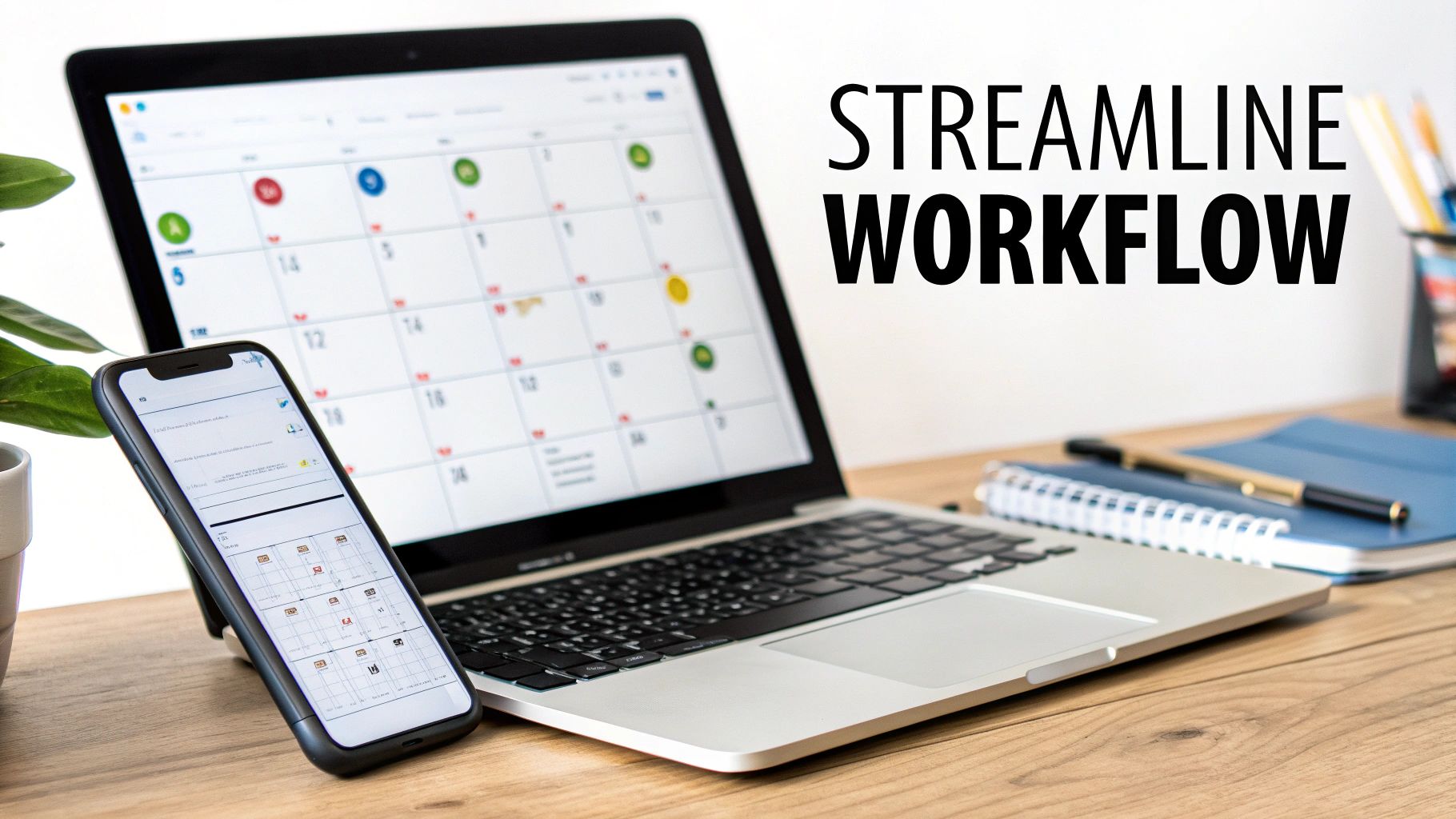
Many people dip their toes in with LinkedIn’s own scheduling feature. It’s built right into the platform, it’s free, and it gets the job done. You can queue up posts for your personal profile or Company Page ahead of time, which is a lifesaver for planning a week or two out.
Native Scheduling vs Third-Party Tools
While LinkedIn’s scheduler is a great starting point, you might quickly find you need more power. This is where dedicated platforms like Buffer or Hootsuite come in. Think of them as a central command center for all your social media, not just LinkedIn. They offer much deeper analytics and features built for teams.
Here’s a quick breakdown of how they stack up:
Feature | LinkedIn Native Scheduling | Third-Party Tools (e.g., Buffer, Hootsuite) |
|---|---|---|
Cost | Free | Paid plans with free tiers |
Platform Support | LinkedIn only | Multiple social networks |
Analytics | Basic post performance | In-depth, cross-platform reporting |
Collaboration | Limited to page admins | Team roles and approval workflows |
So, what's right for you? If you’re a solopreneur focused exclusively on LinkedIn, the native scheduler is probably all you need. But if you're managing multiple social accounts, working with a team, or running an agency, investing in a third-party tool is practically a necessity.
Integrating AI for Smarter Content Creation
Scheduling is one thing, but what about the dreaded "blank page" problem? Modern AI platforms can be a powerful creative partner here, helping you get from idea to finished post in a fraction of the time.
Here’s an actionable workflow using AI:
Give it a prompt: "I'm a project manager. Give me 5 LinkedIn post ideas about the challenges of hybrid work."
Pick an idea: Let's say you like "Balancing fairness between remote and in-office employees."
Refine the prompt: "Write a 200-word LinkedIn post about that topic. Start with a question to hook the reader and include 3 actionable tips in a bulleted list."
The best way to think about these tools is that they don’t replace your expertise; they amplify it. They crush the repetitive work so you can focus on adding the strategic insights and personal stories that make your content truly valuable.
This workflow lets you be both efficient and creative, making a high-quality LinkedIn presence feel sustainable instead of stressful.
If you're ready to really level up your process, exploring the world of social media automation tools can unlock even more ways to work smarter. By thoughtfully integrating the right technology, you build a content engine that works for you, not the other way around.
Common Questions About Posting on LinkedIn
Even the most seasoned pros run into questions when it comes to posting on LinkedIn. It's a platform with its own quirks, and mastering things like post length, where to publish, and what not to do can feel like a moving target. Let's clear up some of the most common hurdles you might face.
How Long Should a LinkedIn Post Be?
There's no single magic number, but the goal is always the same: get to the point, and respect your audience's time.
For a standard text post, I've found the sweet spot is usually between 150 and 250 words. That’s just enough room to share a solid idea or a quick story without making people scroll forever. The most critical part? Those first three lines—roughly 210 characters—that show up before someone has to click "...see more." Make them count.
For other formats, here’s what works best:
Native Video: Keep it short and snappy. Anything under 90 seconds tends to perform best. Think one key tip, one quick insight.
Carousels (Documents): Aim for 5-10 slides. You want to create a quick, satisfying swiping experience, so keep text minimal and visuals strong on each slide.
The golden rule is simple: be as brief as you can be while still being complete. Never add fluff just to hit a word count. Say what you need to say, and then stop. People will appreciate it.
Should I Post the Same Thing on My Profile and Company Page?
It’s tempting to just copy and paste, but that's a missed opportunity. Your personal profile and your Company Page have different jobs, so they need different approaches.
Think of your Company Page as the official voice of your brand. It’s the perfect place for:
Company-wide announcements and product updates.
Official case studies and customer wins.
Behind-the-scenes looks at company culture or new job postings.
Your personal profile, however, is all about you. It’s where you share your unique take on the industry, tell personal stories from your work life, and build your own reputation. A great strategy is to share a post from your Company Page onto your personal profile but add your own commentary. For example: Share the company's case study post and add, "So proud of the team for this one! The biggest challenge we overcame was X, and it taught me so much about Y."
What Are the Biggest Mistakes People Make When Posting?
Knowing what to do is half the battle; knowing what to avoid is the other half. I see these three slip-ups constantly, and they can really kill your reach.
The Hard Sell: LinkedIn is not a billboard. It's a place to build professional relationships. Stick to the 80/20 rule: 80% of your content should provide genuine value (teach, inform, inspire), and only 20% should be promotional. Example: Post four educational posts (e.g., industry trends, quick tips) for every one promotional post (e.g., "Book a demo").
Hashtag Stuffing: Don't throw a dozen hashtags at the wall to see what sticks. Choose 3-5 highly relevant tags—a mix of broader industry terms and specific, niche ones. This helps the right people find your content without it looking like spam.
Pointless Tagging: Only @mention people or companies if they are directly part of the story you're telling. Tagging a list of influencers just to get their attention is a quick way to annoy people and lose credibility.
Tired of the guesswork? NicheTrafficKit uses AI to find what's trending in your industry, writes content that fits LinkedIn perfectly, and posts it when your audience is most active. You can stop spending hours trying to get it right and start seeing actual growth. Explore how NicheTrafficKit can automate your LinkedIn strategy today.
