
How to Create a Content Calendar That Works
Learn how to create a content calendar from scratch. This practical guide covers strategy, tools, and workflows to streamline your content planning.
Let's be honest: creating content without a plan is a recipe for chaos. A content calendar turns your marketing from a series of random, reactive posts into a well-oiled machine that drives predictable growth. It’s your roadmap, clearly laying out what you'll publish, where you’ll post it, and when, making sure every single piece of content has a purpose.
Think of it as the operational hub that keeps your team aligned and your brand consistent.
Why a Content Calendar Is Your Strategic North Star
A content calendar is much more than a glorified spreadsheet filled with dates. It's the central nervous system for your entire marketing strategy, transforming random acts of content into a cohesive, goal-driven effort. Without one, teams scramble, leading to sloppy messaging, missed opportunities, and creative burnout.

For a practical example, imagine your brand is launching a new product. A solid content calendar ensures your blog posts, social media updates, email newsletters, and video content are perfectly timed. The week before launch, you might schedule a "teaser" campaign on Instagram. On launch day, a detailed "how-to" blog post goes live, followed by an email blast to your subscribers. Each piece builds on the last, creating a powerful narrative that guides your audience from awareness to purchase.
From Chaos to Cohesion
Wing-it marketing leaves you completely exposed. Picture this: a major industry trend explodes overnight. The team without a calendar scrambles to create something—anything—often resulting in rushed, off-brand content that misses the mark.
Now, consider a team with a structured calendar. They see they have a non-urgent blog post scheduled for Thursday. They can confidently pause that post, freeing up resources to create a thoughtful, high-quality video on the trending topic. This content feels both timely and authoritative. You can only have that kind of agility when you have a plan to deviate from.
A content calendar doesn't restrict creativity; it creates the structure necessary for creativity to flourish. It eliminates the daily "what should we post?" panic, freeing up mental energy for high-impact ideas.
A Predictable Engine for Growth
Ultimately, a calendar gives you visibility and predictability. It helps you:
Ensure Consistent Messaging: Everyone, from your social media manager to your email marketer, is working from the same playbook. For example, if a key feature is "ease of use," the calendar ensures this message is woven into blog posts, social captions, and ad copy.
Improve Team Collaboration: With clear deadlines and assignments, everyone knows their role. The writer sees their draft is due Monday, the designer knows graphics are needed by Wednesday, and the social media manager has everything ready to schedule by Friday.
Spot Content Gaps: A quick visual scan makes it easy to see if you’re posting too many "how-to" articles and not enough customer stories, or if you've neglected LinkedIn for three weeks.
This level of strategic oversight is exactly why the market for these tools is exploding. The global marketing calendar software market was valued at USD 12.5 billion in 2025 and is projected to hit USD 32.4 billion by 2035. You can discover more insights about marketing calendar software trends and see how they're shaping modern strategies.
Building a content calendar isn't just about getting organized; it's a fundamental step toward building sustainable, long-term growth.
First Things First: Define Your Goals and Content Pillars
Firing up a blank calendar template without a clear plan is a recipe for disaster. It's like trying to navigate a new city without a map—you’ll end up going in circles. An effective content calendar starts by answering one critical question: what are we actually trying to achieve here?
Just churning out content to "be active" is a massive waste of time and money. Every single blog post, video, and social media update needs to have a job to do.
Set Goals That Actually Mean Something
Your content goals are your North Star. They give every piece of content a purpose. Are you trying to get your brand name out there in front of fresh eyes, or are you more focused on keeping your existing customers happy and engaged?
Before you dream up a single topic, figure out what you want your content to accomplish. Let's make this actionable. Instead of a vague goal like "increase engagement," a better goal would be "increase the comment rate on Instagram posts by 15% this quarter."
Here are some practical examples:
Driving brand awareness: Goal: Increase organic search impressions by 20% in the next six months.
Generating qualified leads: Goal: Generate 50 new MQLs (Marketing Qualified Leads) per month from our blog content.
Improving customer retention: Goal: Reduce customer churn by 5% this year through a targeted "getting started" email series.
Increasing website traffic: Goal: Drive 10,000 new sessions to the blog from social media each month.
A specific, measurable goal dictates your strategy. The team aiming for 50 MQLs knows they need to create gated content like downloadable checklists and webinars, with a strong call-to-action in every post.
Establish Your Core Content Pillars
With your goals in hand, it’s time to define your content pillars. These are the 3-5 big-picture topics your brand will own. Think of them as the main sections of your own little magazine—they keep you focused and signal to your audience what you're all about.
Your pillars should live at the sweet spot where your audience's problems and your company's solutions meet. To find them, ask yourself:
What are the biggest pain points or questions my ideal customer is Googling at 2 AM?
How does my product or service make that pain go away?
Imagine a company that sells eco-friendly cleaning supplies. Their content pillars might look something like this:
Sustainable Living: All about reducing waste and living a greener lifestyle.
The Non-Toxic Home: Educating people on the power of chemical-free cleaning, maybe with some DIY recipes.
Product Demos & How-Tos: Showing their products in action and solving real-life cleaning messes.
Our Mission & Impact: Pulling back the curtain on how they source ingredients or design their packaging.
Think of your pillars as a bouncer for your content ideas. If a new idea doesn't fit neatly under one of them, it probably doesn't belong on your calendar. This makes it so much easier to stay on track.
Connect Your Pillars Directly to Your Goals
This is where the strategy really comes together. You need to map each pillar to a specific business goal. This ensures that everything you create isn't just "on-brand," but is actively working to get you closer to your targets.
Let's go back to our eco-friendly cleaning brand. Here’s how they could link their pillars to their goals to create a balanced content mix:
Content Pillar | Primary Business Goal | What That Looks Like |
|---|---|---|
Sustainable Living | Brand Awareness | A short, shareable video on "5 Surprising Things You Can Compost." |
The Non-Toxic Home | Lead Generation | A downloadable guide: "The Ultimate Checklist for a Chemical-Free Kitchen." |
Product Demos & How-Tos | Drive Sales | A blog post comparing their all-purpose cleaner to a leading competitor. |
Our Mission & Impact | Customer Retention | An email newsletter sharing the story of a local farmer who supplies their lavender. |
Once you have this foundation, every single task you add to your calendar has a built-in "why." You’re no longer just filling empty slots on a spreadsheet. You're executing a strategic plan designed to get real results, turning your calendar from a simple schedule into a powerful growth engine.
Choose Your Tools and Build Your Calendar Template
Once you've nailed down your goals and content pillars, it's time to get practical. We need to build the actual home for your content plan—the calendar itself. The key here isn't about finding some magical, perfect tool, but about finding the right tool for your team and your workflow.
Honestly, a ton of people start with a simple spreadsheet, and there's absolutely nothing wrong with that. A well-built Google Sheet can be a surprisingly powerful command center, especially if you're a solo creator or part of a small team. As you scale up, though, you might find that dedicated project management or social media platforms offer better collaboration and more robust features.
Selecting the Right Platform for Your Calendar
The best tool for the job is one your team will actually use. If it’s too clunky or complicated, even the most brilliant content strategy will collect dust. When you're weighing your options, think about your team size, budget, and how you all work together.
To help you decide, let's look at a few common options and what they do best.
Comparing Popular Content Calendar Tools
Tool | Best For | Key Features | Pricing Model |
|---|---|---|---|
Google Sheets | Solo creators and small teams on a budget. | Highly customizable, universally accessible, and completely free to use. | Free |
Asana / Trello | Growing teams needing collaboration and workflow management. | Task assignments, deadlines, progress tracking, and integrations. | Freemium (Free basic plans with paid tiers for advanced features) |
NicheTrafficKit | Teams focused on automation and multi-platform publishing. | AI content generation, automated scheduling, and performance analytics. | Subscription (Tiered plans based on usage and features) |
Choosing the right tool ultimately depends on what you need it to do. For example, if your workflow involves multiple reviews and approvals, a tool like Asana is great because you can create task dependencies (e.g., the designer's task can't start until the writer's task is marked complete). If you're a one-person shop, a simple Google Sheet might be all you need to stay organized. There's a whole world of AI-powered social media automation tools that can close the gap between planning, creating, and publishing.
The Essential Fields for Any Content Calendar
No matter what tool you land on, its real power comes from the information you track. A great calendar is more than just a list of dates and topics; it's the command center for your entire content operation.
To make sure your calendar is truly useful, here are the non-negotiable fields I recommend including, with examples:
Publish Date & Time:
Oct 26, 9:00 AM ESTContent Title/Headline:
Working Title: 5 Ways to Automate Your Social MediaAuthor/Creator:
Sarah J.Content Format:
Blog PostPlatform(s):
Blog, LinkedIn, TwitterStatus:
In Review(Use a dropdown with options like: Idea, In Progress, In Review, Scheduled, Published)Content Pillar:
Social Media StrategyTarget Keyword:
social media automation toolsCTA (Call-to-Action):
"Start your free trial of NicheTrafficKit"Notes/Assets Link:
[Link to Google Doc], [Link to Canva Graphics Folder]
Your calendar's goal is to answer any question someone might have about a piece of content without them needing to ask. If a team member can look at an entry and know exactly what it is, who owns it, and where it stands, your template is working.
By building out this framework, you're creating a system that doesn't just organize your schedule—it enforces your strategy. Every entry becomes a checkpoint, ensuring that every single asset aligns with your goals, fits under a pillar, and has a clear, defined purpose.
Where to Find Content Ideas That Actually Work
Staring at a blank calendar can be paralyzing. You've set your goals and defined your pillars, but now comes the real test: filling it with ideas people genuinely care about. This isn't about throwing spaghetti at the wall. It's about building a reliable system for uncovering topics your audience is already looking for.
The best ideas aren't dreamed up in a vacuum. They're usually hiding in plain sight.
Listen to Your Customer Support Team
Your customer support team is sitting on a goldmine. They're on the front lines hearing the same questions, frustrations, and pain points over and over again. These insights are pure, unfiltered, and point directly to what your audience needs help with.
Actionable Insight: Create a shared Google Doc or a dedicated Slack channel named #content-ideas where support reps can drop common questions. Once a week, review the submissions for patterns.
Imagine you sell project management software and your team constantly gets tickets asking, "How do I manage dependencies between tasks?" Boom. That's not just one content idea; it's several:
A deep-dive blog post on task dependency strategies.
A quick, practical video tutorial for YouTube.
An Instagram carousel breaking down the process visually.
You're creating content that directly solves real problems for your customers, which is always a winning strategy.
Use Social Listening to Catch a Wave
Social listening is more than just tracking brand mentions; it's about tuning into the bigger conversations happening in your industry. When you do it right, you can spot trending topics and common questions before they become saturated.
Actionable Insight: Use a free tool like Google Alerts or a social media management platform to track keywords related to your content pillars. If you sell running shoes, you might track terms like "marathon training," "running injury prevention," or "best running gear." A sudden spike in chatter around "how to choose a race-day shoe" is your cue to jump in with a timely, relevant piece of content.
Think of social listening as your early warning system. It lets you join conversations already in progress, making your content feel immediately relevant and much more shareable.
This keeps your calendar from getting stale. You can stay agile and react to what's top-of-mind for your audience while still connecting everything back to your core pillars.
Do Some Smart Recon on Your Competitors
Looking at your competitors' content isn't about imitation. It’s about finding the gaps they’ve left wide open. A little strategic analysis can show you what’s already working in your niche and where you can offer a better perspective.
Actionable Insight: Pick two direct competitors. Use an SEO tool (many have free versions) to see which of their articles get the most organic traffic. Look for patterns:
What are their greatest hits? If their top post is "Beginner's Guide to SEO," you know there's high demand for that topic.
Where did they stop short? Maybe their guide is great but lacks real-world examples. That’s your opening to create "The Beginner's Guide to SEO, with 10 Actionable Examples."
What formats are they ignoring? If they’re all-in on blog posts but have a weak video presence, you've just found a massive opportunity.
The content marketing space is exploding, with worldwide revenue expected to hit USD 107.5 billion by 2026. Within this, video is a huge differentiator. Data shows 49% of marketers use video to explain their products, and 21% believe short-form video will deliver their best ROI this year. This is a clear signal to look for format gaps, especially with video. You can discover more content marketing trends to see where your competition is dropping the ball.
By digging into customer feedback, listening to social chatter, and finding the holes in your market, you’ll build a backlog of proven content ideas. Your calendar will go from being an empty grid to a strategic roadmap packed with topics you know will connect.
Build a Workflow From Idea to Publication
A calendar full of brilliant ideas is a great start, but it's just a document. Without a clear process to bring those ideas to life, your content plan will stall out. The real magic happens when you build a repeatable system that takes a raw concept and turns it into a published piece of content, smoothly and efficiently.
Without a defined workflow, you're inviting chaos. A solid workflow prevents this logjam by giving everyone clear ownership and realistic deadlines for each stage.
From Raw Idea to Polished Draft
The first part of your workflow is all about creation. This is where you move from a simple topic in your calendar to something tangible.
For something like a blog post, a solid creation cycle might look like this:
The Brief: A content manager fills out a one-page brief. Actionable Insight: Create a template for this in Google Docs. It should include the target keyword, audience persona, key talking points, and the desired call-to-action.
The Outline: The writer sketches out the H2s and H3s and sends it for a quick check. This is crucial—it catches any strategic misalignments before hours are poured into writing.
The First Draft: With an approved outline, the writer crafts the full piece.
The Visuals: While the draft is being written, a designer gets a head start on any needed visuals—infographics, custom images, or charts—based on the initial brief.
Following a structured process like this means everyone is on the same page from the beginning, which dramatically cuts down on major revisions later.
Getting those initial ideas right is the foundation. It's not about brainstorming in a vacuum; it's about listening to what's happening outside your own walls.
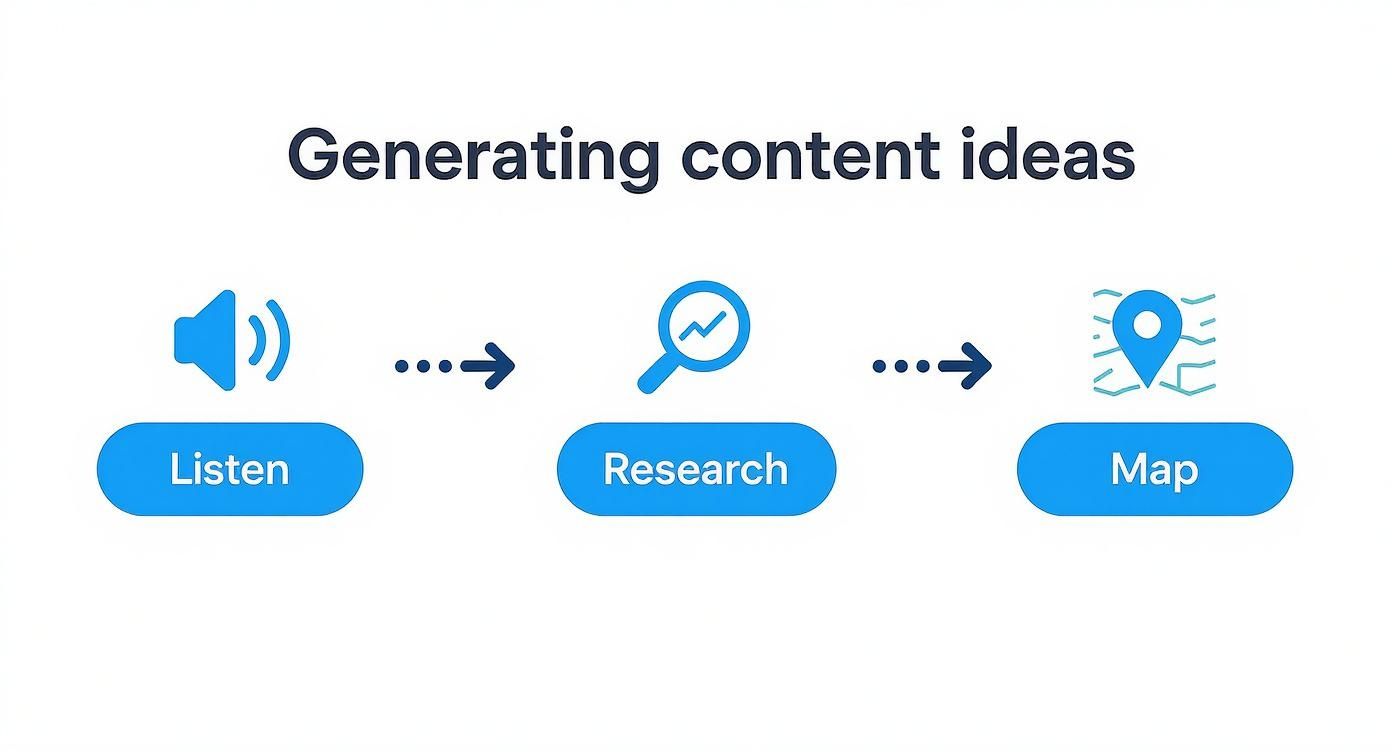
This simple flow is a great reminder that the best content comes from real signals—what your customers are saying and what the market is doing.
The Power of Batching and Repurposing
If you really want to get ahead, you have to build content batching into your workflow. Instead of scrambling to create one social media post every day, block off four hours on Monday to write and design the entire week's worth at once. This focus minimizes the mental drain of switching between tasks and helps you find a creative rhythm.
Smart content repurposing is the other side of that efficiency coin. A single, high-effort piece of content can easily fuel your calendar for weeks.
Actionable Example: A 60-minute webinar can be gold. Slice it into five short video clips for social media, write a detailed blog post summarizing the key takeaways, and spin it into a three-part email newsletter series.
This is how you maximize the return on your initial time investment. You're ensuring your core messages hit your audience on different platforms, in the formats they prefer. If you want more inspiration, you can explore additional strategies on our blog.
The Review and Publication Cycle
Once a draft is done, it enters the review cycle—and this is often where things get stuck. The key to avoiding a bottleneck is to establish a simple review process with clearly assigned owners.
First Pass (Editor): This person checks for clarity, tone, grammar, and ensures the piece followed the brief.
Expert Review (SME): If the topic is technical, a subject matter expert needs to verify its accuracy.
Final Go-Ahead: The content manager gives the final green light.
After approval, the content is ready for scheduling. Using a tool like NicheTrafficKit can automate this last mile, pushing your content out on the right platforms at the best times for engagement. It's no surprise that the broader calendar market, which includes these powerful platforms, was projected to reach USD 43.4 billion by 2025. This just shows how essential these tools have become.
By designing a clear, repeatable system, your content calendar transforms from a static schedule into a dynamic production engine that consistently delivers.
Measure and Optimize Your Content Plan
Look, a content calendar isn't something you just "set and forget." The real magic happens when you treat it as a living document—one that gets smarter the more you use it. This all comes down to data. Data turns your calendar from a simple schedule into a powerful feedback loop that constantly fine-tunes your results.
If you aren't tracking performance, you’re just guessing. When you measure what’s working (and just as importantly, what isn't), you can make smart decisions. You can double down on the topics that resonate and stop wasting time on content that falls flat.
Identify the Metrics That Truly Matter
Not all metrics are created equal. The numbers you track should tie directly back to the goals you set in the very beginning. It's easy to get distracted by vanity metrics like follower counts, but you need to focus on the data that tells you if your content is actually doing its job.
Let's get practical. Here are the specific KPIs to track for each common goal:
Goal: Growing Brand Awareness? Watch reach, impressions, and share of voice. In Google Analytics, look at the number of new users visiting your blog.
Goal: Driving Engagement? Track likes, comments, shares, and especially click-through rates (CTR) on your links.
Goal: Generating Leads? The only things that matter here are conversion rates on your landing pages, form submissions, and the number of MQLs you generate.
Goal: Boosting Website Traffic? Keep a close eye on sessions, unique visitors, and time on page in Google Analytics, filtered by your marketing channels.
For example, getting a ton of likes on a LinkedIn post feels great, but if the goal of that post was to get webinar sign-ups, the only number that really tells you if it was a success is the number of form completions.
Conduct a Simple Quarterly Content Audit
Every 90 days or so, step back and look at the bigger picture with a quarterly content audit. This doesn't need to be a massive project. The goal is just to spot your winners and losers so you can make strategic tweaks.
Here’s an actionable way to approach it:
Gather Your Data: Create a simple spreadsheet. List every piece of content published in the last 90 days. Add columns for your key metrics (e.g., page views, time on page, conversions).
Identify Your Winners: Sort the sheet by your primary metric. The top 5-10% of your content are your winners. What do these pieces have in common? Was it a specific format, like a video tutorial? A particular content pillar?
Find the Underperformers: Now, look at the bottom 5-10%. Why did these flop? Was the topic too niche? Was the headline weak?
Decide What to Do Next: Your findings give you a clear action plan. Amplify what works (create more content like your winners). Update older posts that are close to performing well. Retire the content types that consistently miss the mark.
Think of this audit as your roadmap for the next three months. It gives you clear, data-backed direction, making sure your content calendar gets sharper and more effective with every cycle.
This kind of regular check-in helps you see beyond a single post's performance and spot broader trends. For community-focused platforms, you can get incredible insights using tools like free Reddit analytics to see which conversations are really taking off. That way, every decision you make is based on what your audience is actually telling you.
Answering Your Content Calendar Questions
Even the best-laid plans come with questions. As you start building out your content calendar, you'll inevitably hit a few snags or wonder if you're on the right track. Let's tackle some of the most common questions.
How Far Out Should We Plan Our Content?
This is the classic balancing act between being prepared and staying flexible. I've found the sweet spot is a two-tiered approach.
Actionable Insight: Plan the next 30 days in detail. This means every blog post, social post, and email has a title, an assigned creator, and a hard deadline. Then, zoom out and sketch out the next 90 days at a thematic level. This is where you'll pencil in major campaigns, product launches, or seasonal themes. This higher-level view gives you direction without boxing you in, leaving room to jump on a timely trend.
What's the Real Difference: Content Calendar vs. Editorial Calendar?
People use these terms interchangeably, but there's a slight distinction that's actually useful.
Think of an editorial calendar as your high-level game plan. It’s strategic, focusing on the bigger, cornerstone pieces of content—your blog posts, ebooks, pillar pages, and video series. It might just say, "November: Focus on Holiday Gift Guides."
A content calendar is the day-to-day playbook. It includes everything from the editorial calendar but gets granular. It’s where you map out every single tweet, LinkedIn post, and Instagram story that supports the "Holiday Gift Guides" theme. It’s the master document for everything that gets published.
How Do I Get My Team to Actually Use the Calendar?
The secret isn't just making a calendar; it's making it the undeniable hub for all things content. The rule should be simple: if it isn't in the calendar, it doesn't get published.
The best way to get buy-in is to build it with them. Involve your team from the beginning. When they help shape the plan, they feel a sense of ownership. A practical tip is to make reviewing the upcoming week's calendar the first agenda item in your weekly team meeting. This makes it a living, central part of your workflow.
Once your team sees how the calendar eliminates last-minute fire drills and clarifies exactly what needs to be done, they'll wonder how they ever worked without it. It stops being a chore and becomes the tool that makes their jobs easier.
Ready to stop scrambling and start strategizing? NicheTrafficKit uses AI to automate your entire content workflow, from idea generation to auto-publishing across all your channels. Find out how you can save hours every week.
