12 Best Social media automation tools for 2025 (Reviewed)
Discover the 12 best social media automation tools to save time and boost growth. In-depth reviews, pricing, and actionable insights to pick your perfect match.
Managing a successful social media presence feels like a full-time job because it often is. Between creating content, scheduling posts across multiple platforms, engaging with your audience, and analyzing performance, the manual workload can quickly become overwhelming. This is where social media automation tools step in, but modern platforms offer far more than just basic scheduling. They have evolved into sophisticated command centers for your entire social strategy.
This guide moves beyond generic feature lists to provide a comprehensive, comparative roundup of the best tools available today. We dive deep into what truly matters: specific use cases, practical implementation, and honest assessments of each platform's strengths and limitations. Whether you're a creator building a personal brand, an e-commerce store driving sales, a B2B marketer generating leads, or an agency managing dozens of client accounts, the right tool can fundamentally change your workflow and results.
Inside this resource, you will find a detailed analysis of 12 top-tier options, from AI-first content engines like NicheTrafficKit to established enterprise solutions like Sprout Social. Each review includes:
Core Feature Analysis: A breakdown of scheduling, content creation, AI capabilities, and analytics.
Ideal Use Cases: Clear guidance on who the tool is built for.
Actionable Pros and Cons: Real-world insights, not just marketing copy.
Pricing Tiers Explained: A simple summary of what you get at each level.
We provide screenshots for a clear visual reference and direct links to get you started immediately. Our goal is to equip you with the actionable information needed to select the perfect social media automation tools for your specific needs, saving you hours of research and helping you scale your social media efforts effectively. Let's find the right fit for you.
1. NicheTrafficKit
Best For: True End-to-End AI Content Automation
NicheTrafficKit moves beyond simple post scheduling to offer a comprehensive, AI-driven suite that handles the entire social media content lifecycle. This platform is a standout choice for creators, agencies, and businesses aiming to scale content production significantly without a corresponding increase in manual effort. It replaces the need for multiple disparate tools by integrating research, creation, platform-specific optimization, and publishing into a single, unified workflow.
The platform's core strength lies in its ability to learn a specific brand voice and autonomously generate a wide array of content. For example, a B2B consultant can use it to create and schedule a month's worth of insightful LinkedIn carousels in minutes by providing a few key topics. Similarly, an e-commerce brand can task the AI with generating viral-style Pinterest pins complete with SEO-optimized titles and descriptions, all tailored to drive traffic. Its AI is trained on platform-specific algorithms, ensuring content is crafted for maximum reach on TikTok, Pinterest, LinkedIn, and more.
Key Features & Use Cases
End-to-End AI Automation: Unlike tools that only schedule pre-made content, NicheTrafficKit handles the entire process. Practical Example: Input a blog post URL, and the AI will automatically generate a summary tweet, a discussion-starting LinkedIn post, and a multi-slide Instagram carousel, all scheduled for optimal times.
Platform-Specific Content Generation: The AI doesn't just create generic posts. It produces content optimized for each platform's unique algorithm, such as SEO-driven Pinterest pins, trending TikTok video concepts, and professional LinkedIn carousels.
Intelligent Content Recycling: A key feature for maximizing ROI is its ability to identify and resurface top-performing posts automatically, ensuring your best content gets continuous visibility without manual intervention.
Bulk Creation & Management: Agencies and power users can generate and schedule hundreds of posts at once, making it one of the most efficient social media automation tools for managing multiple client accounts from a single dashboard.
Pricing and Plans
NicheTrafficKit operates on a transparent, token-based system. You can start with a free trial that includes credits and does not require a credit card.
Creator: $39/month for 200 tokens and up to 3 social accounts.
Pro: $89/month for 500 tokens, up to 10 accounts, and priority onboarding.
Ultimate: $499/month for 3,000 tokens and up to 20 accounts.
Pros & Cons
Pros | Cons |
|---|---|
True end-to-end AI automation saves hours of manual work by handling research, creation, and publishing in one platform. | The token-based system may require heavy users to purchase add-ons or upgrade their plan to meet high-volume demands. |
Platform-specific optimization (e.g., Pinterest SEO, faceless YouTube videos) maximizes content ROI and organic reach. | AI-generated content still benefits from a quick human review to ensure it perfectly captures brand voice and nuance. |
Scalable and accessible, with a risk-free trial and plans designed for everyone from solo creators to large agencies. | Advanced platform features, like Reddit engagement, still require a degree of strategic oversight to be used effectively. |
Built-in analytics provide clear data on what content drives growth, enabling a more strategic and less speculative approach. |
Website: https://nichetraffickit.com
2. Hootsuite
Best For: Enterprise-Level Governance and Team Collaboration
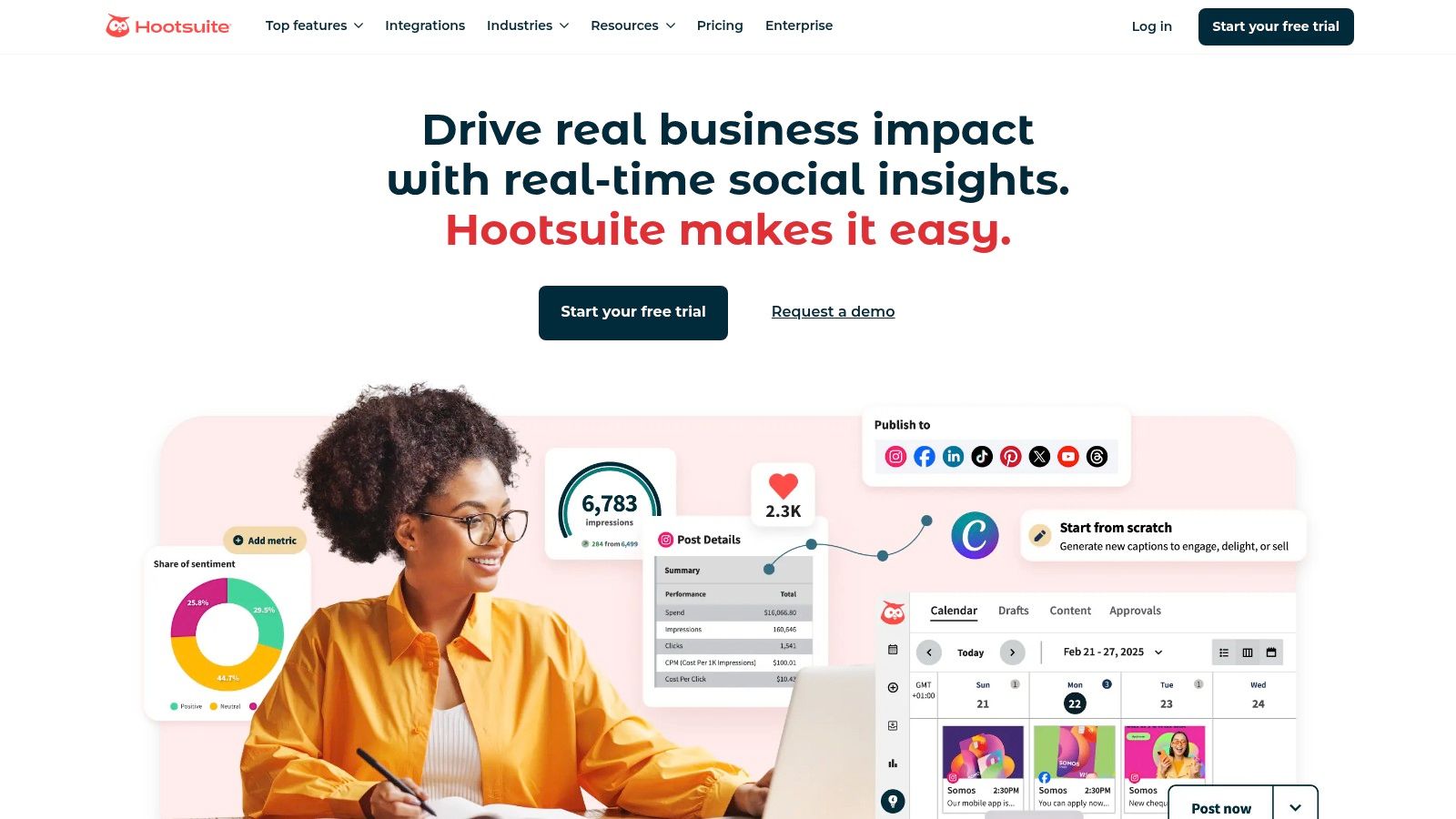
Hootsuite is one of the most established and comprehensive social media automation tools, evolving from a simple scheduler into a full-funnel management suite. It excels in environments where governance, team collaboration, and deep analytics are non-negotiable, making it a staple for large businesses, agencies, and enterprises in regulated industries. Its robust platform centralizes content scheduling, audience engagement, and performance measurement in a single dashboard.
The platform's strength lies in its team-oriented features. For instance, a marketing manager can set up complex approval workflows where a junior marketer drafts posts, a legal expert approves them, and a brand manager gives the final sign-off before anything goes live. This prevents errors and ensures brand consistency across multiple accounts and regions. Hootsuite's unified inbox also allows for practical automation; for example, you can set up a rule that automatically assigns any message containing the word "complaint" to your customer service team leader.
Core Features & Use Case
Best Use Case: Large teams and agencies managing numerous client accounts or corporate brands that require stringent content approval workflows and advanced analytics.
OwlyWriter AI: The built-in AI assistant helps teams overcome creative blocks. Actionable Insight: Use it to instantly repurpose a high-performing blog post into five different tweet variations to test which headline resonates most with your audience.
Social Listening: Monitor brand mentions, track competitor activity, and identify industry trends in real-time to inform your content strategy.
Advanced Analytics: Create detailed, customizable reports that connect social media efforts to tangible business outcomes like lead generation and conversions.
Pricing & Platform Details
Hootsuite’s pricing is geared towards professional teams, with plans starting at $99/month. Public pricing is not always clearly listed on the site and is often presented during the checkout or sales process.
Pros | Cons |
|---|---|
Deep feature set for team collaboration and approvals. | Can be expensive and overly complex for solo users or small businesses. |
Mature analytics and robust reporting capabilities. | The user interface can feel dated and less intuitive than newer tools. |
Extensive app ecosystem for integrations and added functionality. | Core features like advanced social listening are often costly add-ons. |
Website: https://www.hootsuite.com/
3. Buffer
Best For: Intuitive Scheduling for Creators and Small Businesses
Buffer has built its reputation on simplicity and accessibility, making it one of the best social media automation tools for individuals, creators, and small businesses just starting out. It champions a clean, intuitive interface that removes the complexity often associated with powerful scheduling platforms. Its core philosophy revolves around a straightforward queue system, allowing users to pre-load content and let Buffer publish it automatically at optimal times.
The platform shines in its user-friendly approach to automation. For example, a solo blogger can connect their RSS feed to Buffer, and every new blog post will be automatically added to their social media queue for sharing across multiple channels without any manual effort. Another practical automation is its first-comment feature for Instagram; a user can schedule a post and simultaneously schedule the first comment, perfect for adding relevant hashtags without cluttering the main caption. This focus on simple, effective automations makes it an ideal entry point into social media management.
Core Features & Use Case
Best Use Case: Solo creators, bloggers, and small business owners who need a highly intuitive, affordable, and easy-to-learn scheduling tool.
Queue-Based Scheduling: Load your content queue and let Buffer handle the publishing schedule for you. Actionable Insight: Set up different schedules for weekdays and weekends to align your posting frequency with audience activity patterns.
AI Assistant: Generate post ideas, rewrite copy in different tones, and repurpose existing content directly within the composer to speed up content creation.
Start Page: Create a simple, elegant landing page for your bio link, consolidating your most important links in one place.
Engagement Tools: Manage comments and interactions from a unified inbox to ensure timely responses to your audience.
Pricing & Platform Details
Buffer is known for its generous free plan and transparent, modular pricing. Paid plans start at $6/month per channel, allowing users to build a custom plan that fits their exact needs.
Pros | Cons |
|---|---|
Extremely intuitive and easy-to-learn user interface. | Lacks the deep, enterprise-level approval workflows of competitors. |
Excellent free plan supports up to 3 channels. | Advanced analytics are reserved for higher-priced tiers. |
Flexible and affordable per-channel pricing model. | Fewer direct integrations compared to more established platforms. |
Website: https://buffer.com/
4. Sprout Social
Best For: Premium Analytics and All-in-One Team Management
Sprout Social positions itself as a premium, all-in-one social media management platform designed for sophisticated brands and agencies that demand deep data and seamless team collaboration. It offers a polished user experience that combines publishing, engagement, analytics, and social listening into a single, intuitive interface. The platform excels at turning raw social data into actionable business intelligence, helping teams prove ROI and refine their strategy.
Where Sprout Social truly shines is in its reporting and team-based workflows. For example, an agency can use its competitive analysis reports to show a client exactly how their share of voice compares to rivals on key topics, providing concrete data for strategic pivots. Meanwhile, its integrated Smart Inbox allows customer support teams to quickly address feedback from Facebook, Google My Business, and TripAdvisor in one place, ensuring no customer comment is missed. A practical automation here is setting up a keyword rule to automatically tag any message with "outage" or "broken" and assign it to the tech support queue.
Core Features & Use Case
Best Use Case: Mid-to-large-sized businesses and agencies that need market-leading analytics, competitive benchmarking, and robust collaboration features for multi-seat teams.
AI Assist: A suite of generative AI tools that helps teams write and refine copy. Actionable Insight: Use the "Rewrite" feature to quickly generate 5 different versions of a product announcement to A/B test on different platforms.
Smart Inbox & Review Management: A unified inbox that centralizes messages, mentions, and reviews from all connected profiles, streamlining engagement and customer care.
Advanced Analytics & Social Listening: Provides in-depth, presentation-ready reports on performance, audience demographics, and competitor activity.
Pricing & Platform Details
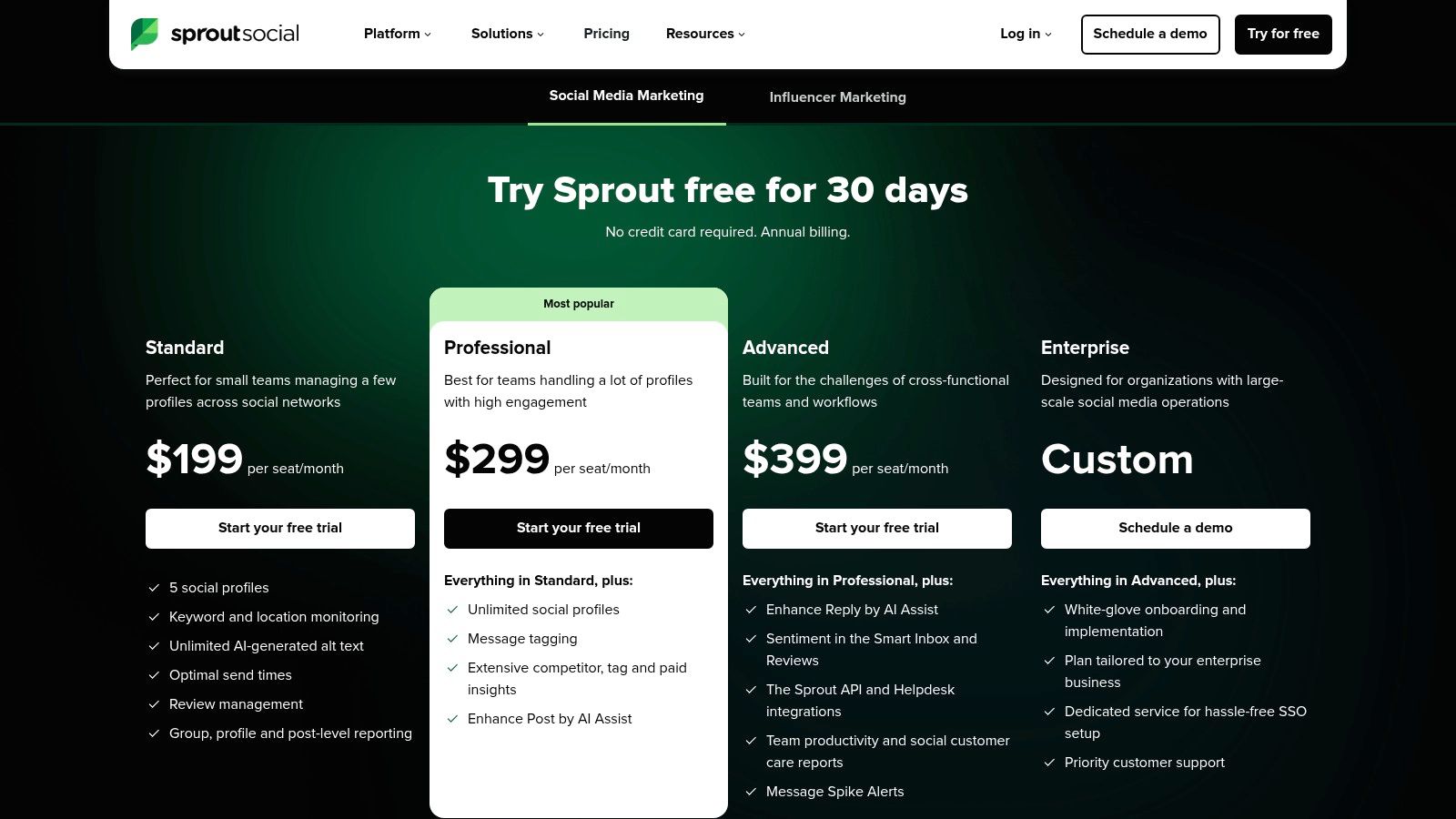
Sprout Social’s pricing reflects its enterprise-grade focus, with plans starting at $249/month per user. The per-seat model can make it a significant investment, but it's justified for teams that leverage its advanced features.
Pros | Cons |
|---|---|
Market-leading analytics and beautiful, in-depth reporting. | Higher price per seat makes it less accessible for smaller businesses. |
Polished, intuitive user interface that scales well for teams. | Some advanced features like premium listening are costly add-ons. |
Excellent team collaboration and content approval workflows. | The feature set can be overwhelming for solo users or simple needs. |
Website: https://sproutsocial.com/pricing/
5. Later
Best For: Visual-First Content Planning and Scheduling
Later has carved out a niche as the go-to visual-first social media automation tool, originally gaining popularity for its intuitive Instagram grid planner. It has since evolved into a powerful multi-platform scheduler that excels for brands, creators, and e-commerce businesses where aesthetics are paramount. Its strength lies in making it simple to visualize, plan, and schedule content for visual platforms like Instagram, TikTok, and Pinterest.
The platform is built around a drag-and-drop content calendar, allowing a social media manager to visually arrange their upcoming posts to ensure a cohesive and appealing feed. For instance, a fashion brand can upload an entire photoshoot and then drag images onto the calendar to perfectly balance product shots, lifestyle content, and user-generated posts. Actionable Insight: Use the visual planner to create a "checkerboard" pattern in your Instagram feed, alternating between product images and inspirational quotes to keep your grid visually engaging and less sales-heavy.
Core Features & Use Case
Best Use Case: Visually-driven brands, e-commerce stores, and creators focused on building a strong presence on Instagram, TikTok, and Pinterest.
Visual Planner: Drag and drop media to preview and arrange your Instagram feed before publishing, ensuring a consistent and professional aesthetic.
AI Content Creation: The AI Caption Writer helps generate multiple caption options, while the Best Time to Post feature analyzes your audience data to recommend optimal scheduling slots.
Link in Bio: Create a customizable, clickable landing page for your social media bio to drive traffic to your website, products, or other important links.
User-Generated Content (UGC): Find, collect, and manage user-generated content by searching hashtags and mentions, then easily schedule approved posts to your feed.
Pricing & Platform Details
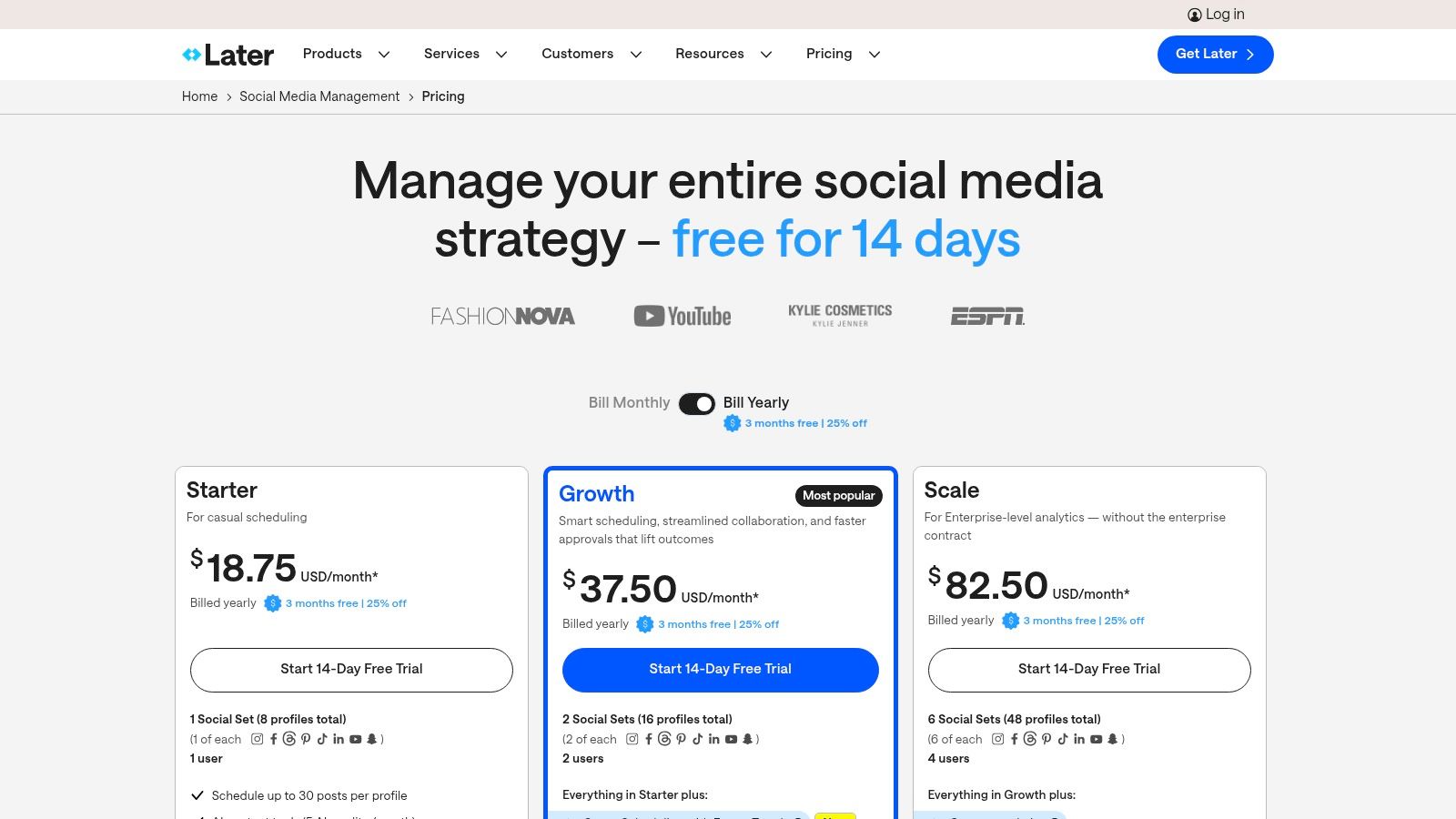
Later offers a tiered pricing structure that accommodates users from solo creators to large teams, starting with a free plan for basic scheduling. Paid plans begin at $25/month.
Pros | Cons |
|---|---|
Highly intuitive, visual-first user interface is perfect for planning. | The entry-level paid tier has a limit on the number of posts per month. |
Competitive features like AI tools and analytics are included in mid-tiers. | Advanced analytics and team collaboration features are on higher-priced plans. |
Strong focus on platforms like Instagram, TikTok, and Pinterest. | Less robust for text-heavy platforms like X (Twitter) or LinkedIn. |
Website: https://later.com/
6. Agorapulse
Best For: Streamlined Inbox Management and Team Collaboration
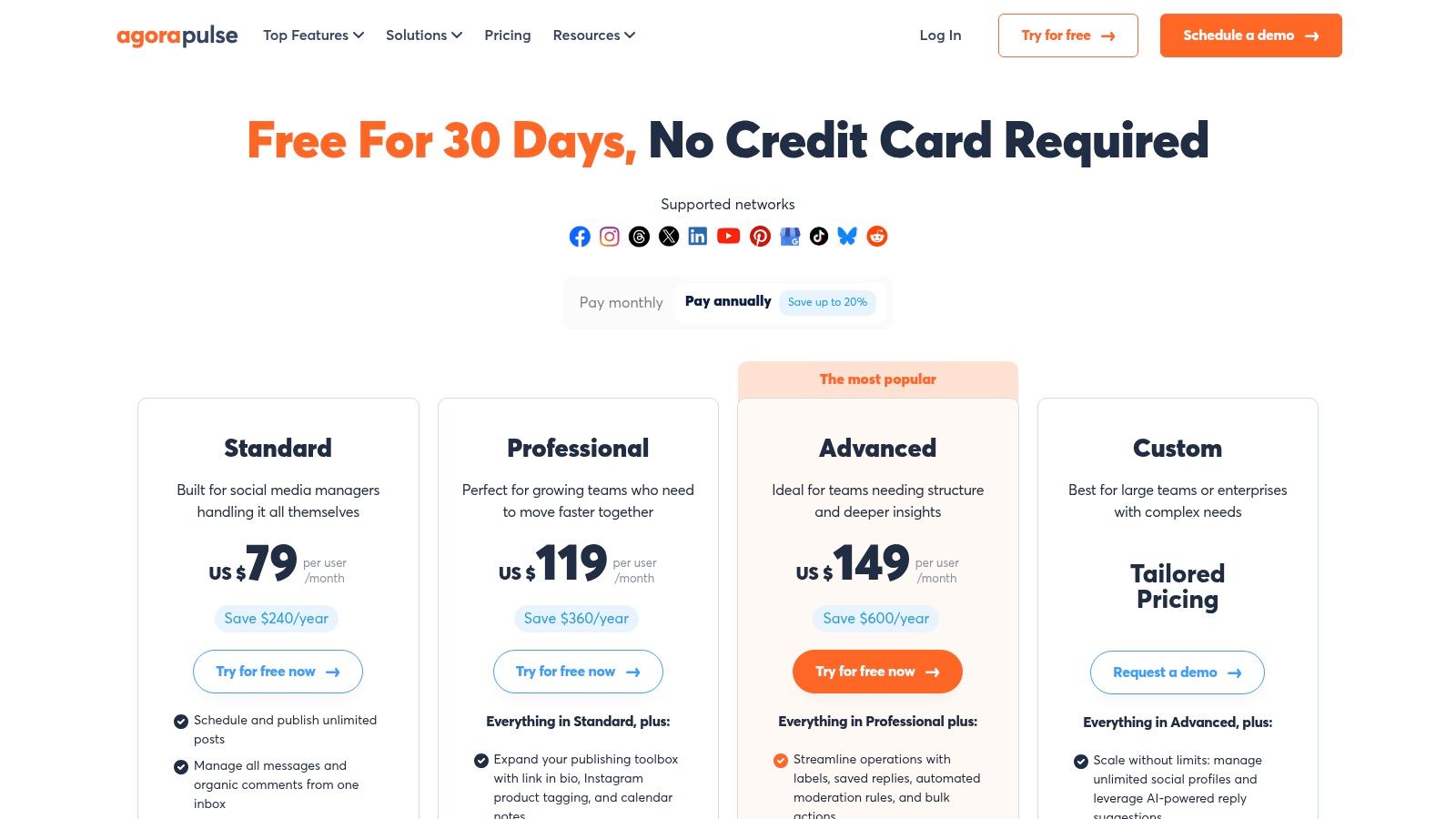
Agorapulse positions itself as a powerful, all-in-one social media automation tool that balances a rich feature set with an intuitive user experience. It's particularly strong for mid-market businesses and agencies that need robust collaboration tools, unified inbox management, and detailed reporting without the enterprise-level complexity or pricing of some competitors. The platform excels at streamlining engagement by combining organic comments, mentions, and even ad comments into a single, manageable inbox.
This unified inbox is a standout feature. For example, a community manager running a Facebook ad campaign can see and reply to comments on the ad directly within the Agorapulse dashboard, right alongside organic mentions from Twitter. They can then use the platform’s automation rules to, say, automatically hide any comments containing profanity or assign a complex customer service query to a support team member with one click. This centralized approach to engagement is a significant time-saver and a key reason teams choose Agorapulse.
Core Features & Use Case
Best Use Case: Agencies and marketing teams that manage high-engagement accounts and ad campaigns, requiring streamlined collaboration and a unified inbox.
Unified Social Inbox: Consolidates all comments, messages, and mentions (including from Facebook and Instagram ads) into one filterable stream.
Team Collaboration: Assign inbox items to specific team members, leave internal notes, and track team performance with detailed reports.
ROI Reporting: Connect social media campaigns to website traffic and lead generation. Actionable Insight: Use this feature to track which social campaigns are driving the most qualified leads through your website, proving the value of your social media spend.
Social Listening: Monitor key conversations and brand mentions to engage with your community and manage your brand's reputation effectively.
Pricing & Platform Details
Agorapulse offers clear, user-based pricing with plans starting around $49 per user/month (when billed annually). This model is transparent but can become costly as teams grow. A generous 30-day free trial is available on most plans.
Pros | Cons |
|---|---|
Excellent unified inbox that includes ad comments. | The per-user pricing model can become expensive for larger teams. |
Intuitive user interface and easy to onboard new team members. | Lacks some of the deep, enterprise-level integrations of competitors. |
Strong ROI and team performance reporting features. | Advanced social listening features are limited to higher-tier plans. |
Website: https://www.agorapulse.com/
7. SocialBee
Best For: Evergreen Content Automation on a Budget
SocialBee is a budget-friendly social media automation tool designed around content categories and evergreen post recycling. Its core strength lies in helping solo entrepreneurs, freelancers, and small businesses maintain a consistent, high-volume posting schedule without constant manual effort. The platform’s philosophy is built on creating category-based queues (e.g., "Blog Posts," "Promotions," "Quotes") that automatically publish content according to a pre-set schedule, ensuring a balanced feed.
The "set it and forget it" evergreen automation is a key differentiator. For a practical example, a user can load 50 timeless tips into a "Weekly Tips" category, set them to expire after 5 shares, and then have them automatically re-queued for future use. This is particularly effective for promoting cornerstone content or affiliate links, as SocialBee continuously recycles your best-performing assets to new audiences. It supports a wide range of networks, including direct posting to emerging platforms like Threads.
Core Features & Use Case
Best Use Case: Solopreneurs, bloggers, and small businesses needing an affordable, efficient way to automate a consistent posting schedule with evergreen content.
Content Categories & Queues: Organize your posts into themed categories and let SocialBee automatically publish them. Actionable Insight: Create categories like "Monday Motivation," "Behind the Scenes Friday," and "Promotional Wednesday" to ensure a diverse and engaging content mix throughout the week.
Evergreen Post Recycling: Automatically re-share your best-performing content after a set period to maximize its reach and lifespan without manual re-scheduling.
AI Assistant: Generate entire social media strategies, create platform-specific captions from scratch, and rephrase existing posts to keep them fresh.
Pricing & Platform Details
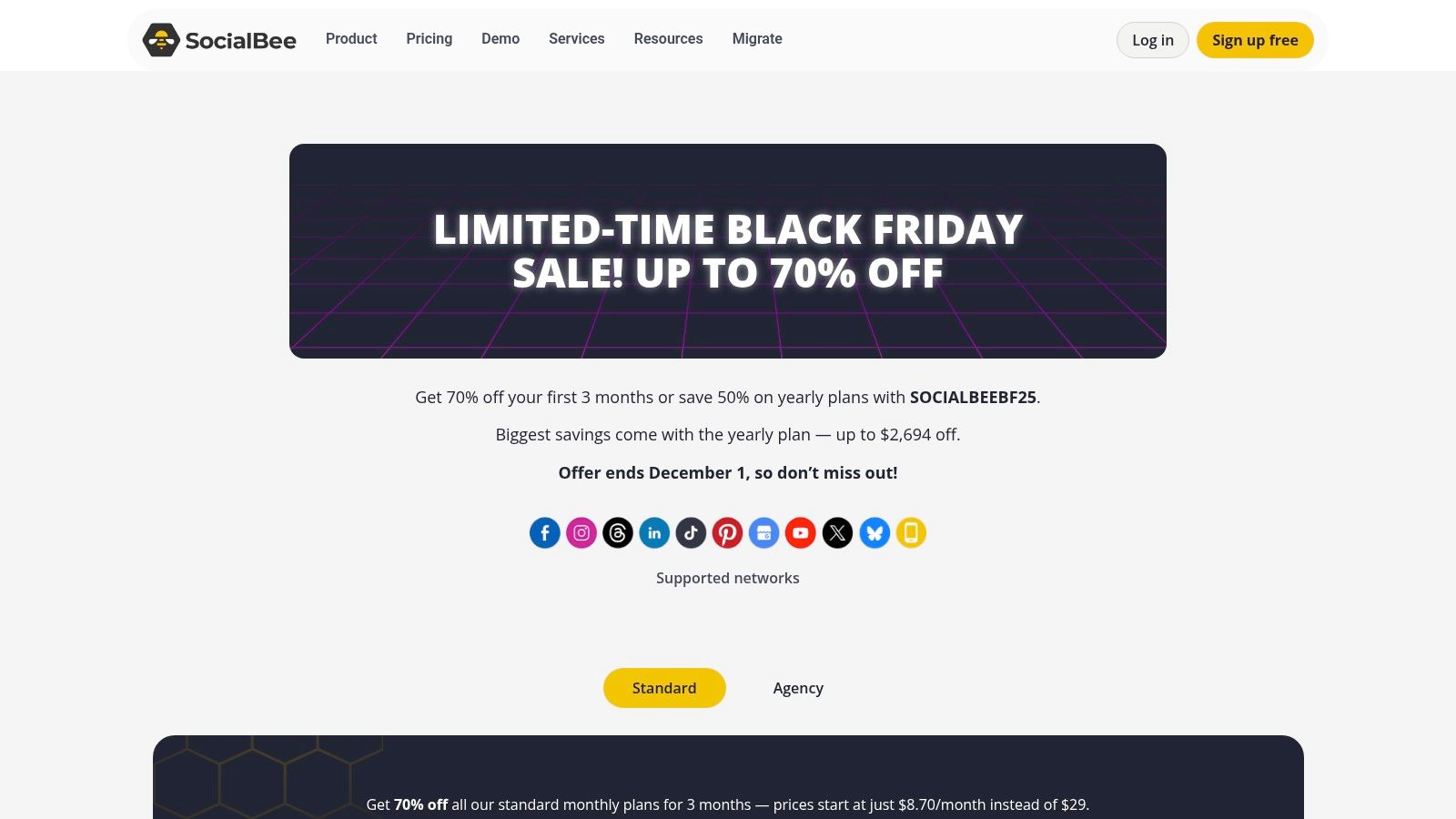
SocialBee is known for its aggressive and transparent pricing, with plans starting at just $29/month. They frequently run promotions and offer clear add-on pricing for extra users, workspaces, or social profiles, making it easy to scale.
Pros | Cons |
|---|---|
Very affordable pricing compared to many competitors. | Lacks the deep, enterprise-level analytics found in premium tools. |
Powerful evergreen content and recycling automation. | Collaboration and approval features are less extensive than larger suites. |
Simple, intuitive interface that is easy to master quickly. | User interface is more functional than visually polished. |
Website: https://socialbee.com/pricing/
8. Sendible
Best For: Agency-Focused Workflows and Client Management
Sendible is a social media management platform designed with agencies and client-facing teams in mind. It excels at streamlining client management workflows by offering features like dedicated client dashboards, custom reporting, and white-labeling options that allow agencies to brand the platform as their own. Its comprehensive toolset is built to handle content scheduling, engagement, and analytics across multiple brands efficiently.
The platform's standout feature is its "Smart Queues" for evergreen content automation. For a practical example, an agency can create a queue of high-performing blog posts for a client, set a schedule (e.g., "post from this queue every Tuesday and Thursday at 10 AM"), and Sendible will automatically recycle this content, ensuring a consistent presence without manual intervention. This, combined with bulk CSV imports and RSS feed autoposting, makes it one of the most practical social media automation tools for maintaining content calendars at scale.
Core Features & Use Case
Best Use Case: Digital marketing agencies and freelancers who manage multiple client accounts and require streamlined reporting and content approval processes.
Smart Queues: Create categorized queues of evergreen content that automatically recycle and post. Actionable Insight: Create a "testimonials" queue and schedule one to post every Friday to consistently build social proof for your clients.
Client Dashboards & White-Labeling: Provide clients with a branded portal to view content calendars, approve posts, and access performance reports, enhancing transparency and professionalism.
Bulk Scheduling: Upload hundreds of posts at once via a CSV file, perfect for campaign planning or onboarding a new client’s content backlog.
Pricing & Platform Details
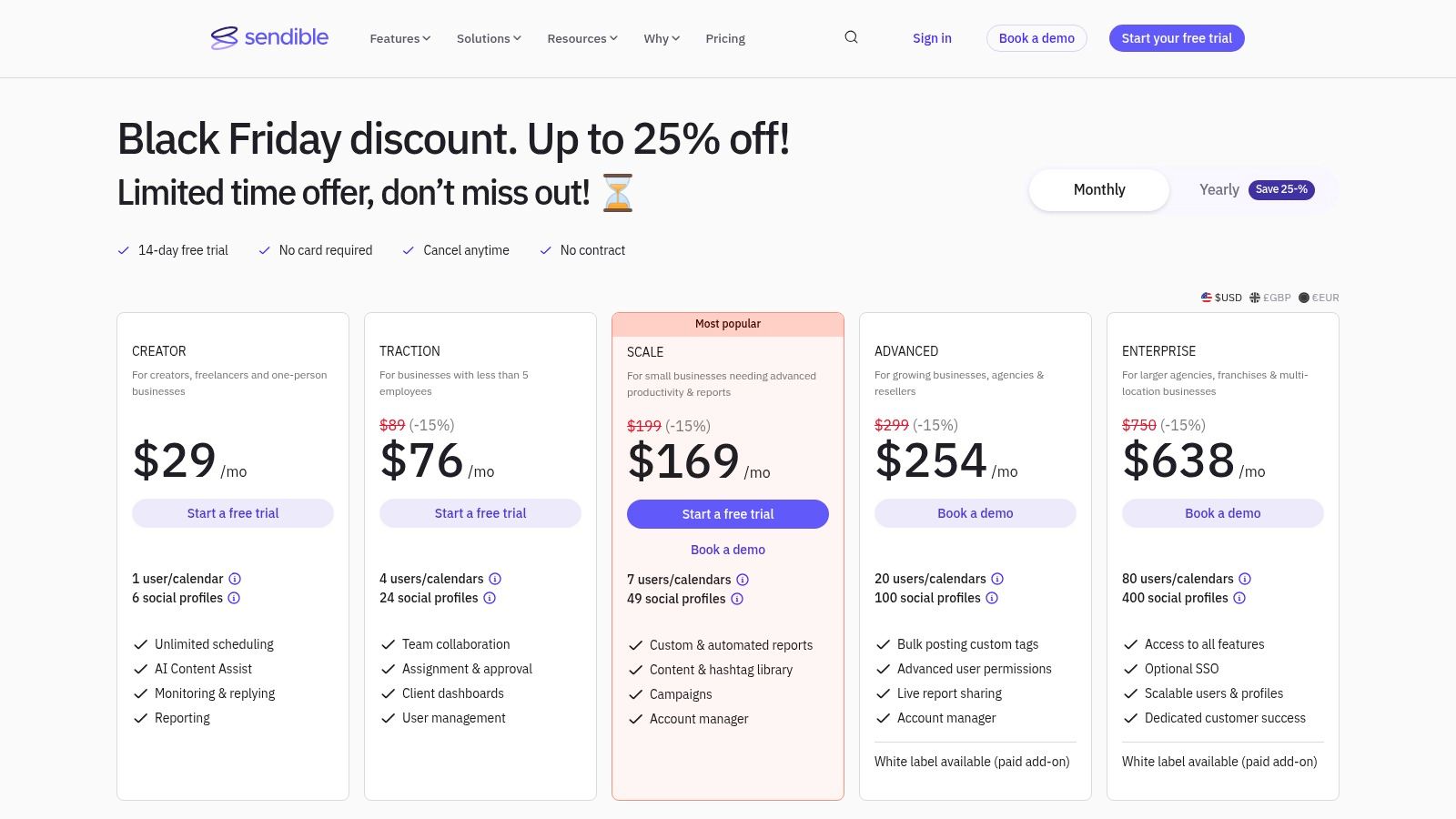
Sendible offers plans tailored to different needs, starting at $29/month for solo creators. Agency-focused plans with more users and profiles start at higher price points, with white-labeling available on the top-tier plans.
Pros | Cons |
|---|---|
Strong tools for agencies (client onboarding, white-label option). | Premium reporting and white-label features are locked behind higher plans. |
Practical evergreen automation and RSS autoposting capabilities. | The interface, while functional, can feel less modern than some competitors. |
Direct integration with Canva simplifies content creation. | Initial setup for multiple clients and queues can be time-consuming. |
Website: https://www.sendible.com/
9. Publer
Best For: Cost-Effective Scheduling with a Generous Free Plan
Publer positions itself as one of the most cost-effective and generous social media automation tools, especially for users just starting out. It stands out with a robust perpetual free plan that offers features many competitors charge for, making it an ideal entry point for individuals, freelancers, and small businesses looking to establish an organized social media presence without a significant initial investment. Its interface is clean, straightforward, and focuses on core scheduling and automation functionalities.
The platform simplifies content management with practical automation. A creator, for example, can use the bulk scheduling feature to upload a month's worth of content from a single CSV file, complete with captions and media links. Actionable Insight: Set up recurring posts to automatically promote your weekly newsletter sign-up link every Friday morning, ensuring your list grows consistently without weekly manual effort. For small teams, Publer's workspaces allow for a clear separation of client accounts or brand projects, keeping drafts and scheduled content organized without complexity.
Core Features & Use Case
Best Use Case: Solopreneurs, creators, and small businesses needing a powerful, low-cost scheduler with a generous free tier to manage a few social accounts efficiently.
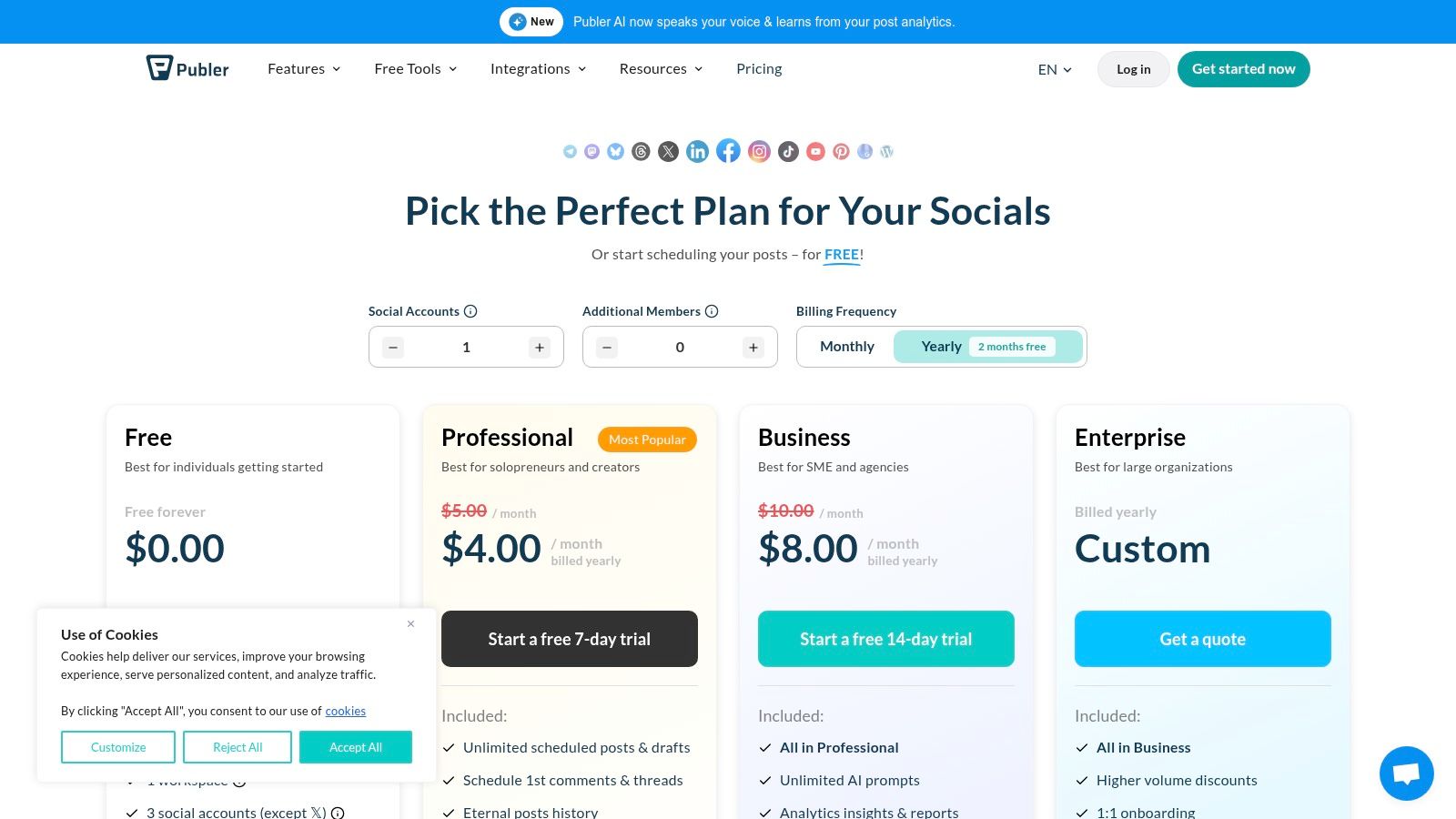
Generous Free Plan: Manage up to 3 social accounts with 10 scheduled posts per account at any time, a feature that provides significant value for new users.
Bulk Scheduling & Recycling: Upload hundreds of posts at once via a CSV file and set evergreen content to be automatically reposted at set intervals.
Workspaces: Organize social accounts into different groups, ideal for freelancers managing a few clients or businesses with multiple brand entities.
Pricing & Platform Details
Publer’s main draw is its accessibility, with a free plan that is genuinely useful. Paid plans are highly competitive, starting at just $12/month, providing an affordable upgrade path as your needs grow.
Pros | Cons |
|---|---|
Very approachable pricing with a functional perpetual free tier. | Advanced analytics and collaboration are limited to higher-priced plans. |
Quick and easy setup with broad social network support. | The user interface is functional but lacks the polish of premium competitors. |
Includes unique features like link-in-bio and post recycling. | AI content generation features are less advanced than dedicated AI tools. |
Website: https://publer.com/plans
10. Metricool
Best For: All-in-One Analytics, Scheduling, and Ad Management
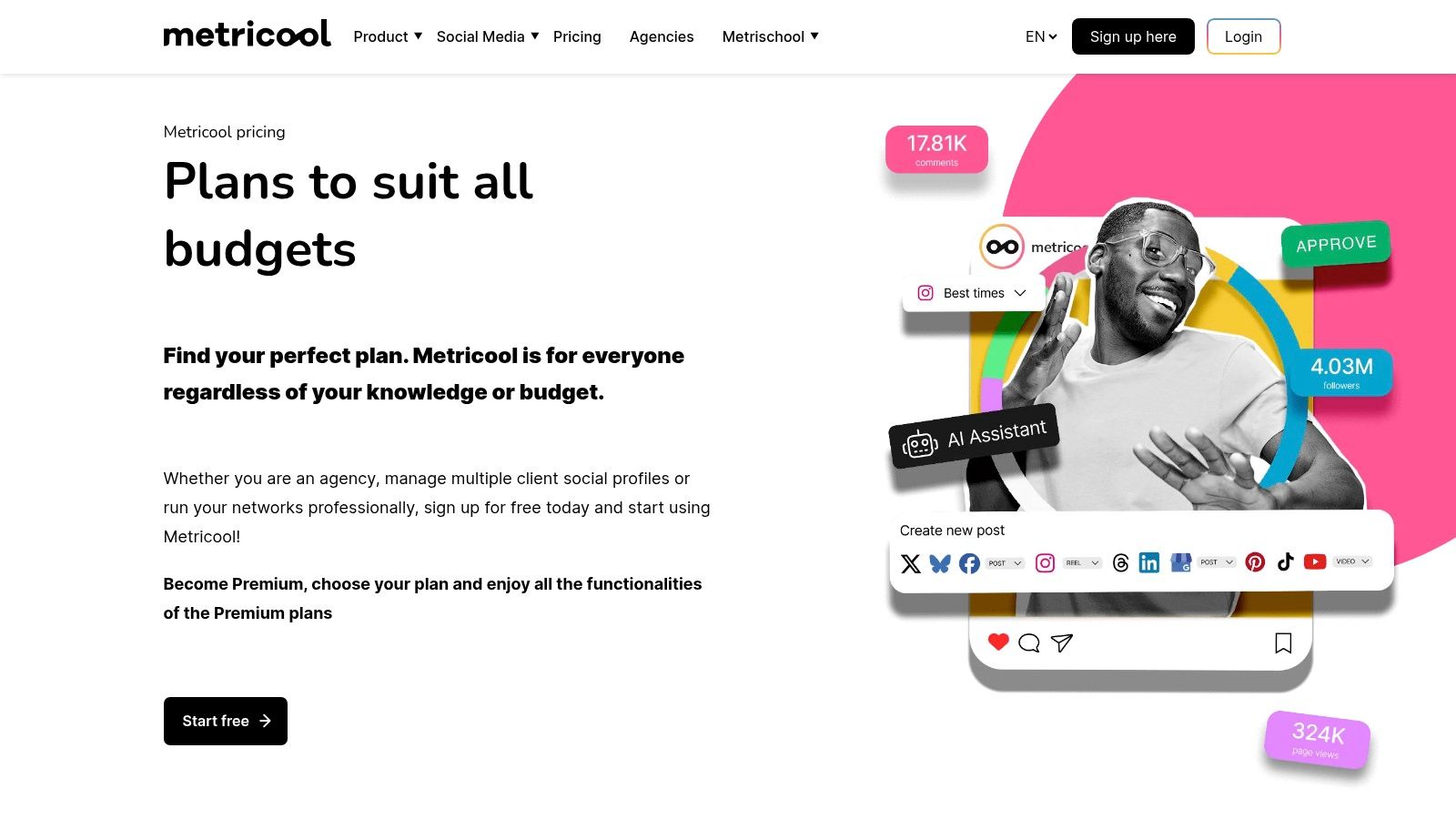
Metricool stands out by bundling analytics, scheduling, and ad management into an exceptionally user-friendly and affordable package. It’s designed for creators, SMBs, and agencies who need a powerful, all-in-one tool without the enterprise-level price tag. The platform simplifies complex data into visual, easy-to-understand reports and streamlines the content creation workflow with smart integrations.
A key advantage of Metricool is its seamless integration with design and storage tools. For instance, a social media manager can connect their Canva account directly to the content planner, pull in approved visuals, and schedule them in seconds, eliminating the need to download and re-upload files. Actionable Insight: Use the platform's "Autolists" feature to create evergreen content queues that automatically publish at the best times, ensuring your profiles remain active even when you're focused on other tasks. While its analytics cover major platforms, those looking for deeper insights on specific channels like Reddit might want to explore dedicated tools; for more information, you can find great resources on Reddit analytics here.
Core Features & Use Case
Best Use Case: Freelancers, bloggers, and small to mid-sized agencies needing a cost-effective, all-in-one solution for scheduling, reporting, and competitor analysis.
Unified Planner: Schedule content for multiple platforms from one calendar, using its best-time-to-post feature and CSV batch uploads for efficiency.
Creative Integrations: Connects directly with Canva, Google Drive, and Adobe Express, allowing you to design, import, and schedule posts without leaving the platform.
AI Text Assistant: Generate post copy, hashtags, and creative ideas directly within the composer to speed up content creation.
Pricing & Platform Details
Metricool offers a very accessible pricing model, including a generous free plan for beginners. Paid plans are competitively priced, making it one of the best-value social media automation tools available.
Pros | Cons |
|---|---|
Extremely competitive pricing, including a functional free plan. | X/Twitter accounts may require a paid add-on, even on some paid tiers. |
Time-saving integrations with Canva, Google Drive, and Adobe Express. | Analytics are comprehensive but may lack the depth of enterprise tools. |
Clean, intuitive user interface that is easy to navigate. | Reporting customization options are more limited than in advanced suites. |
Website: https://metricool.com/
11. Zapier
Best For: Creating Custom Cross-App Social Media Workflows
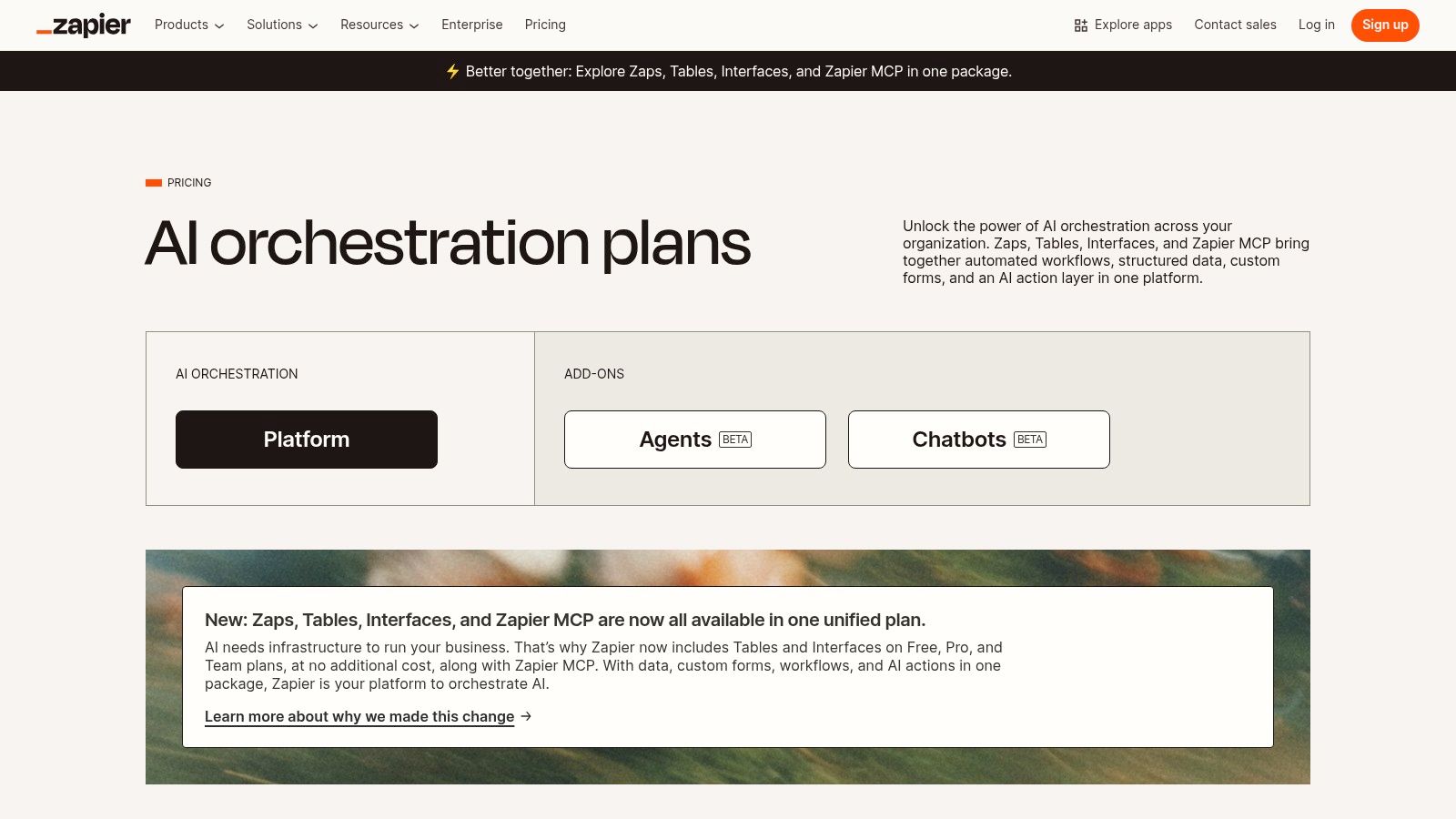
While not a traditional social media scheduler, Zapier is the ultimate "glue" of the internet, enabling powerful cross-app social media automation tools that other platforms cannot manage. It operates on a simple "if this, then that" logic, connecting thousands of applications to create custom workflows, or "Zaps." This allows you to automate repetitive tasks and create unique content distribution pipelines without writing a single line of code.
Zapier's strength is its unparalleled flexibility. For example, you can create a Zap that automatically shares a new YouTube video across Twitter, Facebook, and LinkedIn the moment it's published. A more advanced practical workflow could be: "When a customer leaves a 5-star review on Trustpilot, automatically create a branded graphic in Canva with the review text, and then add it to a 'Social Proof' queue in Buffer." For a deeper look into this type of advanced workflow, you can explore how to connect Zapier with AI marketing platforms. Its power lies in connecting systems that don't natively integrate.
Core Features & Use Case
Best Use Case: Marketers and businesses looking to create custom, multi-step social media automations that bridge different software tools, such as content management systems, e-commerce platforms, and CRMs.
7,000+ App Integrations: Connect virtually any app in your workflow, from Google Sheets and Slack to Shopify and WordPress, to trigger social media posts based on specific events.
Conditional Logic (Paths): Create sophisticated workflows that perform different actions based on the data received. Actionable Insight: Set up a Zap that posts positive customer mentions from Twitter to a public Slack channel, but routes negative mentions to a private customer support channel for immediate action.
Formatter: Automatically transform data without code, such as trimming text for a tweet or changing date formats before publishing.
Pricing & Platform Details
Zapier offers a free-forever plan with limited tasks. Paid plans start at $19.99/month (billed annually) and scale based on the number of tasks and the complexity of your Zaps.
Pros | Cons |
|---|---|
Unmatched integration library connects nearly any app you can imagine. | Task-based billing can become expensive with high-volume automations. |
Scales from simple two-step triggers to complex, multi-app workflows. | A recent security incident requires users to be diligent with app permissions. |
Empowers non-developers to build powerful custom automations. | The initial setup can have a learning curve for complex workflows. |
Website: https://zapier.com/pricing
12. G2 (Social Media Management Category)
Best For: Unbiased Research and Comparative Tool Selection
G2 is not a social media automation tool itself, but a comprehensive software marketplace that serves as an essential research hub for finding the right one. It aggregates verified user reviews, detailed feature comparisons, and real-time satisfaction scores, allowing you to filter and shortlist platforms based on specific business needs. Its "Grid" reports visually map out market leaders, contenders, and niche players, offering an unbiased lay of the land.
This platform excels at providing the social proof needed to make a confident purchasing decision. For a practical example, a small e-commerce business can filter the "Social Media Management" category for tools with high "Ease of Use" ratings and native Shopify integration. They can then read detailed reviews from similar-sized companies, compare pricing models side-by-side, and click directly through to vendor websites for a trial, streamlining the entire evaluation process into a single, focused session. This is a highly actionable first step before committing to any free trials.
Core Features & Use Case
Best Use Case: Marketing teams, agencies, and business owners in the research and selection phase of choosing a new social media tool.
Verified User Reviews: Access thousands of in-depth reviews from actual users, often detailing specific pros, cons, and problems the software solved for them.
Comparison Engine: Compare up to four different social media automation tools head-to-head. Actionable Insight: Use this feature to directly compare the analytics capabilities of your top two contenders to see which one offers the specific metrics you need to track.
Grid Reports: Visualize the market landscape with G2's iconic quadrant, which plots platforms based on market presence and customer satisfaction scores.
Pricing & Platform Details
G2 is completely free for buyers to use for research and reviews. The platform earns revenue from vendors who pay for enhanced profiles, lead generation, and market intelligence reports.
Pros | Cons |
|---|---|
Vast library of unbiased, verified user reviews and ratings. | Reviews can be subjective and may not reflect your specific use case. |
Powerful filtering helps narrow down options quickly. | Vendor-provided feature lists can be outdated; always verify on their site. |
Excellent for comparing top contenders and discovering niche solutions. | Some newer or smaller tools may lack a significant number of reviews. |
Website: https://www.g2.com/categories/social-media-management
Top 12 Social Media Automation Tools Comparison
Platform | Core features (✨) | UX & Quality (★) | Pricing & Value (💰) | Target audience (👥) | Standout / Unique (🏆/✨) |
|---|---|---|---|---|---|
NicheTrafficKit 🏆 | End‑to‑end AI: research → create → optimize → publish across TikTok, Pinterest, IG, YouTube, Reddit; carousels & faceless YT | ★ 4.9/5 (1k+ reviews); huge time savings (hrs → mins); built‑in analytics | 💰 Free trial (no CC); Creator $39/200t, Pro $89/500t, Ultimate $499/3k tokens | 👥 Creators, SMBs, in‑house social teams, agencies | 🏆 ✨ True end‑to‑end automation; platform‑specific optimization; Pinterest SEO & Reddit discovery |
Hootsuite | Scheduling, unified inbox, social listening, team workflows, AI copy | ★ Mature, enterprise‑grade; strong governance & approvals | 💰 Tiered/enterprise pricing (often custom); can be pricier for solo users | 👥 Enterprises, large teams, regulated industries | ✨ Deep listening & governance; strong approvals/workflow |
Buffer | Queue‑based scheduler, AI assistant, hashtag manager, analytics | ★ Very easy to learn; clean UI; generous free tier | 💰 Free plan available; modular per‑channel pricing; affordable for solos | 👥 Solo creators, small teams | ✨ Simple queue + solid free tier for quick start |
Sprout Social | Advanced reporting, smart scheduling, team roles, AI assist | ★ Premium reporting depth; enterprise collaboration | 💰 Higher per‑seat pricing (premium tier) | 👥 Brands, agencies, multi‑brand teams | ✨ Market‑leading analytics & benchmarking |
Later | Visual planner, AI tools, UGC collection, link‑in‑bio, approval workflows | ★ Intuitive visual UI for creators; IG/TikTok first | 💰 Freemium → mid tiers; entry limits on posts | 👥 Instagram/TikTok‑first brands, creators | ✨ Strong visual planning & UGC workflows |
Agorapulse | Unlimited scheduling, unified inbox (ads + organic), reporting | ★ Solid mid‑market UX; team collaboration tools | 💰 Clear per‑user pricing; 30‑day trial | 👥 Mid‑market teams, agencies managing ads | ✨ Ad comment moderation + clear per‑user plans |
SocialBee | Evergreen queues, AI assistant, multi‑network posting | ★ Budget‑friendly; focused automation UX | 💰 Aggressive pricing & promos; value for SMBs | 👥 Small businesses, freelancers | ✨ Affordable evergreen automation & recycling |
Sendible | Smart Queues, bulk scheduling, client dashboards, white‑label | ★ Agency‑oriented UX; client management features | 💰 Tiered (agency focus); white‑label on higher plans | 👥 Agencies, consultants, client managers | ✨ White‑label + client dashboards for agencies |
Publer | Free plan, bulk scheduling, post recycling, calendar view | ★ Very approachable; quick setup | 💰 Perpetual free plan; low‑cost paid tiers | 👥 Individuals, small teams getting started | ✨ Generous free tier + easy automation |
Metricool | Planner, analytics, ads reporting, Canva/Adobe integrations | ★ Competitive pricing; strong integrations | 💰 Free → affordable tiers; good value for SMBs | 👥 SMBs & agencies needing integrated design workflows | ✨ Adobe/Canva + ads reporting integrations |
Zapier | 7,000+ integrations, multi‑step workflows, logic (Paths/Filters) | ★ Extremely flexible for cross‑app automations | 💰 Task‑based billing (can scale with usage) | 👥 Teams needing custom app orchestration | ✨ Best for connecting apps & custom IF‑THEN automations |
G2 (category) | Reviews, leader grids, feature/price filters, vendor links | ★ Large verified review database; quick comparisons | 💰 Free to use; links to vendor trials & pricing | 👥 Buyers researching & shortlisting tools | ✨ Verified user reviews + side‑by‑side leaderboards |
Conclusion: Automate the Work, Not the Relationship
Navigating the landscape of social media automation tools can feel overwhelming, but the journey is essential for any modern marketing strategy. We've explored a wide spectrum of platforms, from comprehensive enterprise solutions like Sprout Social and Hootsuite to focused, user-friendly options like Buffer and Later. We've also seen how specialists like SocialBee excel in content categorization and how aggregators like G2 provide a crucial layer of user-verified feedback.
The core lesson is that there is no single "best" tool, only the tool that is best for your specific context. A freelance content creator's needs are fundamentally different from those of a multi-client digital agency or a B2B SaaS company focused on LinkedIn lead generation. The right choice hinges on a clear-eyed assessment of your goals, budget, team size, and technical comfort level.
Key Takeaways and Your Next Steps
The primary purpose of adopting social media automation tools is not to eliminate human interaction but to free up the time and cognitive resources necessary for it. Automation should handle the repetitive, scalable tasks like scheduling posts, pulling basic analytics, and monitoring keywords, so you can focus on the high-impact activities that build genuine community: engaging in conversations, responding to comments with nuance, and developing creative strategies.
Before you commit to a subscription, follow these actionable steps:
Define Your Core Problem: Are you struggling with inconsistent posting? Is your primary pain point the inability to measure ROI? Or do you simply need to manage ten client accounts without losing your mind? Pinpoint the single biggest challenge you want automation to solve.
Audit Your Platforms: Identify the social media channels that deliver the most value for your brand. A tool with best-in-class Instagram features like Later is wasted if your audience is primarily on LinkedIn. Ensure your chosen tool has robust, native support for your priority networks.
Map Your Workflow: Consider the entire content lifecycle. Do you need AI to help with ideation (like NicheTrafficKit)? Advanced content approval workflows for your team (like Agorapulse)? Or powerful integrations with your CRM and other marketing software (like Zapier)? Your tool must fit into how you work, not force you to change everything.
Leverage Free Trials: Never purchase a tool without test-driving it first. Use the trial period to execute a real-world mini-campaign. Schedule a week's worth of content, build a report, and test the social inbox. This hands-on experience is far more revealing than any feature list.
Final Thoughts on Implementation
Remember, the tool is only half the equation. A successful automation strategy requires a clear plan. Even the most powerful platform cannot salvage a weak content strategy or a nonexistent brand voice. Use these tools as an accelerator for a well-defined plan, not as a replacement for one.
Ultimately, the goal is to achieve strategic consistency at scale. By automating the mechanical aspects of social media management, you create the bandwidth to be more human, more responsive, and more strategic. Choose the tool that empowers you to build relationships, not just schedule posts.
Ready to move beyond basic scheduling and embrace a truly AI-driven workflow? NicheTrafficKit is designed from the ground up to help creators and marketers ideate, generate, and optimize content using advanced AI, ensuring your automation is not just efficient but also intelligent. Discover how our AI-first platform can transform your content strategy by visiting NicheTrafficKit and start your journey toward smarter social media.
Article created using Outrank
