
How to Automate Social Media Posts: Boost Schedule Efficiency in 5 Steps
Discover how to automate social media posts with our practical guide. Learn tools, tips, and strategies to save time and boost engagement.
Learning how to automate your social media posts is about more than just saving a few hours. It’s about using smart tools to schedule your content, find and reuse your best-performing posts, and make sense of your analytics—all without being chained to your desk. This shift lets you step away from the daily grind and focus on the bigger picture: your brand's growth.
Why Manual Social Media Is Costing You More Than Time
If you're still caught in that endless loop of manually creating, scheduling, and posting content across every single platform, you know how draining it can be. But the real cost goes beyond the lost hours. It's the creative burnout, the inconsistent messaging, and the missed chances to actually connect with your audience.
Trying to do it all by hand puts a hard limit on how much you can really grow. When every single post needs you to be there, your output is always going to be tied to the clock. This often results in a choppy, sporadic posting schedule, which algorithms on platforms like Instagram and LinkedIn don't favor. Consistency is everything for visibility, and a manual workflow is its worst enemy.
The Hidden Price of Doing It All Yourself
The biggest drain, though, is on your ability to think strategically. Instead of digging into your analytics to see what content actually works or having real conversations with your community, all your energy gets soaked up by repetitive, administrative tasks. This is exactly why automation becomes a strategic tool, not just a nice-to-have.
Let's look at the numbers. Recent industry reports show that businesses spend anywhere from 6 to 10 hours a week on manual social media tasks for each platform. If your team is juggling four or five different accounts, that’s basically a full-time job. It’s no wonder that 83% of marketing departments are now automating their posting to win back time for work that actually moves the needle. You can explore the latest social media automation statistics to get the full story.
The point of automation isn’t to get rid of the human touch in social media. It's to take over the boring, repetitive tasks so you have more time to be human—to engage with your followers, build real relationships, and create content that truly stands out.
I once worked with a small e-commerce brand that went from posting maybe five times a week to over 50 times a week just by automating their workflow. This didn't just save them time; it directly led to a significant jump in their website traffic and sales. It's proof that automation isn't an expense—it's an investment in growth.
To really see the difference, let’s compare the two approaches side-by-side.
Manual vs Automated Social Media Workflow
Task | Manual Approach (Per Week) | Automated Approach (Per Week) |
|---|---|---|
Content Creation | 5-8 hours. Constant pressure to create "new" content for each platform, often from scratch. | 2-3 hours. Create content in batches and use automation to repurpose evergreen posts. |
Scheduling & Posting | 4-6 hours. Manually logging into each platform multiple times a day to post content. | 1 hour. Set up an entire week's or month's of content in a single session. |
Community Engagement | 2-3 hours. Sporadic, reactive responses when time allows. Easy to miss comments. | 4-5 hours. Time freed from posting is reallocated to proactive engagement. |
Analytics & Reporting | 2-3 hours. Manually compiling data from different platforms into a spreadsheet. | 30 minutes. Automated reports are generated instantly, highlighting key trends. |
Total Time Investment | 13-20 hours | 7.5-9.5 hours |
This table makes it clear: automation doesn't just cut down on hours; it fundamentally changes where you invest your energy, shifting it from tedious tasks to strategic, high-impact activities.
Building Your Automation Foundation
Diving headfirst into automation tools without a clear plan is a classic mistake. It's how you end up with a social media feed that feels robotic and completely disconnected from your audience. The real starting point for effective automation isn't about the software; it's about laying a solid strategic foundation.
Before you even think about scheduling a single post, you need to know exactly what you’re trying to accomplish. For example, is your goal to "increase website traffic by 15% this quarter" or to "generate 20 new leads per month from social media"? Each of these goals demands a totally different kind of content and a unique automation approach. Without a clear target, you're just adding to the noise.
Think about it this way: a B2B consultant hunting for clients on LinkedIn would likely set a primary goal of generating high-quality leads. Their automation strategy would then zero in on scheduling insightful articles, compelling case studies, and thought-leadership content that speaks directly to their ideal customer. It's this kind of focused effort that leads to real results, like a 50% increase in qualified inquiries in just a few months.
Analyze What Already Works
With your goals in mind, the next move is to take a hard look at what you’re already doing. This isn't some deep, time-consuming audit. You're just looking for patterns—the stuff your audience already loves. A quick scan of your best-performing posts over the last 90 days can reveal a goldmine of information.
Whip up a simple checklist to keep yourself on track:
Top Posts: Pinpoint the three posts that got the most engagement (likes, comments, shares). What were they about? Example: "Our top post was a 5-step guide to fixing a common problem for our customers."
Content Formats: Did videos get the most love? Or was it carousels, single images, or just plain text? Example: "Carousels with clear, bold text outperformed single images by 2x."
Common Themes: Are there specific topics or questions that consistently get people talking? Example: "Any post asking 'What's your biggest challenge with X?' generated dozens of comments."
Posting Times: Can you spot a clear pattern for when your audience is most active and engaged? Example: "We see a spike in engagement on Wednesdays around 11 AM EST."
This simple exercise saves you from the massive headache of automating content that falls flat. You're building your strategy on real data, not just guessing what might work.
The point of an audit isn't to pick apart your failures. It's about identifying your wins so you can build an automation system that scales them.
Getting a handle on your current performance is critical because the hours spent on manual social media work have a real, often hidden, cost. It's a direct drain on your ability to grow.
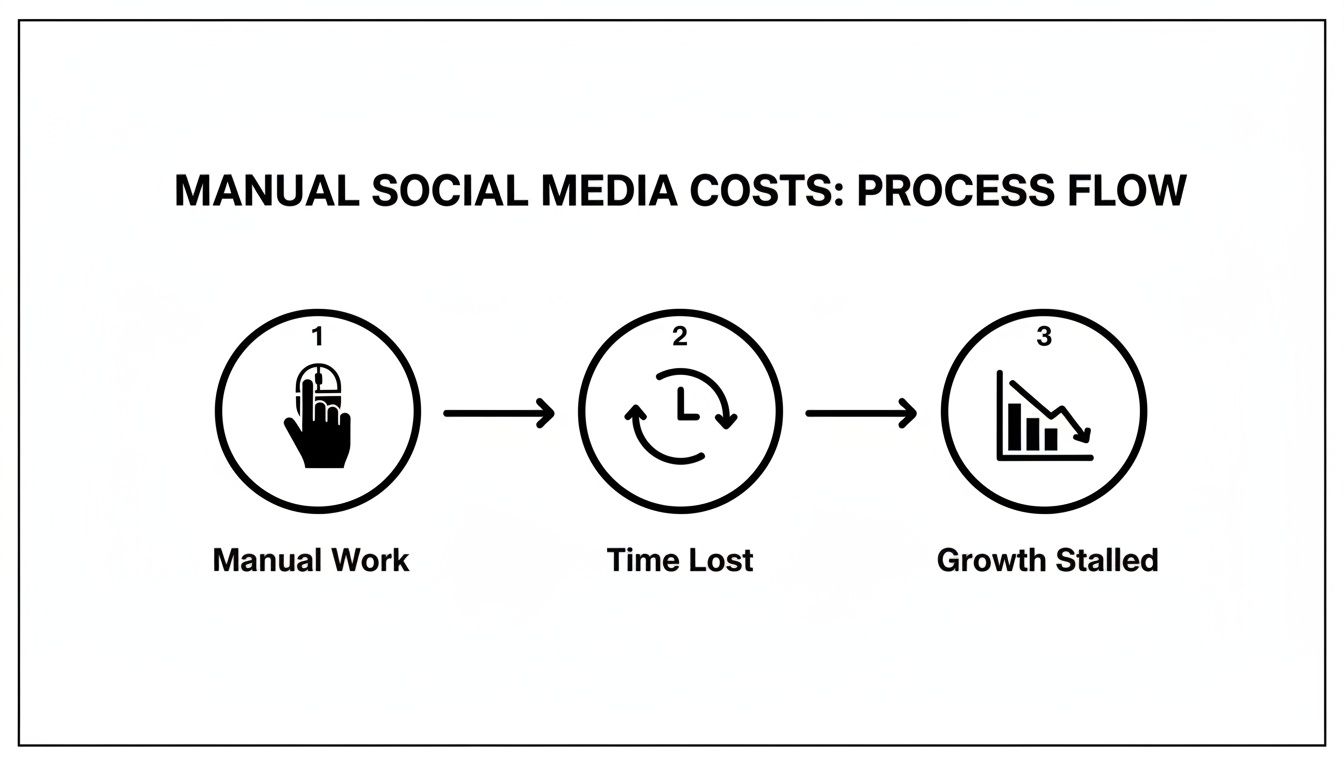
As you can see, all that time spent on manual posting isn't just inefficient—it actively stalls your business growth. By setting clear goals and understanding what already resonates with your audience, you build an automation foundation that flips this script and turns social media into a reliable growth engine.
Choosing Your Social Media Automation Tools
Let's be honest—the right software can feel like a superpower, but the wrong one is just another subscription draining your bank account. When you start looking at social media automation tools, it’s easy to get lost in flashy feature lists. The secret isn't finding a tool that does everything; it’s about finding the one that does exactly what you need, and does it brilliantly.
Think about your reality. If you're a solo creator, a simple scheduler might be all you need. But if you're an agency juggling multiple clients, you'll need heavy-duty features like team collaboration and white-label reports. Where do you post? A tool that's a rockstar on Instagram and TikTok might completely flop on LinkedIn, which is a deal-breaker for any B2B brand.
This market is exploding for a reason. It hit a valuation of USD 4.5 billion in 2024 and is on track to smash USD 12.8 billion by 2033. With 5.66 billion people on social media, you simply can't keep up manually. For a small business, using an AI scheduler like NicheTrafficKit to hit peak posting times isn't a luxury anymore—it's how you stay in the game.
What to Look for When You're Shopping Around
To cut through the noise, focus on these key areas. Your budget, team size, and what you’re trying to achieve will point you toward the right tool.
Platform Integrations: Does the tool genuinely connect to all the platforms you care about? Don’t just assume it covers the basics. For instance, if your strategy relies on Instagram Stories, check if the tool supports scheduling them with stickers and polls, not just as static images.
Content Creation Features: Does it just post, or does it help you create? The best tools have built-in AI for writing captions, brainstorming hashtags, or even whipping up simple graphics. This turns a basic scheduler into a true content hub.
Analytics and Reporting: You need more than just vanity metrics. The tool should show you what’s working and, more importantly, why. Can you easily pull a report showing your top-performing posts by click-through rate? Automated reports are a massive time-saver.
Scalability: Think about the future. Will this tool grow with your business? Check the pricing for adding more social profiles or team members down the road. Some platforms get incredibly expensive as you scale up.
The goal isn't to find a tool that does everything, but the one that does what you need exceptionally well. Choose a platform that masters the features you'll use daily.
If you want to see a head-to-head breakdown, it helps to compare various social media automation tools to see how they stack up.
Once you’ve picked your winner, getting set up is usually pretty painless. Always use the tool’s official integration method. This typically involves a secure pop-up where you log in to your social accounts, granting permission without ever giving the tool your actual password.
For a deeper dive into our top picks, check out our complete breakdown of the best social media automation tools on the market today.
Building Your Automated Content Machine
The best automation never feels robotic; it feels personal and intentional. Now that your tools are talking to each other, the real fun begins. It's time to build a system that doesn't just schedule posts but actually scales your output while staying true to your brand's unique voice. This is how you go from just being "active" to building a genuine content machine.
This whole process kicks off with using AI to supercharge your brainstorming. Forget staring at a blank screen. You can use tools to generate ideas that are already tailored for specific platforms. Think beyond generic prompts and get specific: "Give me five Instagram carousel ideas for a B2B SaaS company that tackle common customer objections."
This approach doesn't just save time—it makes sure every piece of content has a strategic purpose right from the get-go.
Develop Your Content Recipes
Want to know the secret to consistent, high-quality content at scale? It's all about creating content "recipes" or templates. These are just pre-defined formats for different post types that you can grab and customize in minutes. This is the key to keeping your brand looking sharp and making content batching incredibly fast.
Here are some practical recipe examples you can build today:
Educational Carousels: A go-to template with a killer hook on slide one ("3 Mistakes You're Making With X"), your core teaching points in the middle, and a clear call-to-action on the final slide ("Save this post for later!").
Behind-the-Scenes Stories: A simple framework for those quick, unpolished updates, like a new product arriving or a team win. For example: a three-slide story template with "Unboxing Day!", a short video, and a poll asking, "What do you think of the new color?"
Trending Video Concepts: A shot-by-shot outline for how you can jump on a popular audio or video trend and make it relevant to your niche. For example: "Use [Trending Audio Name] to show the 'Before' (a common customer problem) and 'After' (your solution)."
For a digital agency managing multiple clients, this is a game-changer. They can use their templates for "Tip Tuesday," "Case Study Friday," and "Meet the Team Monday" to schedule a month's worth of unique posts in a single afternoon. They just plug in the client-specific details, and the core structure does the heavy lifting.
Master the Art of Repurposing
The most efficient content machines are fueled by repurposed assets. One well-researched blog post can easily become an entire week's worth of social media content. This isn't just about copying and pasting; it's about strategically breaking down your best stuff.
Let's say you just published an in-depth guide. Here's a practical repurposing workflow:
A LinkedIn Article: A condensed, professional take on the main arguments, ending with a link to the full guide.
An Instagram Carousel: Each key takeaway gets its own dedicated slide. Use a tool like Canva to create a branded template for this.
A TikTok/Reel Script: A short, punchy video summarizing the core idea. For example: "Stop doing X. Here are 3 better ways to Y..."
Multiple X (Twitter) Threads: Diving deeper into individual stats or tips from the original article, with each tweet building on the last.
This is where AI has become an indispensable partner. AI usage among marketers has nearly doubled since 2023, with a staggering 83% saying it helps them create significantly more content. The most common uses are for caption generation (32%) and, you guessed it, repurposing content across platforms (23%). That’s a huge deal when brands are posting an average of 9.5 times daily just to stay in the conversation.
And to make sure you have a steady stream of visuals, tools for AI text-to-image generation can be a massive help in creating high-quality, relevant images without needing a full-time designer.
Here's the bottom line: The goal is to work smarter, not harder. A single piece of "pillar" content should be the foundation for dozens of smaller posts, all neatly planned in your content calendar.
If you're ready to get this organized, our guide on https://nichetraffickit.com/blog/how-to-create-a-content-calendar walks you through setting up a workflow that pulls this all together. It's how you turn random posts into a predictable, scalable system for growth.
Optimizing Your Automated Workflow
Here's a common mistake I see people make: they set up their social media automation and then walk away, thinking the job is done. But automation isn’t a slow cooker you can just “set and forget.” The real magic happens when you create a feedback loop, constantly learning and refining.
This is where you turn a basic scheduler into an intelligent marketing machine—one that gets smarter with every single post.
It all starts with your scheduling. Instead of guessing or just posting at noon every day because it feels right, you need to let the data do the talking. The best automation tools have features that analyze when your specific audience is online and most likely to engage. Use them. It’s the easiest win you’ll get.
From Likes to Leads: What to Actually Track
It’s incredibly easy to get lost in a sea of social media data. But vanity metrics like follower counts and likes, while they feel good, don't pay the bills. To understand what's actually moving the needle for your business, you have to look a little deeper.
When you sit down for your monthly review, focus on the metrics that tie directly to your business goals:
Click-Through Rate (CTR): This is a simple but powerful one. Of all the people who saw your post, how many actually cared enough to click the link? This tells you how persuasive your content and call-to-action really are. Actionable Insight: If a post has high engagement but low CTR, your call-to-action might be unclear or uncompelling. Try making it more direct next time.
Engagement Rate: Don't just count the likes. Look at the percentage of your audience that commented, shared, or saved. This shows you if your content is truly hitting home. Actionable Insight: If 'saves' are high on a post, it means your audience found it valuable. Create more content in that format or on that topic.
Conversion Rate: This is the big one. If your goal is to get sign-ups or sell a product, this metric is your north star. How many of those clicks turned into a tangible business result? Actionable Insight: Track this using UTM parameters in your links to see exactly which social posts are driving sales or leads.
By tracking these, you can quickly spot your home-run posts. More importantly, you can start dissecting why they performed so well. Was it the image? The headline? The time of day? Finding your ideal schedule can be complex, but you can learn more about the best times to post on social media in our detailed guide.
The point of analytics isn’t just to create reports that collect dust. It’s about gathering real intelligence that makes your future automation sharper and more effective. Every metric should lead to an action.
A Practical Framework for A/B Testing
Once you have a baseline for what works, you can start fine-tuning with A/B testing. This isn't some complex process reserved for data scientists; it's about making small, educated tweaks to see what your audience responds to. These little experiments, done consistently, are what lead to major breakthroughs.
Let’s walk through a simple, real-world example for an Instagram post.
Hypothesis: Kicking off a caption with a question will drive more comments than starting with a plain statement.
Test A (Control): "Our new software update includes five powerful features to boost your productivity."
Test B (Variant): "Ready to supercharge your productivity? Our new software update has five powerful features."
You'd post these two variations (with a similar image) at the same time on different days of the week to see which one gets more comments. It’s that simple.
Do this over and over with different elements—your call-to-action, your image style, your video length. Over time, you’ll build your own unique playbook for what works for your brand. This constant cycle of testing and learning is what separates a decent automation strategy from a truly great one.
Playing by the Rules: How to Automate and Scale Without Getting Flagged
Once you get the hang of automation, the temptation is to crank up the volume. But moving too fast is a rookie mistake. Every platform, from Instagram to LinkedIn, has its own tripwires for spammy behavior, and a poorly planned automation strategy can get your accounts flagged or even suspended.
The trick is to make your automation look, well, human. A real person wouldn't blast the exact same message across five social networks at the exact same second. They also wouldn't post 20 times in a single hour. The algorithms are smart, so your strategy needs to be smarter.
Stay on the Right Side of the Algorithm
Think of this less as trying to "beat" the algorithm and more as working with it. The platforms want quality content that keeps users engaged, and your automation should be a tool to deliver that, just more efficiently.
Here are actionable tips to keep your accounts safe and sound:
Don't Be a Robot: Avoid posting at the exact same time every single day. Good automation tools let you "drip" your schedule. Use it. A post at 9:03 AM looks a lot more natural than one at precisely 9:00:00 AM.
Tailor Everything: This is non-negotiable. A LinkedIn post just hits different than a TikTok caption. For example, turn a formal LinkedIn post into a more casual Instagram caption by adding relevant emojis and asking a question. Change a business-focused hashtag like
#B2BMarketingon LinkedIn to#MarketingTipson Instagram.Mix It Up: Your feed can't be 100% automated posts. You still need to show up. For every 4-5 scheduled posts, try to do something in-the-moment. Go live, jump on a trending audio for a Reel, post spontaneous stories, and reply to comments in real time. This mix proves there's a real, live person steering the ship.
An automation strategy is only as good as its ability to protect your accounts. The whole point is to scale your content output without sacrificing your account's health or your brand's authenticity.
Smart Scaling for the Long Haul
With a solid, safe workflow in place, you’re ready to grow. What does that look like?
For a content creator, it might mean finally adding Pinterest or YouTube Shorts to your content rotation without it taking over your life. For an agency, this is your golden ticket—a proven, repeatable system you can use to onboard new clients without having to reinvent the wheel every single time.
This is how you build a system that supports your long-term vision instead of putting it in jeopardy.
Answering Your Top Social Media Automation Questions
Even with the best workflow, a few questions always pop up when you're getting started with social media automation. Let's clear the air on some of the most common concerns so you can dive in with confidence.
Will Automation Make My Brand Sound Like a Robot?
This is probably the biggest fear people have, and it's a fair one. The short answer? Not if you do it right.
Think of automation as a megaphone, not a ghostwriter. The goal is to scale your voice, not replace it. A practical tip is to create a simple "brand voice" document with approved phrases, words to avoid, and your preferred emoji set. Use this to guide any AI-generated content.
I always tell my clients to review and personalize every AI-generated caption before it goes live. For instance, if AI gives you, "Check out our new product," you can change it to, "You asked, we listened! The feature you've all been waiting for is finally here." Your tools handle the grunt work of posting; you provide the soul.
How Do I Keep Up With Engagement on Automated Posts?
Here’s the thing: automation should actually give you more time for engagement, not less. When you're not bogged down by the daily grind of manually uploading and scheduling, you can redirect all that saved time to what really moves the needle—replying to comments, answering DMs, and actually talking to your community.
Most great automation platforms have a unified social inbox feature. This is a game-changer. It pulls all your comments, mentions, and messages from every platform into a single dashboard. A great actionable habit is to block out 15-20 minutes twice a day (e.g., at 9 AM and 4 PM) just to clear this inbox.
Automation manages your publishing schedule. You manage the human connection. That mental shift is everything when it comes to scaling your content without losing your authentic presence.
What’s the Best Automation Tool for a Beginner?
When you're just starting out, the last thing you need is a tool with a million features you won't use. The best choice is something intuitive that gets the job done without a steep learning curve. Look for a clean interface, a visual, drag-and-drop calendar, and good customer support.
A couple of solid options come to mind:
Pallyy is a fantastic starting point. It's incredibly visual and user-friendly, which is perfect for creators who plan their feeds around aesthetics.
SocialBee has an "AI Copilot" that can literally generate a starting strategy for you. For a beginner who feels a bit lost, this is a huge help.
The trick is to pick a tool that solves your immediate problem (like scheduling) but gives you room to grow. You can always upgrade later as your strategy gets more complex.
Ready to stop scheduling and start creating? NicheTrafficKit uses AI to build your entire content machine, from research to publishing. Start your free trial today and see how quickly you can scale your social media.
