12 Powerful Alternatives for Hootsuite to Consider in 2026

Searching for alternatives for Hootsuite? Explore our detailed breakdown of 12 top social media tools with pricing, pros, cons, and best-fit use cases.
Hootsuite has long been a go-to platform for social media management, offering a reliable suite of tools for scheduling, monitoring, and analytics. For many creators, agencies, and small businesses, it was the first major step into organizing their social media strategy. However, the needs of social media professionals are constantly shifting. What worked five years ago might not be the most efficient or cost-effective solution today. As teams grow, client needs diversify, and platform algorithms change, the limitations of a one-size-fits-all tool can become a significant bottleneck.
You might be here because you're feeling the pinch of rising subscription costs, hitting limitations on the number of accounts you can manage, or seeking more advanced features like sophisticated AI content generation, in-depth competitor analysis, or more intuitive approval workflows. The good news is the market is filled with powerful alternatives for hootsuite, each tailored to specific use cases, from solo creators focused on visual platforms like Instagram to B2B agencies managing complex LinkedIn campaigns.
This comprehensive guide is designed to help you navigate your options efficiently. We've gone beyond surface-level feature lists to provide an in-depth analysis of the top 12 Hootsuite alternatives. For each tool, you’ll find:
A concise profile with direct links and screenshots.
Detailed breakdowns of key features and pricing tiers.
Honest pros and cons based on practical usage.
Clear guidance on the ideal user, whether you're a small business owner, an agency manager, or an e-commerce founder.
Our goal is to give you all the information needed to make a confident decision and find the perfect platform that aligns with your specific budget, workflow, and strategic objectives. Let’s find the right tool to scale your social media efforts.
1. NicheTrafficKit
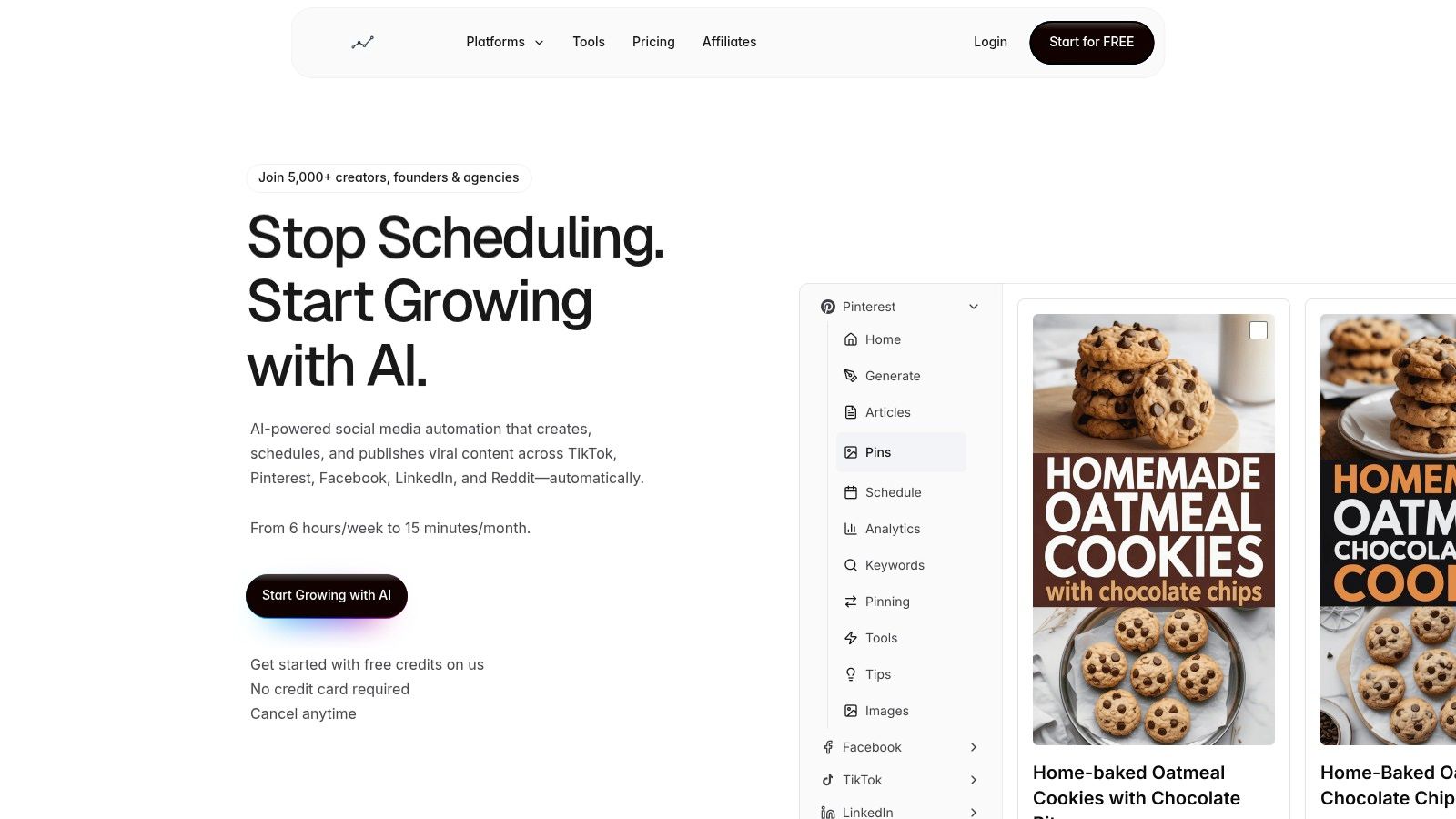
NicheTrafficKit emerges as a powerful, AI-first alternative to Hootsuite, engineered for users who want to move beyond manual scheduling and embrace true end-to-end automation. It is designed not just to publish content but to research, create, and optimize it across a wide array of platforms, including TikTok, Pinterest, Facebook, LinkedIn, Instagram, Reddit, and YouTube. This platform excels by learning a user's brand voice and then generating platform-specific assets automatically, from viral pin designs and carousels to faceless YouTube videos.
The system's core strength lies in its ability to dramatically reduce the time commitment for social media management. Instead of spending hours planning a content calendar, a user can leverage the AI to identify trends, craft posts, and schedule them for peak engagement times across different time zones, all from a unified dashboard. For example, a B2B agency can connect a client's LinkedIn profile and let the AI generate a month's worth of thought leadership posts, complete with relevant hashtags and carousels, in minutes.
Key Features and Use Cases
NicheTrafficKit distinguishes itself with a focus on performance-driven automation. Its AI doesn't just create content; it actively works to maximize its impact.
Intelligent Content Lifecycle: The platform automatically identifies top-performing posts and strategically repurposes or resurfaces them to reach new audiences. For instance, if a LinkedIn text post gets high engagement, the AI can automatically turn its key points into a visually engaging carousel for the following week, ensuring your best content continues to deliver value.
Multi-Platform Asset Generation: It creates assets natively for each channel. This means it doesn't just cross-post; it generates multiple unique pin designs for Pinterest SEO, scripts and produces faceless videos for YouTube Shorts, and identifies trending audio for TikTok reels.
Guided Engagement and Discovery: For platforms like Reddit, the tool helps discover relevant conversations in subreddits where your target audience is active. It then provides guided engagement prompts, turning community interaction into a scalable lead-generation activity by helping you add value to discussions.
Actionable Analytics: The dashboard provides clear, concise analytics that highlight what strategies are driving real results. Instead of just showing likes, it might highlight which Reddit comments led to website clicks, enabling users to make data-informed decisions without getting lost in vanity metrics.
Who is NicheTrafficKit For?
This platform is an excellent fit for solo creators, agencies, and in-house marketing teams looking to scale their content output without a proportional increase in headcount. An e-commerce founder could use it to automate their entire Pinterest marketing strategy, driving thousands of site visits, while a digital agency can manage dozens of client accounts with a lean team, delivering consistent, high-quality content across all major social channels.
Pricing and Onboarding
NicheTrafficKit uses a transparent, token-based pricing model with a free trial that does not require a credit card.
Creator Plan: $39/month for 200 tokens and 3 connected accounts.
Pro Plan: $89/month for 500 tokens, 10 accounts, and priority support.
Ultimate Plan: $499/month for 3000 tokens and up to 20 accounts.
Yearly billing options offer a significant discount. The token system provides flexibility, but high-volume users should carefully select a tier that aligns with their output to avoid needing frequent token add-ons.
Feature | NicheTrafficKit |
|---|---|
Best For | Creators, SMBs, and agencies seeking end-to-end AI automation. |
AI Content Creation | Yes, including platform-specific assets like pins, carousels, and videos. |
Supported Platforms | TikTok, Pinterest, FB, LinkedIn, Instagram, Reddit, YouTube. |
Standout Feature | Intelligent content research, creation, and lifecycle optimization in one platform. |
Pricing Model | Starts at $39/month (token-based) with a free trial. |
Website |
Pros:
True End-to-End Automation: The AI handles everything from research and creation to platform-specific optimization and publishing.
Unified Multi-Platform Workflow: Manages TikTok, Pinterest, LinkedIn, and more from a single, intuitive dashboard.
Performance-Driven Features: Intelligent content recycling, peak-time scheduling, and detailed analytics boost ROI.
Proven Social Proof: Trusted by over 5,000 users with strong testimonials showcasing traffic and revenue growth.
Cons:
Token-Based Costs: The model can become costly for extremely high-volume agencies if not on an appropriate high-tier plan.
Requires Human Oversight: While powerful, the AI-generated content may still need occasional brand-specific tuning and strategic review.
2. Buffer
Buffer is one of the most well-known alternatives for Hootsuite, particularly for users who prioritize simplicity, affordability, and a streamlined publishing experience. Its core strength lies in its queue-based scheduling system, which allows you to load content and have it automatically published at pre-set times.
The user interface is exceptionally clean and easy to learn, making it a great entry point for solo creators, small businesses, or marketing teams new to social media management. Buffer's per-channel pricing model is a key differentiator. Instead of forcing you into a high-tier plan for more profiles, you can pay for exactly what you need, making it incredibly cost-effective for managing just a few key accounts. For example, a small e-commerce brand focused solely on Instagram and Pinterest can get started for a very low monthly cost.
Key Features & Use Cases
Simple Queue Scheduling: Load your content, set your posting schedule, and Buffer publishes it for you. A practical way to use this is to dedicate one hour on Monday to fill the queue for the entire week. This "set it and forget it" approach is ideal for maintaining a consistent presence without daily manual effort. To maximize this feature, you should identify and set your queue times based on audience activity. You can learn more about finding the best times to post on social media to optimize your schedule.
AI Assistant: Buffer includes a built-in AI tool to help generate post ideas, write captions, and repurpose content. For example, you can paste a link to your latest blog post, and the AI will generate three different caption options for Twitter, Facebook, and LinkedIn, each tailored to the platform's tone.
Transparent Pricing: Starts with a generous free plan for up to three channels. Paid plans like the Essentials Plan begin at $6 per month per channel, offering unlimited post scheduling, analytics, and engagement tools. The Team Plan adds collaboration features like approval workflows.
Pros and Cons
Pros:
Very affordable and flexible per-channel pricing.
Intuitive, user-friendly interface that's easy to master.
Excellent free plan for beginners.
Cons:
Limited social listening and monitoring features compared to enterprise-level tools.
Analytics are solid for reporting but lack the deep competitive analysis of more advanced platforms.
Website: https://buffer.com/pricing
3. Sprout Social
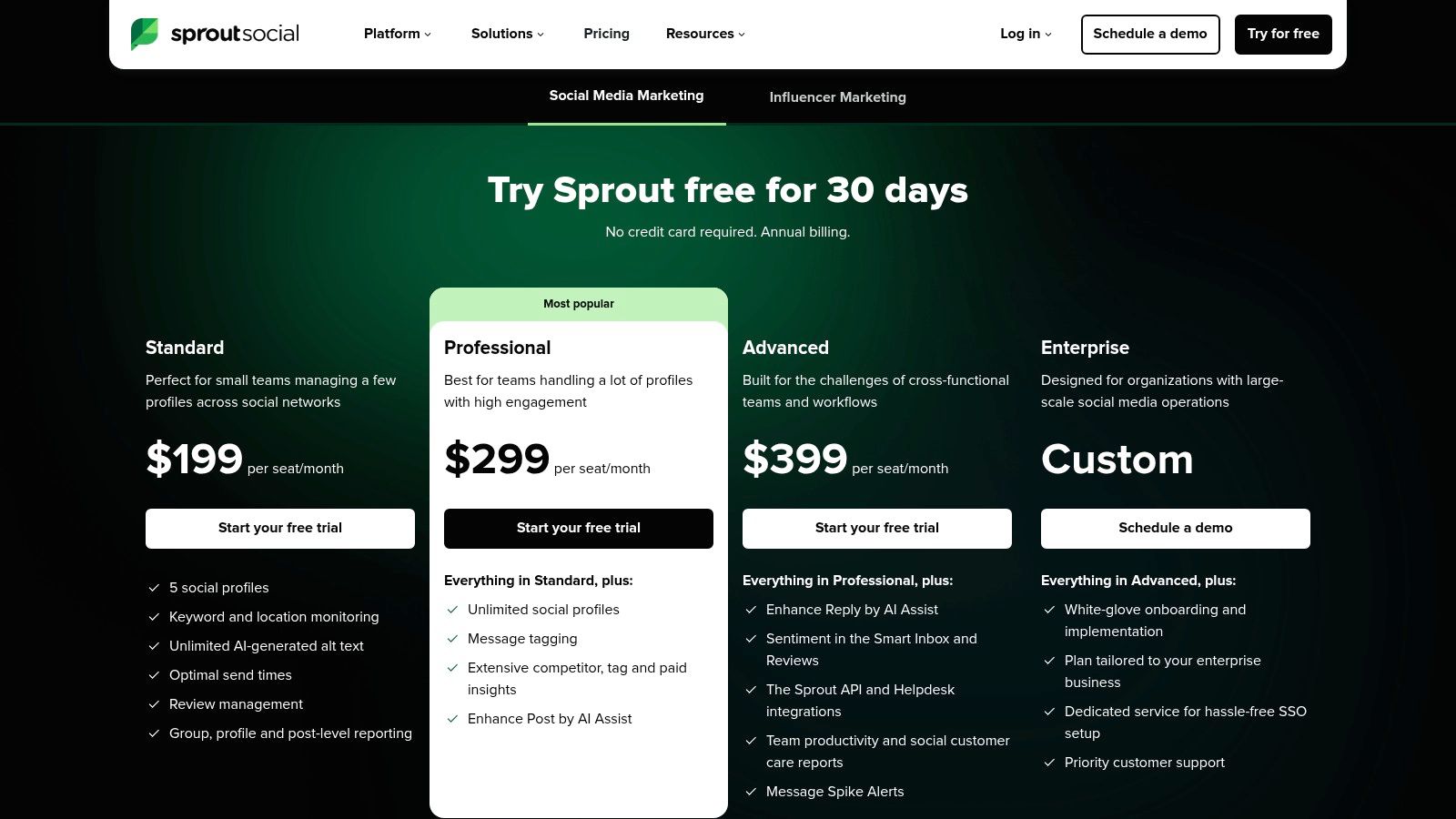
Sprout Social is a premium, all-in-one social media management suite and one of the most powerful alternatives for Hootsuite. It's designed for mid-market and enterprise teams that require robust analytics, sophisticated collaboration workflows, and in-depth social listening capabilities. Brands often graduate to Sprout Social when they outgrow the feature sets of entry-level tools and need a more unified, data-driven solution.
The platform excels in turning social data into actionable business intelligence. Its user interface is polished and professional, consolidating publishing, engagement, and reporting into one cohesive dashboard. While positioned as a premium option with per-seat pricing, its value is evident for larger organizations needing mature, scalable workflows to manage complex social media operations across multiple teams and departments. For those evaluating its higher price point, you might also want to explore Sprout Social alternatives to compare features and costs.
Key Features & Use Cases
Smart Inbox & CRM Tools: Consolidates all incoming messages into a single stream. A practical example is a customer service team using it to see a user's entire tweet history with the brand before replying, ensuring a consistent and informed response. This turns the inbox into a lightweight CRM.
Advanced Reporting: Offers extensive, presentation-ready reports on post performance, competitor activity, and paid campaign insights. A marketing manager can create a report in minutes that shows C-suite executives exactly how much engagement and traffic a recent LinkedIn campaign generated, which is critical for teams needing to prove value and measure their social media ROI effectively.
AI Assist: Integrated AI tools help teams compose posts, refine messaging, and generate quick replies. For instance, you can use it to instantly shorten a lengthy announcement for Twitter or change its tone to be more professional for LinkedIn, saving time on daily content creation and engagement.
Premium Add-ons: Optional modules for deep social listening and employee advocacy allow businesses to expand the platform's functionality. A company could use the listening add-on to track brand sentiment and identify potential PR issues before they escalate.
Pros and Cons
Pros:
Among the strongest analytics and reporting in its class.
Mature workflows for multi-team environments with approvals and permissions.
Excellent all-in-one inbox for comprehensive engagement management.
Cons:
Per-seat pricing can become expensive for larger teams.
Positioned as a premium (higher-cost) option, which may not suit small businesses.
Website: https://sproutsocial.com/pricing/
4. Later
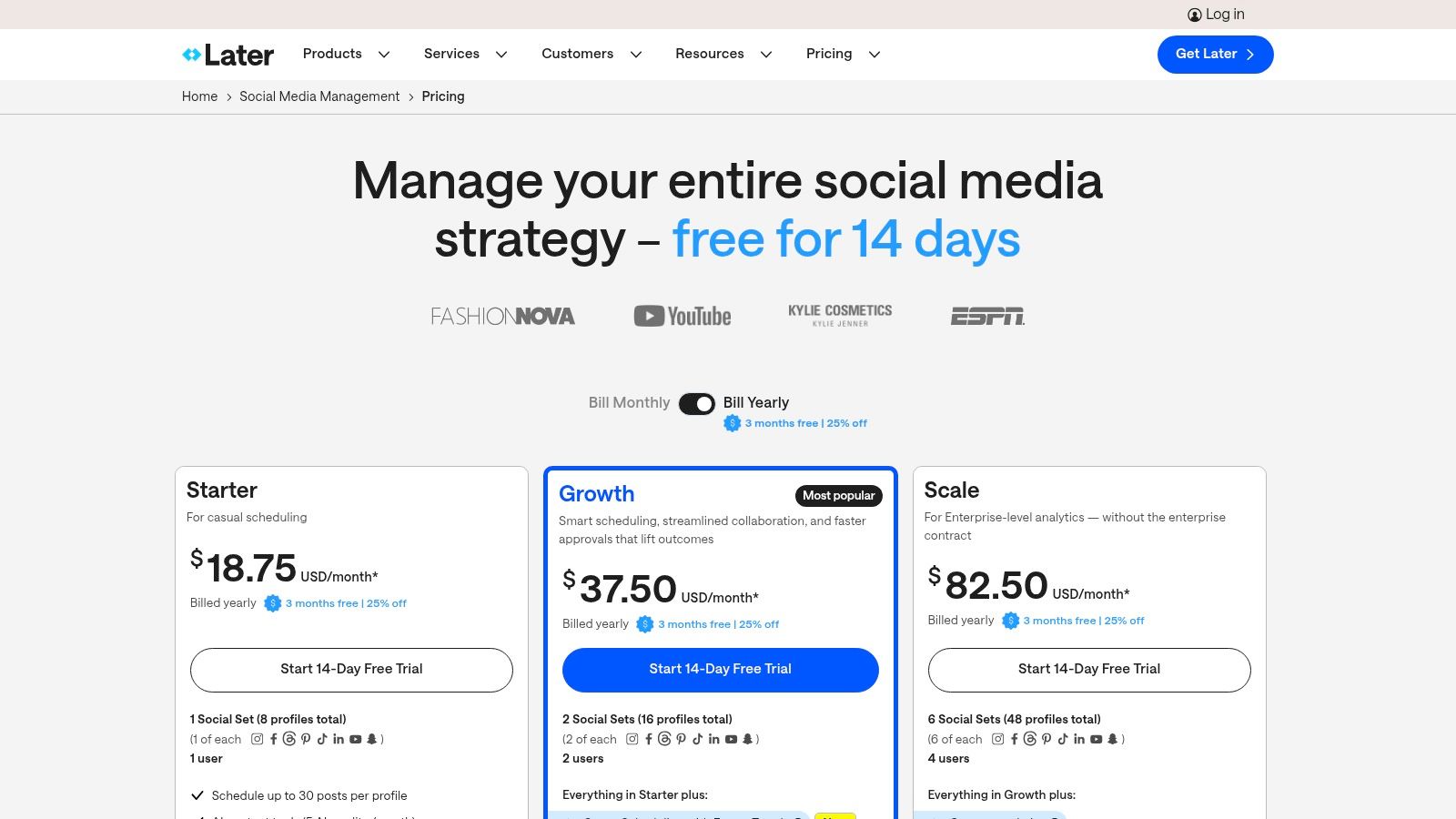
Later has carved out a niche as one of the best alternatives for Hootsuite, especially for brands and creators who lead with visual content. Originally built as an Instagram-first scheduler, its strength lies in its intuitive visual planner, which allows you to drag and drop media to see exactly how your grid will look. This visual-centric approach makes it ideal for managing platforms like Instagram, TikTok, and Pinterest.
The platform is designed around a media library, making content organization and reuse incredibly simple. For an e-commerce brand, this means you can store all your product shots and user-generated content (UGC) in one place, ready to be scheduled. Its Link in Bio tool is also a standout feature, creating a clickable, shoppable landing page that drives traffic directly from your social profiles, a crucial function for visually-driven businesses.
Key Features & Use Cases
Visual Planner: Drag and drop posts to preview your Instagram grid before publishing. A fashion brand, for example, can use this to plan a week's worth of posts to ensure a cohesive color palette and aesthetic, which is essential for maintaining brand identity.
Link in Bio: Create a customizable and trackable landing page for your bio link. A food blogger can use this to link to their latest recipes, their cookbook on Amazon, and their YouTube channel—all from one central link, perfect for featuring multiple calls-to-action.
Content & UGC Curation: Easily find, collect, and schedule user-generated content by searching hashtags or mentions. A travel company can find photos from customers who tagged them, get permission, and then schedule those authentic images to their own feed, providing powerful social proof.
Best Time to Post Suggestions: Later analyzes your audience engagement and suggests the optimal times to schedule your content. This actionable insight means you can stop guessing and start posting when your followers are most likely to see and interact with your content.
Pros and Cons
Pros:
Exceptional visual planning tools, especially for Instagram.
Strong focus on creator tools, including robust Link in Bio and UGC management.
Clean, user-friendly interface that simplifies content management.
Cons:
Lower-tier plans have significant post limits per month.
Less robust for text-heavy platforms like Twitter or LinkedIn compared to other tools.
Advanced analytics and team features are reserved for more expensive plans.
Website: https://later.com/pricing/
5. Agorapulse
Agorapulse is a full-featured social media suite that excels as an alternative for Hootsuite, especially for agencies and in-house teams who need strong collaboration, governance, and reporting tools. Its primary strength is a powerful unified inbox that centralizes all messages, comments, and mentions, allowing teams to manage engagement efficiently without missing conversations. The platform is designed for structure and clear workflows, making it ideal for organizations where multiple stakeholders need to approve content and manage community interactions.
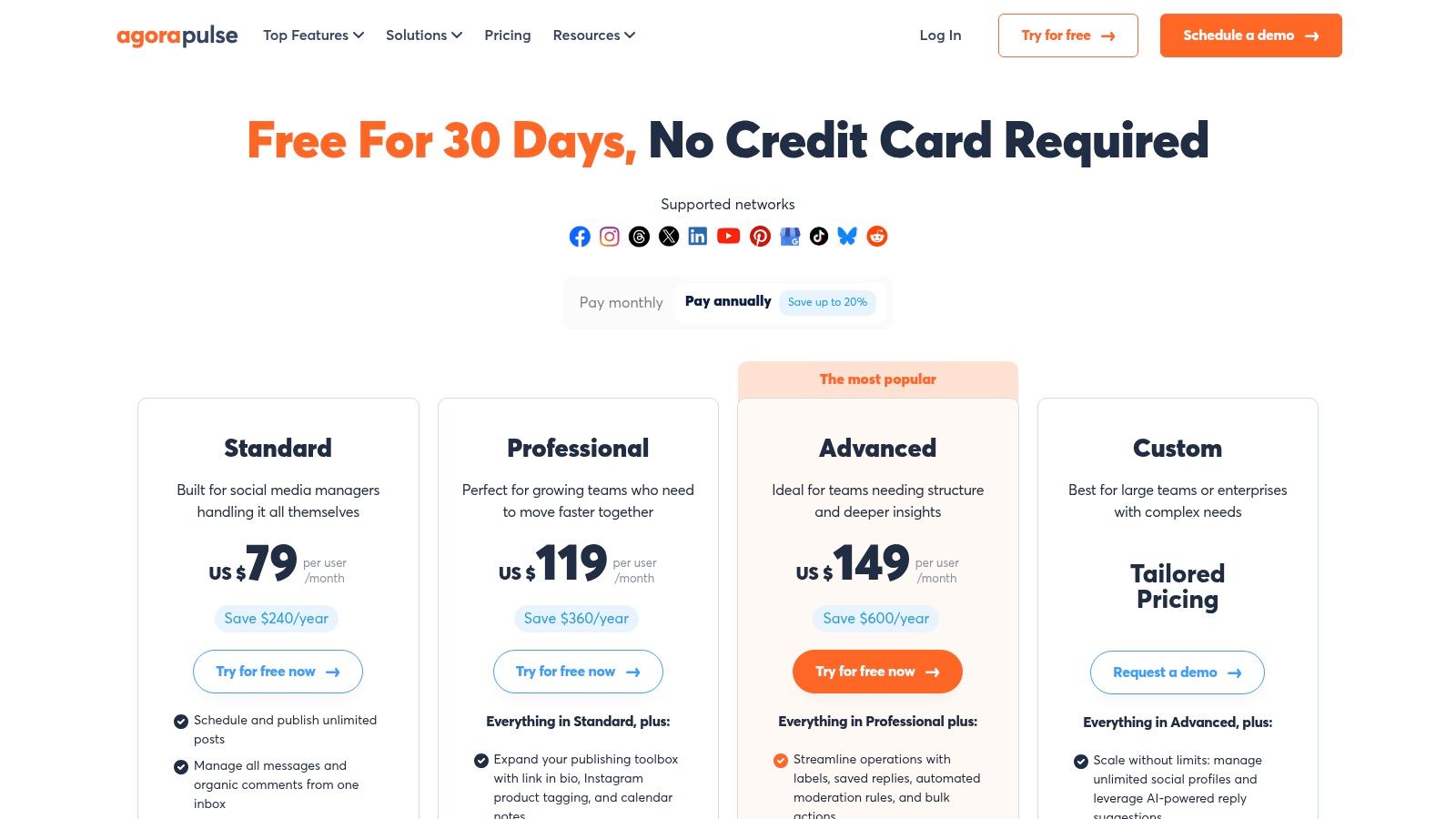
This focus on team-based management makes it a standout choice for marketing agencies that handle numerous client accounts or corporate teams that require strict brand compliance. Instead of just scheduling posts, Agorapulse provides the infrastructure to manage the entire social media process, from content creation and approval to engagement, monitoring, and demonstrating value.
Key Features & Use Cases
Unified Social Inbox: Consolidates all incoming interactions into one stream. Teams can set up automated moderation rules to hide spammy comments containing certain keywords or automatically assign support-related questions to the customer service team member, ensuring fast and organized responses.
Robust Publishing & Collaboration: Features an intuitive content calendar with multi-step approval workflows. A practical use case is a junior social media manager drafting a post, which is then automatically sent to a marketing manager for approval before being forwarded to the legal team for a final check—all within the platform.
Advanced ROI Reporting: Connects social media efforts directly to business outcomes with features like UTM tracking. You can clearly see that a specific Facebook post generated 50 website visits and 3 sales, proving the tangible value of your social strategy.
Regular Product Updates: Agorapulse consistently adds new features like AI-powered writing assistance and organizational-level rules to streamline workflows even further.
Pros and Cons
Pros:
Excellent inbox and team collaboration workflows.
Proven and trusted solution for digital marketing agencies.
Clear plan tiers with straightforward per-user pricing.
Cons:
Per-user pricing can become expensive for larger teams.
The interface may feel more complex than simpler, schedule-focused tools.
Website: https://www.agorapulse.com/pricing/
6. SocialPilot
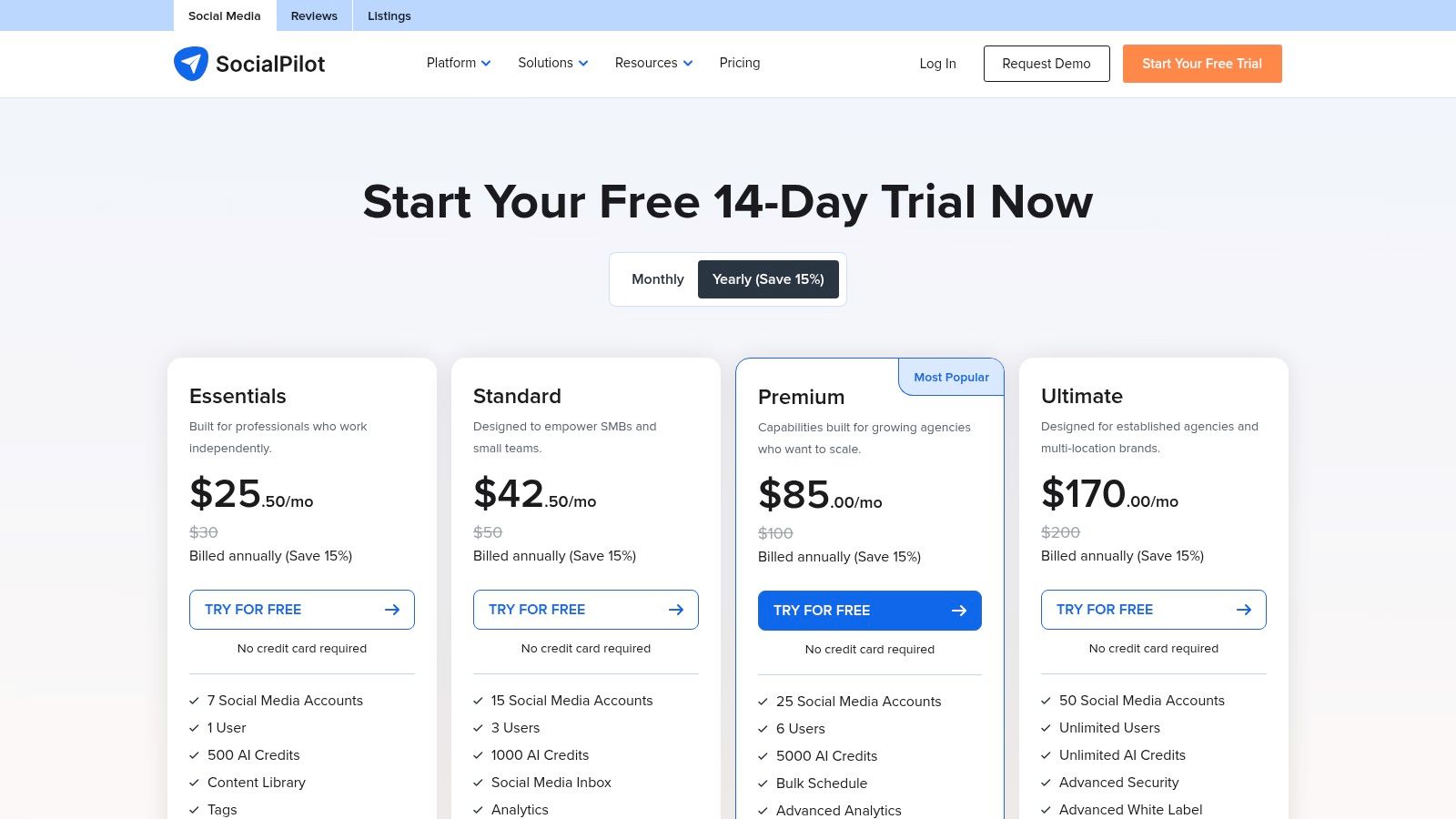
SocialPilot is a powerful and cost-effective alternative for Hootsuite, specifically designed for social media agencies, growing teams, and small to medium-sized businesses. Its primary advantage is providing generous limits on social media accounts and users at a much lower price point than many competitors, making it a go-to for scaling operations without incurring enterprise-level costs.
The platform excels at bulk content management and client collaboration, offering a practical, function-over-form interface that prioritizes efficiency. For an agency managing 20 client accounts, SocialPilot allows them to onboard their entire team and set up approval workflows without hitting the expensive per-user fees common on other platforms.
Key Features & Use Cases
Bulk Scheduling & Content Curation: Upload up to 500 posts at once via a CSV file. This is a massive time-saver for agencies planning a month of content for multiple clients. For example, you can prepare all holiday-themed posts for December across 10 clients in a single spreadsheet and upload it in one click.
Team & Client Management: Assign roles and permissions to team members and create approval workflows. An agency can invite a client to a secure portal where they can view and approve scheduled content for the upcoming week directly within the platform, streamlining the review process and eliminating back-and-forth emails.
White-Label Reporting: Higher-tier plans allow you to generate branded PDF reports with your agency's logo. This enables you to send professional, polished performance reports to clients that look like they came from your own proprietary system.
Affordable Scaling: The Agency+ plan offers management for 50 social media profiles and 5 team members for a competitive monthly fee, a fraction of what similar capacity would cost on other tools. Plans start from the Professional tier at around $30/month.
Pros and Cons
Pros:
Excellent value with high limits on accounts and users.
Strong agency-focused features like client management and white-labeling.
Powerful bulk scheduling capabilities save significant time.
Cons:
The user interface is more functional than modern or intuitive.
Lacks advanced social listening and monitoring tools found in premium suites.
Some integrations can feel less polished compared to top-tier competitors.
Website: https://www.socialpilot.co/plans
7. Loomly
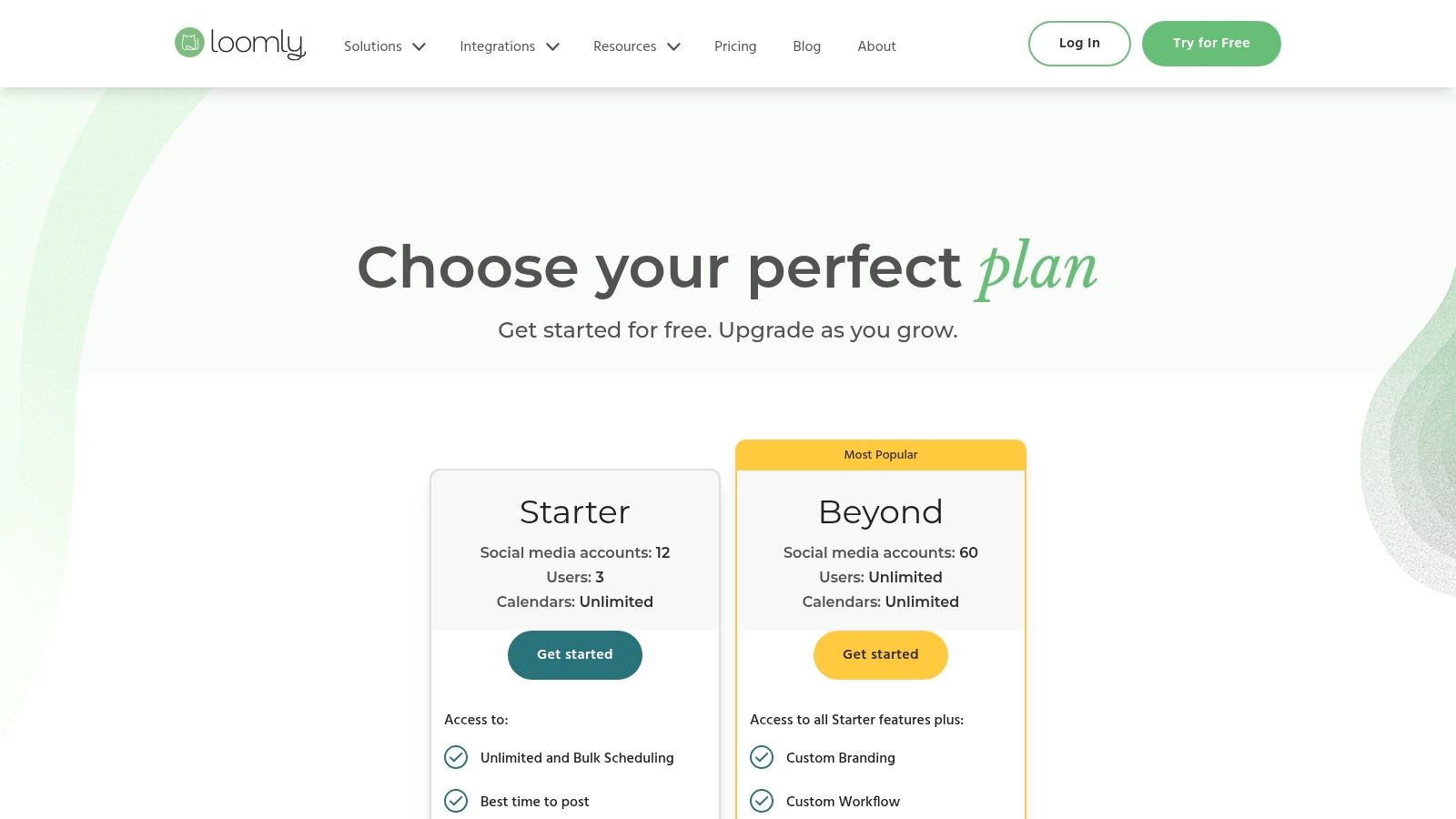
Loomly is a robust Hootsuite alternative that shines in team collaboration and content planning. It’s best described as a brand success platform, going beyond simple scheduling to provide a comprehensive workflow for creating, approving, and publishing high-quality social media content. Its strength lies in its highly organized, calendar-centric interface and built-in guidance.
The platform is designed for teams that require a structured approval process, making it ideal for agencies managing client content or larger marketing departments with multiple stakeholders. Loomly guides users from post idea to publication with features like audience targeting tips, hashtag suggestions, and post optimization advice. This structured approach helps maintain brand consistency and ensures every post is polished before it goes live, a key differentiator from more purely scheduling-focused tools.
Key Features & Use Cases
Content Calendar with Approval Flows: Visualize your entire strategy and move posts through a clear approval workflow (e.g., Draft > Pending Approval > Approved > Scheduled). This is perfect for an agency needing a client to sign off on content. The client receives an email with a link, reviews the post mock-up, and can approve or leave comments directly, creating a clear audit trail.
Post Ideas and Asset Management: Loomly provides post ideas based on trends, holidays (like #NationalDonutDay), and social media best practices. Its built-in library lets you store, organize, and manage all your creative assets, so your team always has access to the latest approved brand imagery.
Client and Stakeholder Collaboration: Share calendars and content with external stakeholders in a clean, professional view. Clients can leave comments and approve posts without needing full access to the platform, streamlining the review cycle significantly and preventing endless email chains.
Pros and Cons
Pros:
Excellent for teams and agencies due to strong collaboration and approval features.
Provides helpful guidance and suggestions for creating better content.
Clean, intuitive user interface centered around a visual calendar.
Cons:
Analytics are functional but may not be as deep as some enterprise-level competitors.
Fewer advanced add-ons and integrations compared to more extensive platforms like Sprout Social or Hootsuite itself.
Website: https://www.loomly.com/pricing
8. Sendible
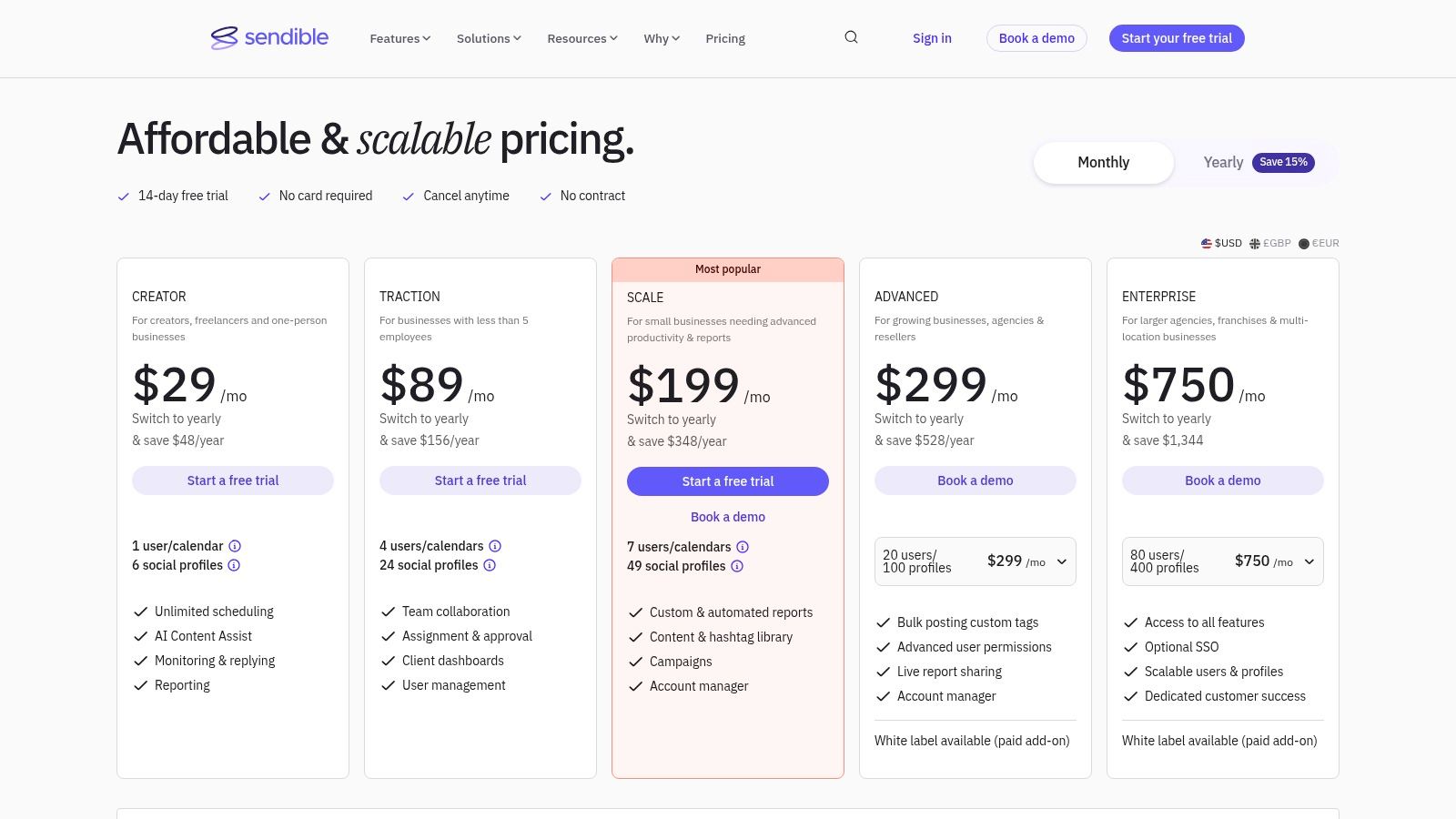
Sendible is a powerful, agency-focused alternative to Hootsuite, specifically designed for teams managing multiple brands or client accounts. Its core strength lies in its white-label options and client management features, allowing agencies to provide a branded social media management service directly to their clients. The platform offers a unified dashboard where teams can manage content calendars, approval workflows, and engagement across numerous profiles efficiently.
This structure makes it ideal for agencies that need to separate client workspaces while maintaining centralized control. For example, a digital marketing agency can create a dedicated dashboard for each client, complete with custom branding, where the client can review and approve scheduled posts before they go live. This streamlines communication and keeps all activity organized under one roof.
Key Features & Use Cases
Agency-Focused Tools: Features like client dashboards, team member permissions, and approval workflows are built-in. A practical use case is assigning specific client accounts to junior managers who can only draft content, while senior managers have the permissions to approve and publish.
White-Label Options: Higher-tier plans allow you to remove Sendible’s branding and add your own logo and custom domain. This presents the platform as a proprietary tool to your clients, enhancing your agency's professional image.
Unified Smart Inbox: Consolidates all social media messages, comments, and mentions into a single stream. You can assign a specific comment to a team member to follow up, ensuring no customer query is missed and improving response times.
Content and Scheduling: Includes a content calendar, bulk scheduling, content queues, and integrations with Canva and Google Drive to streamline content creation and publishing.
Pros and Cons
Pros:
Excellent feature set for agencies and marketing teams.
Plans scale well for growing user and profile counts.
Robust reporting and client management capabilities.
Cons:
Customer support hours are primarily aligned with UK business time.
Some of the most valuable agency features, like full white-labeling, are locked behind higher-priced plans.
Website: https://www.sendible.com/pricing
9. Zoho Social
Zoho Social stands out as a powerful, value-oriented alternative for Hootsuite, especially for businesses already invested in the Zoho ecosystem. It provides a comprehensive suite of tools that rivals more expensive platforms, making it an excellent choice for cost-conscious SMBs and B2B marketing teams who need deep integration with their CRM or helpdesk software.
The platform's key advantage is its seamless connection with other Zoho products like Zoho CRM and Zoho Desk. This allows for a unified customer management experience, where social media interactions can trigger actions in the CRM, or customer service tickets can be created directly from social conversations, creating a single source of truth for customer data.
Key Features & Use Cases
SmartQ Publishing: The publishing calendar includes a SmartQ feature that analyzes audience engagement to suggest the optimal times to post. You simply add posts to the queue, and SmartQ publishes them when your followers are most active, removing the guesswork. It also supports repeat posting, which is useful for evergreen content promotion.
CRM & Desk Integration: When a potential customer asks a question about pricing on Twitter, you can directly add them as a lead in Zoho CRM from the social dashboard. Similarly, a complaint on Facebook can be instantly converted into a support ticket in Zoho Desk, streamlining sales and customer service workflows.
Monitoring & Collaboration: Zoho Social offers a comprehensive monitoring dashboard to track keywords and mentions. A company can set up a stream to monitor mentions of their main competitor, providing valuable market intelligence. Team approval workflows and custom roles are available on higher-tier plans.
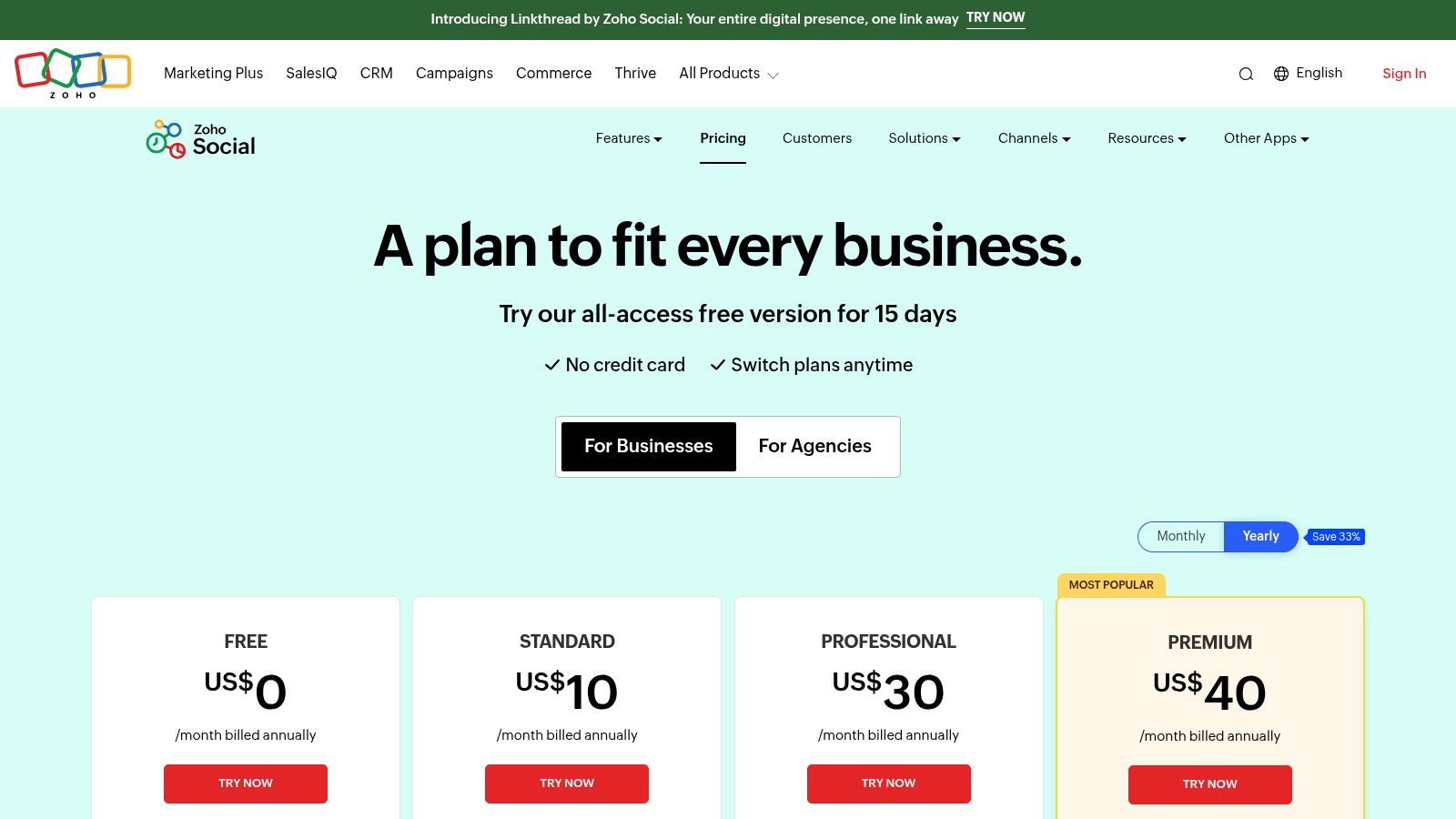
Agency-Focused Plans: The platform offers specific plans for agencies that include branded client portals, custom reports, and dedicated management features for multiple brands.
Pros and Cons
Pros:
Excellent value with a strong feature set for the price.
Deep, native integration with the Zoho product ecosystem (CRM, Desk).
Agency-friendly plans with client access and branding options.
Cons:
The pricing UI can be confusing as exact USD rates can vary based on your region.
Some advanced features are locked behind higher-tier plans.
Website: https://www.zoho.com/social/pricing.html
10. CoSchedule Social Calendar
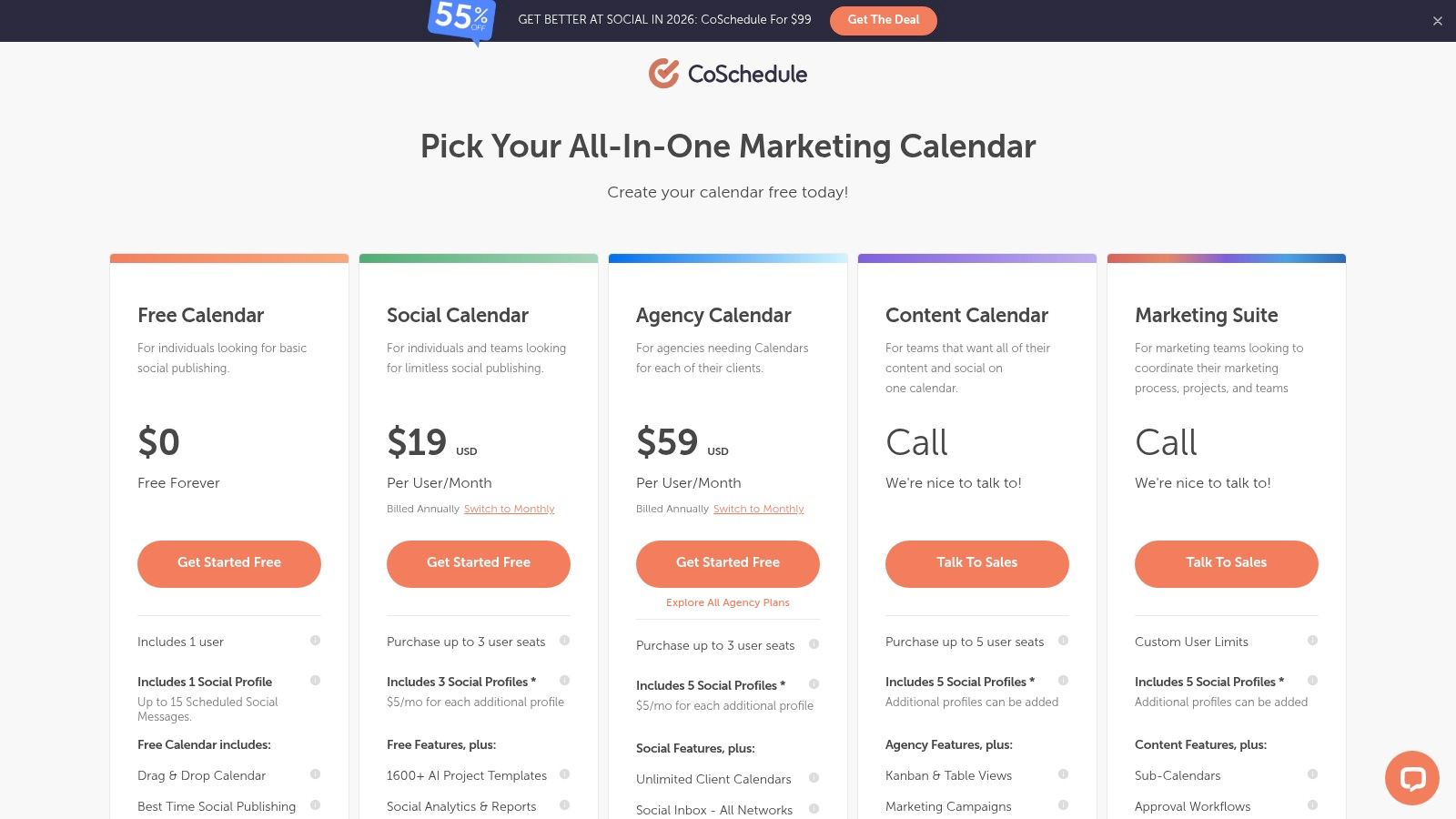
CoSchedule Social Calendar is a powerful alternative for Hootsuite that positions itself as a central hub for all marketing activities, not just social media. Its core strength is its visual, calendar-centric workflow, which is excellent for marketing teams that need to align social media campaigns with broader content initiatives like blog posts, email newsletters, and events.
This platform is designed for users who think in terms of campaigns and content calendars. Instead of just a list of scheduled posts, you get a unified view of your entire marketing strategy. This makes it ideal for content managers and marketing teams who need to coordinate multiple channels and ensure a cohesive message across all platforms.
Key Features & Use Cases
Unified Marketing Calendar: Visualize your social media posts alongside other marketing projects. For a product launch, you can see the launch blog post, the announcement email, and all related social media posts for Facebook, LinkedIn, and Instagram on one calendar, ensuring perfect timing and a cohesive message. You can find out more about building this type of workflow by learning how to create a content calendar for your strategy.
ReQueue Automation: An intelligent automation feature that finds optimal gaps in your schedule to reshare your best evergreen content. For example, you can add 20 of your top-performing blog post links to a ReQueue group, and CoSchedule will automatically sprinkle them into your calendar over the next few months, maximizing their reach with minimal effort.
Best-Time Scheduling: CoSchedule analyzes your audience engagement to recommend the best times to post for maximum visibility and interaction. This takes the guesswork out of scheduling.
Agency-Focused Plans: Offers dedicated plans for agencies that include separate calendars for each client and white-label reporting options, helping to keep client work organized and professional.
Pros and Cons
Pros:
Excellent calendar-centric workflow for holistic marketing planning.
Clear per-user pricing, with the ability to add on social profiles as needed.
Powerful ReQueue feature for automating evergreen content.
Cons:
Advanced marketing suite features require upgrading to more expensive products.
Twitter/X profiles are billed separately as a premium add-on, which can increase costs.
Website: https://coschedule.com/pricing
11. Metricool
Metricool stands out as a powerful Hootsuite alternative for users who need deep analytics and robust reporting capabilities alongside their scheduling tools. It’s designed for data-driven marketers, analysts, and agencies managing multiple brands who require more than just basic performance metrics. The platform integrates social media management with ad campaign analysis, competitor tracking, and a customizable link-in-bio tool, making it a comprehensive hub for digital marketing.
Its unique selling proposition is the consolidation of organic and paid social data into a single, cohesive dashboard. An agency, for instance, can use Metricool to create a unified report for a client that shows how their Instagram posts, Facebook Ads, and Google Ads are all contributing to overall business goals, complete with competitor benchmarks.
Key Features & Use Cases
Advanced Analytics & Reporting: Generate customizable PDF and PPT reports that blend data from multiple sources. A key use case is using the Looker Studio (Google Data Studio) connector to build an automated, real-time dashboard for a client that pulls in data from all their social channels and ad accounts, providing unparalleled transparency.
Competitor Tracking: Monitor up to 100 competitors to benchmark your performance on key metrics like follower growth, engagement rates, and content frequency. A brand can use this to see that a competitor's video content is performing exceptionally well, providing an actionable insight to adjust their own content strategy.
Unified Inbox and Ad Management: Manage comments and messages from one place while also tracking the performance of your Facebook, Instagram, and Google ad campaigns. This allows you to see both your organic and paid engagement in context.
Unlimited Scheduling: Paid plans offer unlimited post scheduling. For a content-heavy brand or an agency managing multiple active clients, this is a major advantage that removes the frustration of hitting monthly post limits.
Pros and Cons
Pros:
Excellent reporting and analytics capabilities for its price point.
Flexible pricing structure organized around "brands" instead of users.
Combines organic social, paid ads, and analytics in one tool.
Cons:
Full analytics for some networks (like LinkedIn) may require higher-tier plans or add-ons.
The interface, while powerful, can have a steeper learning curve than simpler tools.
Website: https://metricool.com/pricing/
12. Publer
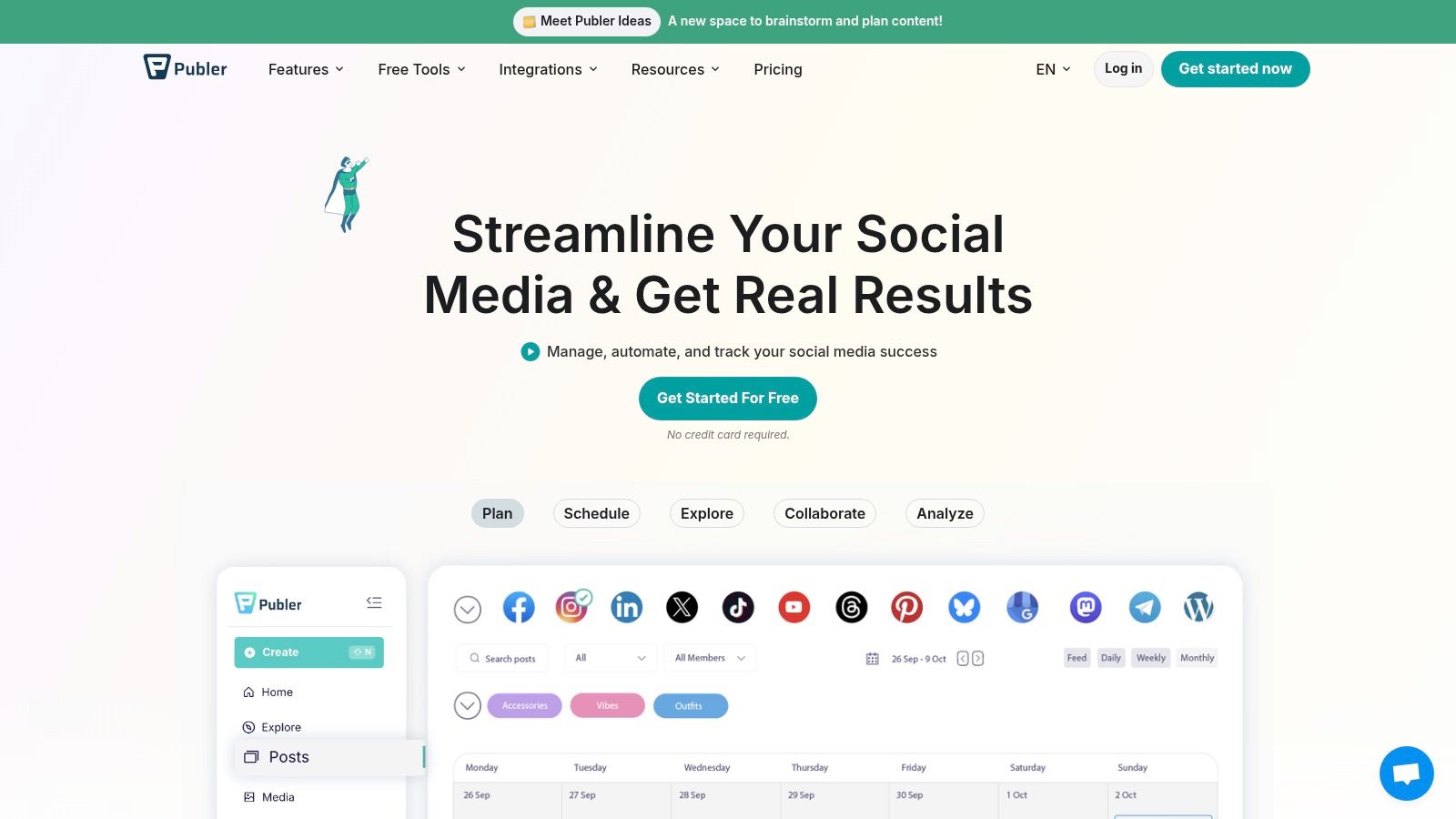
Publer is a powerful Hootsuite alternative that excels with its modular, pay-as-you-go pricing model, making it ideal for freelancers, creators, and small teams that need maximum flexibility. Its core value proposition is granularity; you only pay for the exact number of social accounts and team members you need, avoiding the bundled plans of other platforms. This makes it incredibly cost-effective to scale.
The platform offers a clean interface with robust scheduling features, including post recycling and automatic scheduling based on optimal times. For instance, a freelance social media manager can start with a free plan for a new client and then add just one paid social account and one team member seat as the client’s needs grow, keeping costs minimal and predictable. This incremental approach is a significant departure from the tiered plans common among other alternatives for Hootsuite.
Key Features & Use Cases
Granular Pricing: Pay per social account and per team member. This is perfect for a freelancer who manages five Instagram accounts for five different clients. Instead of buying a large plan, they can pay for exactly five accounts, keeping overhead low.
Advanced Scheduling: Features like content recycling allow you to automatically republish evergreen posts over time. You can create a category of "Timeless Tips" and set Publer to post one from that category every Friday, keeping your queue full and your profiles active with minimal manual input.
Link in Bio & Workspaces: Includes a built-in link-in-bio tool and a structured workspace system. An agency can create a separate workspace for each client, keeping their content, assets, and analytics completely separate and organized.
AI Assistant: Publer integrates an AI assistant to help with content creation. A practical use is highlighting a sentence from a post and asking the AI to "make it more engaging" or "add relevant emojis," speeding up the writing process directly within the post composer.
Pros and Cons
Pros:
Very low entry price with a highly flexible and granular pricing model.
Excellent for small teams or freelancers who need to add seats or accounts incrementally.
Strong content scheduling features, including post recycling.
Cons:
Advanced analytics and reporting are locked behind higher-priced add-ons.
The free plan has notable limitations, especially for X/Twitter support.
Website: https://publer.io/
Core Features Comparison: 12 Hootsuite Alternatives
Product | Core features | UX & Rating | Price & Value | Target audience | Unique selling points |
|---|---|---|---|---|---|
NicheTrafficKit 🏆 | AI end‑to‑end creation, multi‑platform auto‑publish, analytics | ★★★★★ (4.9) — highly automated | 💰 $39–$499/mo (token model) + free trial | 👥 Creators, SMBs, agencies | ✨ Viral trend research, platform‑specific assets, bulk + faceless YT |
Buffer | Queue scheduler, AI assistant, analytics | ★★★★☆ — simple & fast | 💰 Low / generous free plan | 👥 Creators & small teams | ✨ Easy onboarding, per‑channel pricing |
Sprout Social | Smart Inbox, deep reporting, listening add‑ons | ★★★★★ — enterprise UX | 💰 High / per‑seat pricing | 👥 Mid‑market & enterprise | ✨ Best‑in‑class analytics & governance |
Later | Visual planner, Smart Scheduling, link‑in‑bio | ★★★★☆ — visual & intuitive | 💰 Medium (tiered; some limits) | 👥 Visual brands & creators | ✨ Visual calendar & UGC tools |
Agorapulse | Unified inbox, approvals, ROI reporting | ★★★★★ — workflow focused | 💰 Medium‑High (per‑user) | 👥 Agencies & in‑house teams | ✨ Strong inbox + agency workflows |
SocialPilot | Bulk scheduling, analytics, white‑label | ★★★★ — cost‑effective | 💰 Low / high account limits | 👥 Freelancers, SMBs, agencies | ✨ Aggressive pricing for many accounts |
Loomly | Content calendar, approvals, editor | ★★★★ — clean & collaborative | 💰 Medium | 👥 Agencies & client teams | ✨ Client reviews, versioning, simple UI |
Sendible | Client dashboards, white‑label, reports | ★★★★ — agency‑centric | 💰 Medium (scales with profiles) | 👥 Agencies managing many brands | ✨ White‑label + client portals |
Zoho Social | Publishing, inbox, Zoho CRM integration | ★★★★ — value oriented | 💰 Low‑Medium (variable pricing) | 👥 SMBs, B2B teams using Zoho | ✨ Deep Zoho ecosystem integration |
CoSchedule Social Calendar | Best‑time publishing, ReQueue, calendars | ★★★★ — calendar‑centric | 💰 Medium (add‑ons for suite) | 👥 Content & campaign teams | ✨ Unified content + campaign planning |
Metricool | Competitor analytics, ads integration, reports | ★★★★ — analytics forward | 💰 Medium | 👥 Analysts & multi‑brand managers | ✨ Strong reporting + Looker Studio connector |
Publer | Queueing, recycling, link‑in‑bio | ★★★☆ — modular & low‑cost | 💰 Very low / pay‑by‑account | 👥 Creators, freelancers, lean teams | ✨ Granular pricing by account/member |
Making the Switch: How to Choose Your Next Social Media Hub
The journey to find the perfect social media management hub is less about replacing Hootsuite and more about upgrading your workflow to match your specific goals. As we've explored, the market is rich with powerful alternatives for hootsuite, each designed with a distinct user in mind. From the visual-first planning of Later to the enterprise-level analytics of Sprout Social, the right tool isn't just a scheduler; it's a strategic partner for your brand's growth.
The key takeaway is that a "one-size-fits-all" solution no longer exists. A freelance creator's needs diverge significantly from those of a multi-client digital agency or a B2B marketing team focused on LinkedIn. Your ideal platform is the one that removes friction from your most critical tasks, whether that’s deep-diving into analytics, collaborating with a team, or engaging directly with your community.
Your Action Plan for Choosing a Hootsuite Alternative
Transitioning to a new platform requires a thoughtful approach. Don't let the sheer number of options lead to decision paralysis. Instead, follow this structured process to ensure a smooth and successful switch.
Define Your Non-Negotiables: Before you even look at pricing, list your top three to five "must-have" features. Is it an intuitive content calendar, advanced approval workflows for your team, or a robust social listening dashboard? A B2B agency might prioritize a unified inbox with lead-generation features, while a small e-commerce business may need direct integration with Shopify.
Audit Your Current Workflow: Where are the biggest bottlenecks in your current process with Hootsuite? Are you spending too much time manually pulling reports? Is the user interface causing confusion for new team members? Pinpoint these specific pain points; they will be the primary problems your new tool must solve.
Run a Trial with Real-World Scenarios: Sign up for free trials for your top two or three contenders. Don't just explore the features; actively use them. Schedule a week's worth of real content, pull an analytics report for a recent campaign, and invite a team member to test the collaboration tools. This hands-on experience is invaluable.
Evaluate the Entire Tool Stack: Your social media hub doesn't operate in a vacuum. It must integrate with your other marketing tools. When evaluating your options and considering a comprehensive suite that goes beyond basic scheduling, it's worth exploring the 12 Best Social Media Content Creation Tools for 2026 to see how your scheduler can complement your creative process. For example, if you rely heavily on AI-generated content, ensure your chosen platform supports it natively or through seamless integrations.
Final Considerations Before You Commit
Remember to factor in scalability. The tool that works for you today as a solo founder might not support a growing team of five in a year. Look at the features and pricing of higher-tier plans to ensure there's a clear growth path. Platforms like Sendible and SocialPilot are excellent examples of tools that scale affordably.
Ultimately, choosing from the many excellent alternatives for hootsuite is an opportunity to realign your social media strategy with a platform that truly supports it. By focusing on your unique needs, from content creation to community engagement and detailed analytics, you can find a hub that doesn't just manage your social media but actively accelerates your results.
Ready to find a platform designed for targeted growth? If you're looking for an alternative that combines intuitive scheduling with powerful niche discovery and content generation, explore NicheTrafficKit. See how our AI-driven tools can help you connect with your ideal audience and grow your brand on autopilot by visiting NicheTrafficKit today.
