What Time to Post on Instagram A Guide to Peak Engagement
Unlock peak engagement. Find out what time to post on Instagram with our data-backed guide full of actionable strategies for creators and businesses.
It’s a tale as old as Instagram itself: you craft the perfect post, hit publish, and… crickets. We’ve all been there. It’s frustrating when great content doesn’t get the attention it deserves simply because it was posted when your audience was busy doing other things.
Think of it this way: timing is your first conversation with the Instagram algorithm. When your post gets a quick burst of likes, comments, and shares right after you post it, the algorithm takes that as a strong signal. It thinks, "Hey, people are loving this," and starts showing it to more of your followers and potentially even pushing it to the Explore page. That initial traction is everything.
Catching Your Audience in Their Downtime
So, when are people actually scrolling? It all boils down to basic human behavior. The best engagement windows almost always line up with the natural breaks in a person's day. We’re talking about those moments when they instinctively reach for their phones.
The Midday Break: The lunchtime scroll is a real phenomenon. People are decompressing from their morning and catching up on what they missed. Practical example: A B2B consultant might post a carousel with industry tips at 12:30 PM, catching professionals during their lunch break.
The Evening Wind-Down: After a long day of work, school, or errands, people curl up on the couch and turn to Instagram for entertainment. This is prime time. Actionable insight: If you sell a consumer product, like skincare or a board game, post your engaging Reels or tutorials around 8 PM when people are relaxed and more receptive to leisure content.
The sweet spot for most accounts tends to be around 11 AM to 1 PM for that lunchtime crowd and again from 7 PM to 9 PM as people settle in for the evening. These are fantastic starting points, but remember, the real magic happens when you pinpoint your unique audience's habits.
This infographic gives a great visual overview of how engagement ebbs and flows throughout a typical day.
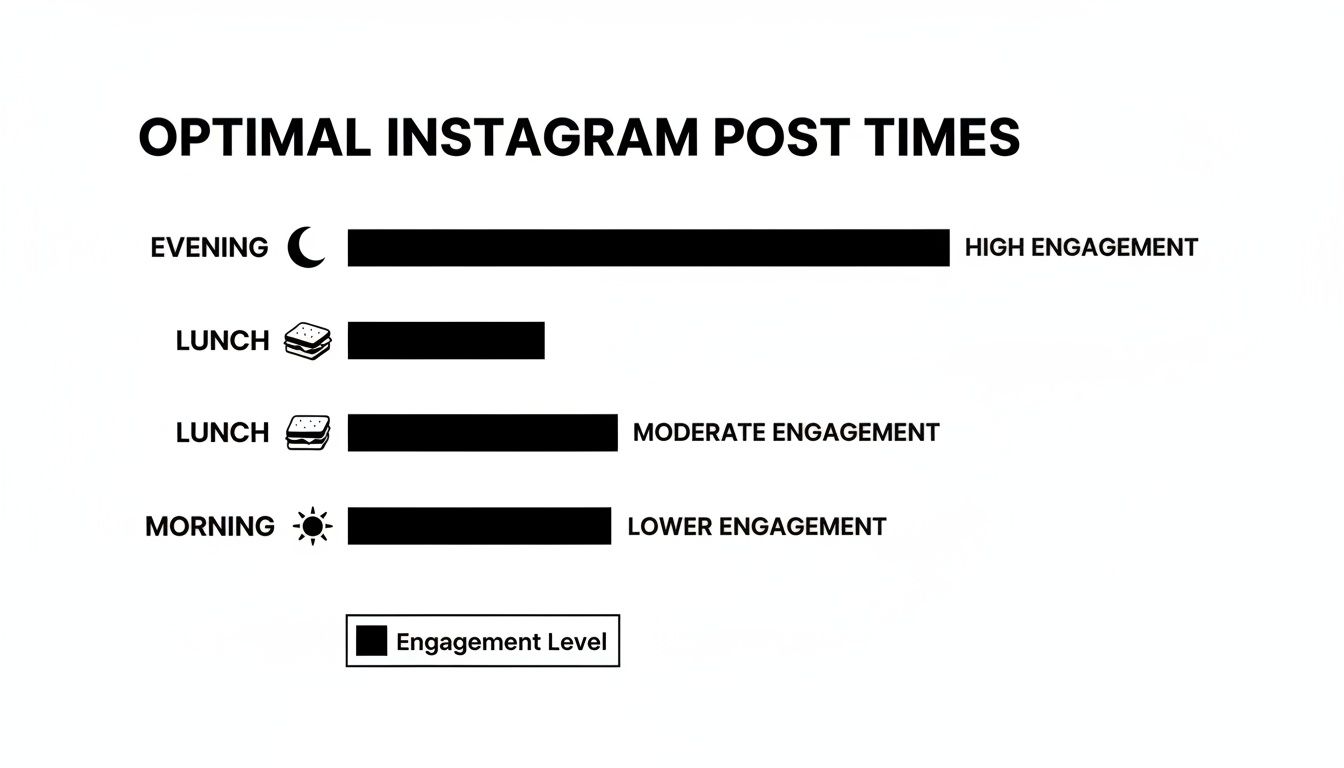
As you can see, the evening hours are a powerhouse. This is actually a bit of a shift; for years, midday was king. But now, with data from millions of posts showing a consistent spike in the 8 PM to 11 PM window, it's clear the after-dinner scroll session is where the highest engagement lives. In fact, some studies pinpoint Thursday at 9 PM as a golden hour.
While these Instagram-specific times are a huge help, remember that every platform has its own rhythm. To get the full picture, check out our guide on the best times to post on social media for a cross-platform strategy.
General Best Times to Post on Instagram by Day
To give you a more concrete starting point, we've broken down the generally accepted peak times for each day of the week. Use this as your baseline before you start digging into your own analytics.
Day of the Week | Primary Time Slot (High Engagement) | Secondary Time Slot (Good Engagement) |
|---|---|---|
Monday | 11 AM – 1 PM | 7 PM – 9 PM |
Tuesday | 10 AM – 2 PM | 6 PM – 9 PM |
Wednesday | 11 AM – 1 PM | 7 PM – 9 PM |
Thursday | 10 AM – 2 PM | 8 PM – 10 PM |
Friday | 11 AM – 1 PM | 5 PM – 7 PM |
Saturday | 9 AM – 11 AM | 6 PM – 8 PM |
Sunday | 10 AM – 1 PM | 7 PM – 9 PM |
This table is your launchpad, not your final destination. It gives you an educated guess to start with. The next step is to test these windows and see what truly resonates with your followers.
Why Posting Time Is Your Secret Weapon for Growth
Getting your posting time right is so much more than a simple trick to snag a few extra likes. It’s one of the most fundamental parts of a killer Instagram strategy.
Think of it like this: your Instagram feed is a bustling town square. You wouldn't set up your market stall at 3 AM when everyone's asleep, right? Of course not. You'd open up right as the biggest crowds start to wander through.
The exact same logic applies to your content. When you post during peak hours, you’re putting your work directly in front of the largest possible audience from the second you hit "Share." This initial burst of visibility is the fuel that gets your engagement engine running.
Triggering the Instagram Algorithm
The Instagram algorithm pays very close attention to two things: recency and early engagement. When a post gets a flurry of likes, comments, saves, and shares right after it goes live, it sends a huge signal to the platform. The algorithm sees this immediate activity and thinks, "Hey, this is good stuff. People want to see this."
What happens next is a snowball effect. Instagram pushes your post out to even more of your followers, and if things go really well, it might even land on the Explore page or at the top of relevant hashtag feeds. But if you post at the wrong time, you miss that critical window. Your content gets buried under a mountain of newer posts before it ever has a chance to catch on.
Actionable Insight: Don’t just post and walk away. Be present for the first 30-60 minutes after your post goes live. Responding to comments immediately doubles down on that early engagement signal, telling the algorithm your content is sparking valuable conversation.
The Power of Immediate Interaction
That initial buzz does more than just make the algorithm happy—it builds a real community. When your followers see your post as soon as it drops, they’re far more likely to jump into the comments and start a conversation.
Let’s look at how this plays out in the real world:
A well-timed post: A food blogger shares a new recipe at 6 PM on a weekday, right when people are thinking about dinner. It gets hundreds of likes and questions in the first hour, boosting its reach.
A poorly-timed post: That same blogger posts the same recipe at 4 AM. By the time their audience wakes up and starts scrolling, it's already old news, lost in the morning rush of content.
Figuring out what time to post on Instagram is the first step, but making the most of that moment is where the magic happens. For a deeper dive into boosting those crucial first interactions, check out the proven techniques in our guide on how to increase engagement on Instagram. That early traction is what separates a post that takes off from one that just sits there.
Finding Your Personal Best Time to Post on Instagram
While those general posting times are a great starting point, the real magic happens when you dive into your own data. Every audience is different, with its own unique rhythm and scrolling habits. Think of it this way: industry-wide data is like a map of a city, but your personal analytics are the turn-by-turn directions leading right to your audience's front door.
To really nail your timing, you have to move beyond broad advice and get familiar with how your followers behave. The best tool for the job is already built into the app: Instagram Insights. This is where you can start understanding Instagram's 'Active Now' feature and other key indicators. It’s time to turn theory into a concrete action plan.
Using Instagram Insights to Pinpoint Peak Hours
First things first, you'll need a Business or Creator account to unlock these free analytics. Once you're set up, finding your audience data is straightforward and gives you a goldmine of information about when your followers are actually online and ready to engage.
Here’s a clear, actionable path to find this data:
Navigate to your profile page. Tap the “Professional Dashboard” button located under your bio.
In the "Your account insights" section, tap on the “See all” link.
Tap the “Total Followers” tab to access your audience demographics and activity.
Scroll to the very bottom to find the “Most Active Times” chart.
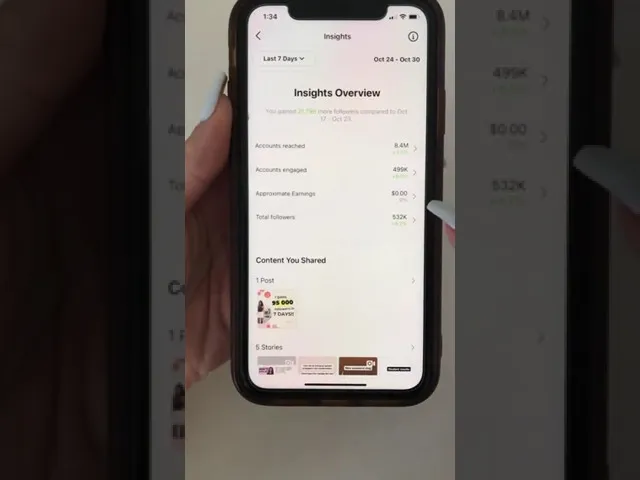
This chart is about to become your new best friend. It shows you exactly when your followers were online over the past seven days, breaking it down by both the day of the week and the hour.
You’ll see something that looks a lot like this:
The taller the blue bar, the more followers you had online at that specific time. This gives you a super clear, visual guide to your peak engagement windows.
Turning Data into a Posting Schedule
With the chart in front of you, start looking for obvious patterns. Maybe the generic advice points to a midday slump, but you notice your audience—let’s say they’re mostly college students or night-shift workers—is buzzing at 10 PM. Those are your golden hours.
For example, if your chart shows a massive spike on Wednesdays between 7 PM and 9 PM, that’s a clear signal from your audience. Actionable insight: Start scheduling your most important content (like a product launch or a major announcement) for Wednesdays at 6:45 PM to catch that wave of activity as it builds.
While data often points to Wednesday as a powerhouse day for posting, your audience might be completely different. Global studies often highlight Wednesday between 11 AM and 1 PM GMT/BST as a top slot, but others point to a sweet spot around 9 AM - 10 AM. Your own insights will tell you which trend, if any, actually holds true for your community.
Key Takeaway: Treat your Instagram Insights as the ultimate source of truth. Audience habits can change, so make it a habit to check this data weekly. When you consistently line up your posting schedule with these personalized peak hours, you give every single post its best shot at success.
How Time Zones and Content Formats Change the Game
Those generic "best times to post" guides are a great starting point, but they're just that—a start. They don't account for two huge variables that can completely change your results: where your followers actually live and what kind of content you’re putting out there.
To truly figure out what time to post on Instagram, you have to look beyond a single clock.
The Time Zone Dilemma
It's a classic mistake. You post at 8 PM your time, feeling great about hitting that evening sweet spot, only to realize it's 3 AM for a massive chunk of your audience. You’ve just posted to a sleeping crowd.
Instead of trying to be perfect for one group, the real trick is to find the strategic overlap.
Practical Example: Let's say your Insights show your audience is split between New York (EST) and Los Angeles (PST). Posting at 7 PM EST means it's only 4 PM in LA, where people are still at work. But if you post at 12 PM PST (3 PM EST), you catch the West Coast lunch crowd and the East Coast afternoon slump. This is a far more strategic choice for a bicoastal audience. Dive into your Instagram Insights, find your top two or three audience locations, and start hunting for these high-impact overlaps.
Think Like Your Audience: Matching Content to Their Day
Beyond just where your audience is, you have to consider what they're doing when they scroll. This is especially true with the increasing importance of short-form video. The type of content you share has a huge impact on when people are most likely to engage with it.
Think about your own habits. You're probably not sitting down to read a dense, 10-slide educational carousel while you're in line for your morning coffee—that’s prime time for a quick, funny Reel. You save the deeper content for your lunch break when you have a few minutes to really focus.
Actionable Insight: Look at your top-performing posts. Note the content type (Reel, Carousel, etc.) and the time it was posted. You might discover that your funny Reels do best at 8 PM, but your educational carousels get the most saves when posted at 12 PM. Use this data to build a format-specific schedule.
A Practical Framework for Timing Your Content
Here’s a simple way to start putting this into practice. Think about segmenting your content calendar not just by topic, but by format and the behavior it aligns with.
Quick Entertainment (Reels & Memes): These are perfect for commute times (7-9 AM) and the evening wind-down (7-9 PM). People are looking for a quick hit of fun and distraction.
Educational Content (Carousels & Guides): Aim for the workday lunch break (12-2 PM). This is when people have a dedicated moment to sit down and actually learn something new.
Inspirational or Shopping Posts (Static Images & Stories): Weekends, especially Saturday and Sunday afternoons, are golden. Your audience is more relaxed, browsing casually, and open to inspiration.
That post-work evening window has become a powerhouse for engagement, often accounting for 25-30% of all daily activity as people switch from work mode to leisure mode. The 7–9 PM slot, in particular, is a well-documented hotspot, making it the perfect time to drop your most important or entertaining posts.
Tailoring Your Posting Strategy to Your Goals
Figuring out when to post on Instagram isn't a simple copy-and-paste formula. Your strategy completely depends on what you're trying to achieve. A creator who wants to build a tight-knit community has a totally different game plan than an e-commerce shop trying to move inventory. The real secret is matching your posting schedule to your main goal—that’s how you turn raw data into actual results.
Different goals also mean you’re chasing different metrics. If you're a creator, your North Star is probably comments and shares. But for a small business, it’s all about link clicks and sales. This doesn’t just change what you post, but just as importantly, when you post it.
For Creators Focused on Community
As a creator, your mission is to build a loyal and engaged community. That means showing up consistently and being there when your audience is ready to chat. A simple "like" isn't enough; you're looking for genuine interaction.
Your whole strategy should be built around your audience's peak activity times, which you can pinpoint right in your Instagram Insights. If your followers are lighting up your posts at 8 PM on Wednesdays, that's your primetime. Use that window to schedule a live Q&A or a post that asks a fun question to get a real-time conversation going.
A Practical Example: Imagine a gaming creator who sees their engagement skyrocket on Friday and Saturday nights. They could drop their most epic gameplay Reels at 7 PM on Fridays to get everyone hyped for the weekend, then host an Instagram Live at 8 PM on Saturdays to hang out and chat with their community about it.
For Small Businesses Driving Sales
If you're running a small business, your goal is usually much more direct: you want people to take action. That could mean clicking a link to your website, buying a product, or booking an appointment. Your posting schedule needs to sync up with your customers' buying habits, not just their casual scrolling habits.
Put yourself in your customer's shoes. When are they most likely to be in a "buying" mood? For an online clothing boutique, that might be Thursday or Friday evenings (around 8 PM) as people start thinking about their weekend plans. For a local coffee shop, posting a photo of a fresh latte at 7 AM is the perfect way to catch commuters right before they grab their morning caffeine.
Here are a few actionable examples based on business type:
Retail & E-commerce: Post a "new arrival" announcement on a Thursday at 8 PM. Then, follow up with a Story reminder on Friday at 1 PM with a countdown sticker to drive urgency before the weekend.
Service-Based Businesses (Salons, Consultants, etc.): Post a client testimonial or a problem-solving tip at 11 AM on a Tuesday. This catches people mid-week when they're actively looking for solutions and planning their schedules.
Restaurants & Food Businesses: Post your dinner special on your Story at 4:30 PM. This is when people's workdays are winding down and the "what's for dinner?" question starts to pop into their minds.
For Agencies Managing Multiple Clients
Agencies have the toughest job of all: juggling multiple accounts, each with its own unique audience, industry, and goals. There's no such thing as a one-size-fits-all posting time here. Success comes from creating a separate, data-backed schedule for every single client.
This means you need to dive into the Instagram Insights for each account and treat it like its own self-contained universe. Using scheduling tools like Buffer or Later is essential for managing different time zones and cadences without going crazy. A post for a finance client might perform best during the lunch hour (12 PM EST) on a weekday, while a travel client’s content could hit the sweet spot on a Sunday afternoon (3 PM PST) when people are dreaming up their next vacation. It’s all about creating personalized systems that can scale.
Posting Strategy by User Type
To make it even clearer, let's break down how different Instagram users should approach their posting strategy. Each path is unique, and what works for a creator might completely miss the mark for a brand. This table lays out the core differences in goals, metrics, and tactics.
User Type | Primary Goal | Key Metric | Recommended Posting Strategy |
|---|---|---|---|
Creators | Community Engagement | Comments, Shares, Saves | Post during your audience's most active hours (check Insights) and host live sessions in the evenings or on weekends to foster real-time conversation. |
Small Businesses | Sales & Conversions | Link Clicks, Website Traffic, DMs | Align posts with customer buying cycles. Post product drops in the evening and promotions just before peak shopping times for your industry. |
Agencies | Client Growth & ROI | Varies by Client (e.g., Reach, Leads) | Develop a unique, data-driven schedule for each client. Use scheduling tools to manage multiple time zones and A/B test times to optimize performance across the board. |
Ultimately, whether you're building a following, selling a product, or managing a portfolio of clients, the core principle remains the same. Your posting times shouldn't be random; they should be a deliberate part of your strategy, designed to hit your specific goals.
Put Your Posting Schedule on Autopilot
So you've done the work and figured out your ideal posting time. It's a game-changer. But what happens when your data tells you the perfect slot is 11 PM on a Saturday?
You don't have to sacrifice your personal life to hit ‘publish’ at just the right moment. This is exactly where automation tools come in, turning your smart strategy into a seamless, hands-off system.
Think of scheduling tools as the bridge between knowing when to post and actually doing it consistently. They free you from being glued to your phone, which is a lifesaver for anyone managing audiences across multiple time zones or just trying to juggle a busy schedule. Instead of setting a dozen alarms, you can batch-create your content and let the software handle the rest.
Beyond Basic Scheduling
Modern platforms do way more than just push a post live at a set time. The smartest tools dig into your account's performance data and serve up intelligent recommendations. They can pinpoint your unique peak engagement windows automatically, taking all the guesswork out of the equation.
Actionable Insight: Use your scheduling tool to experiment. For one week, schedule your posts 15 minutes before your identified peak hour. The next week, schedule them exactly at the peak hour. Compare the initial engagement to see which approach works best for your specific audience.
Using these tools doesn't just save you hours—it sharpens your entire strategy. By putting the execution on autopilot, you free up valuable mental energy to focus on what really matters: creating incredible content that your audience actually wants to see. If you want a deep dive into setting up these systems, you can learn how to automate social media posting and get your workflow running like a well-oiled machine.
Here are the key benefits you'll see from using a scheduling tool:
Consistency is King: You can maintain a steady, reliable presence without the daily scramble.
Time Zone Mastery: Effortlessly reach a global audience by scheduling posts for their local peak hours, not just yours.
Data-Driven Decisions: Get AI-powered suggestions for your personal best times to post, backed by your own analytics.
More Creative Freedom: Spend less time on the tedious logistics and more time on what you do best—creating.
Still Have Questions About Instagram Posting Times?
Even after digging into the data, a few common questions always seem to pop up. Let's tackle them head-on so you can move forward with a clear, confident strategy.
How Often Should I Post on Instagram?
This is a classic question, but the answer isn't about hitting a magic number. Consistency trumps frequency, every single time.
It's far more effective to post 3-5 times per week at your proven peak times than to burn yourself out posting daily at random hours. Think of it as training your audience. When you show up reliably when they're already scrolling, they learn to look for and engage with your content.
Does Posting Time Matter for Instagram Stories?
Absolutely, though the logic is a little different. Stories only stick around for 24 hours, but their first few hours are the most critical.
Actionable Insight: The goal is to post your Story right before your audience's peak activity. This bumps you to the front of their Stories queue, grabbing those crucial early views and interactions before you get buried behind everyone else's content.
So, if your followers are most active at 7 PM, posting your Story at 6:45 PM is a smart move to capture that initial wave of attention.
What If My Audience Spans Multiple Time Zones?
Having a global following is a great problem to have! Your Instagram Insights are your best friend here. Look at your top cities and find the overlap.
You're looking for a "sweet spot" that serves multiple regions well. For example, posting at 4 PM EST is a fantastic strategic choice. You'll catch the East Coast of the US during their afternoon slump, the West Coast during their lunch break (1 PM PST), and your followers in Europe as they're winding down for the evening. It’s all about finding that one time slot that gives you the most bang for your buck across the globe.
Ready to stop guessing and start growing? NicheTrafficKit uses AI to analyze your unique audience and automatically publishes your content at the perfect time, every time. Learn how to put your Instagram growth on autopilot and start your free trial today.
