
Automate Social Media Posting to Save Time
Discover how to automate social media posting with this guide. Learn proven workflows, AI strategies, and the best tools to boost engagement and save time.
If you've ever felt like your social media is a hamster wheel you can't get off of, you know the struggle. The constant pressure to create, post, and engage can be overwhelming. Automating your social media isn't just about scheduling posts; it’s about getting off that wheel and turning your social presence into a strategic asset that works for you, not the other way around.
At its core, automation means using smart tools to schedule content in advance, handle recurring posts, and manage everything from a single command center. It boils down to a four-part system: planning what you'll say, creating the content, scheduling it to go live at the perfect moment, and then looking at the results to see what's actually working.
It’s about working smarter, plain and simple.
Why You Should Automate Social Media Posting
Is your social media feed feeling more like a daily chore than a growth channel? If you’re scrambling every morning just to find something to post, you’re stuck in a reactive loop. Automation is the key to breaking that cycle and making your social media a proactive engine for your business.
When you automate the repetitive tasks, you're not just saving time—you're freeing up brain space. That mental energy can be redirected from the daily grind of posting to the high-impact activities that actually grow your brand.
Shift Your Focus from Publishing to Strategy
Let's be honest, the act of hitting "publish" isn't where the magic happens. Automation takes care of that for you, so you can pour your energy into what truly matters:
Actually talking to your audience: Jump into the comments, answer questions, and build real relationships with the people who follow you. For example, instead of spending 30 minutes finding a post, you can use that time to personally thank 10 people who commented on yesterday's content.
Figuring out what works: Dive into your analytics. What content are people loving? What’s falling flat? Double down on the good stuff. If your data shows that carousel posts get twice the engagement of single-image posts, your next content block should be filled with carousels.
Getting creative: This is your chance to brainstorm new campaigns, think about interesting collaborations, and create content that truly pops. With your schedule handled, you have the headspace to plan a month-long "behind-the-scenes" video series.
This isn't just a nice idea; it's how modern marketing works. The data backs it up—a whopping 83% of marketing departments are now automating their social media, which is even more than those using email automation. And it's not just for the big players. Nearly half (47% of small businesses) rely on automation to stay consistent and competitive.
The payoff is real. Teams report a 14.5% jump in productivity and a 12.2% drop in marketing overhead. If you're curious, you can dig deeper into these marketing automation statistics to see the broader impact.
The Four Pillars of an Automated System
A solid automation workflow isn't a chaotic "set it and forget it" mess. It’s a well-oiled machine built on four key pillars. Think of these as the foundation for everything we’re about to build.
Before we dive into the nitty-gritty of setting up your system, let's get a high-level view of these core components.
Core Pillars of Social Media Automation
Pillar | Objective | Key Action |
|---|---|---|
Planning | Establish a clear content strategy and calendar. | Define core content themes and map out posts in advance. |
Creation | Produce high-quality, platform-specific content efficiently. | Use AI assistants and repurposing workflows to generate posts. |
Scheduling | Publish content consistently at optimal engagement times. | Use a scheduling tool to batch content and build an evergreen queue. |
Analysis | Measure performance and refine the strategy based on data. | Track key metrics to identify top-performing content and formats. |
Understanding how these four pillars work together is the first step. They form a continuous loop: you plan, create, schedule, and then analyze the results to make your next plan even better.
Building Your Content Automation Workflow
Throwing random content at your social media channels and hoping for the best is a recipe for disaster. A truly successful automation strategy isn't about guesswork; it's about building a solid, repeatable system. The goal is to create a well-oiled machine that churns out high-quality, on-brand content before you even think about hitting "publish."
This whole system really starts with your content pillars. These are the handful of core themes your brand will own and talk about, day in and day out. Think of them like the main channels on your own personal TV network—every single post should fit neatly into one of these categories. If you're a fitness coach, for instance, your pillars might be Workout Tips, Nutrition Hacks, and Client Success Stories.
Once you've nailed down your pillars, you need a central place to bring them to life. Honestly, a simple Trello board or a well-organized spreadsheet can be a game-changer here. Just create a column for each content pillar, then start dropping in cards or rows with specific post ideas. This simple step turns your abstract themes into a tangible content calendar you can actually work with.
This diagram really captures the cyclical nature of an effective workflow, moving from planning to analysis and right back again.
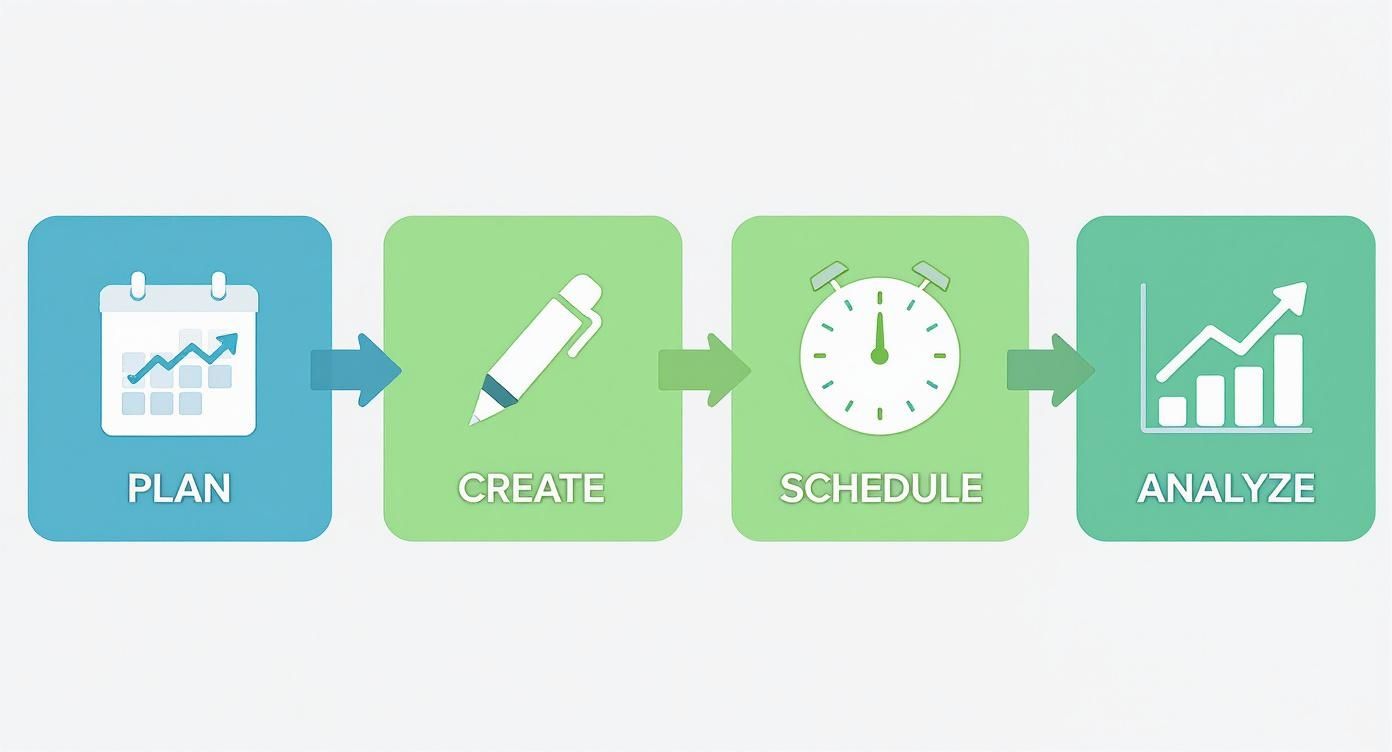
The key takeaway here is that automation is a continuous loop of learning and improving, not just a one-and-done scheduling setup.
Designing a Multi-Platform Workflow
With your pillars and calendar in place, it's time to get tactical. The next move is building a workflow to create content across different platforms without burning yourself out. The name of the game is efficiency: take one core idea and smartly adapt it for each network's unique audience and format. This is where you shift from high-level strategy to hands-on execution.
Let's walk through a practical example. Imagine your core idea is a new customer success story for your SaaS product. Instead of lazily copy-pasting the same text everywhere, you create tailored versions.
For LinkedIn: This is where you go deep. Draft a professional, in-depth article that details the customer's initial problem, how your product solved it, and the specific, measurable results they saw. Example: Post a 300-word case study with the headline, "How Company X increased productivity by 40% in 90 days."
For Instagram: Think visual. Create a sharp-looking carousel where each slide pulls out a key quote, a powerful statistic, or a behind-the-scenes photo. It tells the story in a quick, scannable way. Example: A 5-slide carousel with "The Problem," "The Solution," "The Result (40%!)", a customer quote, and a call-to-action.
For Twitter (X): It's all about the hook. Start a thread with the most impressive outcome right in the first tweet, then use the rest of the thread to break the story down into bite-sized, digestible nuggets. Example: Tweet 1: "We helped a client boost productivity by 40%. Here's the 3-step process we used: [thread emoji]".
This approach makes your content feel native to each platform, which drastically boosts its impact without forcing you to reinvent the wheel every time.
Setting Up Your Content Hub
Every great workflow needs a command center. This could be a shared Google Drive folder, a robust Notion database, or a project management tool like Asana. The specific tool matters less than its function: to house all your content templates, approved assets, and post drafts in one ridiculously organized place.
A well-structured content hub is non-negotiable. It should include:
Content Calendar: The master schedule showing what gets posted, where, and when.
Asset Library: A clean, searchable repository for all approved images, videos, logos, and brand guidelines.
Template Folder: A collection of pre-made templates for different post types (e.g., "Customer Testimonial - LinkedIn," "Quick Tip - Instagram Reel").
Drafts & Approvals: A clear process for drafting, reviewing, and approving content before it ever gets scheduled.
Pro Tip: Your content hub is the single source of truth for your entire team. It kills confusion, prevents people from re-doing work, and locks in brand consistency across every channel.
Getting your tools to talk to each other is also a huge time-saver. For example, you can see how a tool like Zaplinker helps integrate various apps to automatically pass information between your content hub and your scheduling platform, smoothing out the whole process.
From Idea to Published Post: A Real-World Scenario
Let's pull this all together with a quick scenario for a local coffee shop. Let's say their content pillars are Meet the Baristas, Coffee Education, and Community Events.
Their Trello calendar has a "Meet the Baristas" post planned for next Tuesday, featuring their head barista, Maria.
First, they do a quick interview with Maria and snap a high-quality photo. Then, using their pre-built templates, they spin that single piece of content into multiple, platform-specific posts:
Instagram Post: They use the great photo of Maria with a caption sharing a fun fact she mentioned in the interview. Example Caption: "Meet Maria! Did you know her favorite coffee origin is Ethiopia? She's the artist behind your morning latte. Say hi next time you're in! #MeetTheBarista"
Facebook Post: Here, they write a longer-form post telling Maria's story about how she first got into coffee. Example: A 200-word post detailing Maria's journey from her first coffee job to becoming their head barista.
Instagram Story: They use a short video clip from the interview where Maria demonstrates how to pour the perfect latte art. Example: A 15-second clip with a poll sticker asking "Espresso or filter coffee?"
Finally, all three pieces of content get loaded into their scheduling tool (like NicheTrafficKit) and are set to go live on Tuesday at the optimal times for each platform.
This structured system transforms one simple idea into a coordinated, multi-platform content push. When you build a system like this, you create a content engine that works for you, making your social media automation both strategic and scalable.
Using AI for Content Creation and Repurposing
With a solid workflow mapped out, it’s time to put your content engine into overdrive. This is where AI stops being a buzzword and becomes your day-to-day assistant. And if you're just thinking of it as a caption generator, you're missing the bigger picture. A good AI tool can be a strategic partner, handling brainstorming, drafting, and repurposing so you can focus on the human side of your brand.
This isn't just a fleeting trend; it’s a major shift in how marketers work. The numbers back it up: 60% of marketers are already using AI for content creation and analysis. It’s become so integrated that 65% of marketing professionals now rely on AI for at least half of their social media posts, which has led to a jaw-dropping 79% increase in how fast they can get content out. If you want to dig deeper into this shift, Scopic has some great insights on AI's role in social media trends.
This ability to move faster is a game-changer, but the real win comes from using these tools strategically.
Prompting AI for On-Brand Content Ideas
Generic prompts get you generic, boring content. It's that simple. To get genuinely useful ideas from an AI tool, like the one we've built into NicheTrafficKit, you have to give it specific, contextual instructions. Think of it as briefing your own content strategist.
Here’s a prompt template I use that you can easily adapt:
"Act as a social media strategist for a [Your Industry] brand called [Your Brand Name]. Our target audience is [Describe Your Audience]. Our primary content pillars are [Pillar 1], [Pillar 2], and [Pillar 3]. Generate 10 engaging post ideas for LinkedIn that fit our 'Expert Advice' pillar. For each idea, provide a compelling hook, a key takeaway, and a suggestion for a relevant hashtag."
Giving the AI this level of detail means its output will actually align with your strategy from the get-go, saving you a ton of editing time. The ideas it produces become a solid starting point, not just something you have to fix.
The Power of AI-Driven Repurposing
The real magic behind using AI to automate social media posting is content repurposing. This is how you take one great piece of content and squeeze every last drop of value out of it, multiplying its reach across all your channels without starting from scratch. It’s the ultimate efficiency hack.
Let's run through a practical example. Say you just published a 1,500-word blog post, "5 Common Mistakes New Homeowners Make." Instead of just dropping a link on your socials and calling it a day, you can use AI to spin it into a full week of content.
Create a Twitter Thread: Feed the blog post to your AI assistant and ask it to "summarize this article into a 5-tweet thread. Each tweet should focus on one of the five mistakes, using an engaging hook and a practical tip."
Generate a LinkedIn Post: Next, ask it to "write a 200-word LinkedIn post based on this article, targeting first-time homebuyers. Start with a relatable story, outline the key mistakes, and end with a question to encourage comments."
Script an Instagram Carousel: Then, prompt the AI to "create a script for a 6-slide Instagram carousel from this blog post. Slide 1 should be the title. Slides 2-6 should each cover one mistake with a short, punchy description."
In just a few minutes, you’ve turned one asset into seven unique pieces of content, each tailored to its platform. This works for just about any format. For example, you could even use a Reddit content reformatting tool to adapt the blog post into a conversational post that sparks discussion on a relevant subreddit.
Keeping the Human in the Loop
As powerful as AI is, it should never be in the driver's seat alone. Your brand voice, your empathy, and your deep industry knowledge are things a machine can't replicate. The best automation workflows use AI for the first 80% of the heavy lifting, leaving a human to provide the final 20% of polish.
Crucial Takeaway: Your job title effectively changes from "content creator" to "content editor and strategist." Let the AI generate the drafts, but always be the one to refine them—inject your personality, double-check the facts, and make sure the tone is spot-on for your audience.
This human oversight is what keeps your content from feeling robotic. It ensures you maintain the trust you've worked so hard to build with your followers. It’s the perfect marriage of machine efficiency and human connection.
Alright, you've got a killer content strategy and a library of AI-generated gold. Now comes the fun part: putting it all on autopilot so you can get back to running your business. This is where we stop manually pushing "publish" and start building a real, self-sustaining social media machine.
It really boils down to two core methods for scheduling your content, and knowing when to use each one is key.
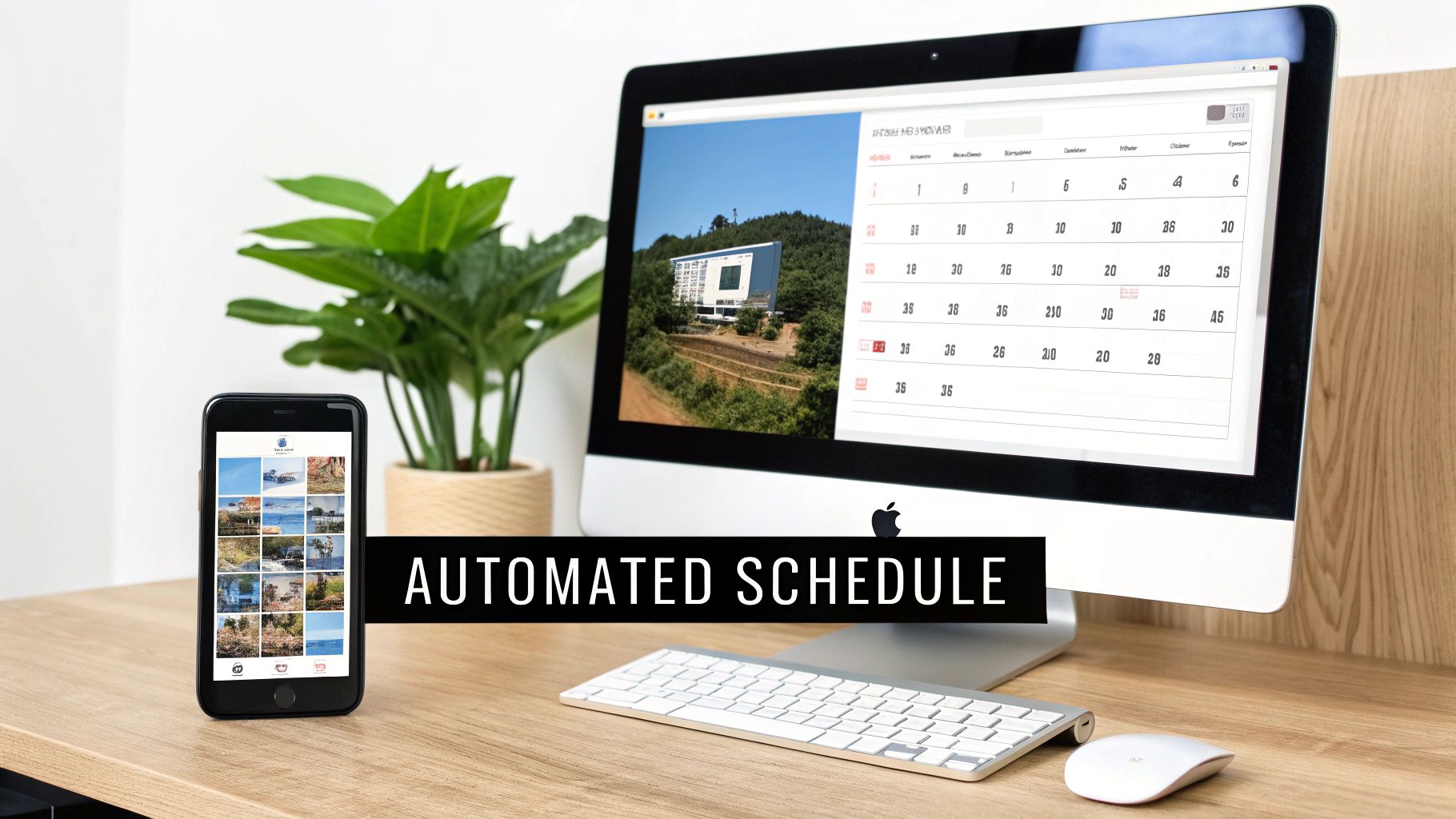
Batch Scheduling vs. Evergreen Queues
You can think of batch scheduling as your campaign-mode tool. Got a product launch next month? A big webinar coming up? You sit down for one power session and schedule all the promotional content for that specific event in one go. It's perfect for anything that’s time-sensitive and has a clear start and end date.
Then you have the evergreen queue, which is my secret weapon for consistency. This is a constantly recycling library of your best, timeless content—think foundational tips, FAQs, and popular blog posts. A tool like NicheTrafficKit lets you build this queue, and it will automatically pull from it and republish posts over time. Your profiles never go dark, even when you're not actively launching something.
My Two Cents: Don't pick one or the other. Use both. I always run a baseline evergreen queue to keep the lights on and then layer my time-sensitive batch campaigns on top of it. This creates a powerful rhythm of consistent value punctuated by high-impact promotions.
Tailor Your Timing for Each Platform
Hitting "schedule" is easy. Scheduling for when your audience is actually listening? That's what gets results. Every platform has its own unique rhythm, and a one-size-fits-all schedule is a recipe for low engagement.
For instance, LinkedIn is all business. People are scrolling during their workday, so engagement often spikes between 9 AM and 12 PM on weekdays. Post that same content on Instagram at 10 AM on a Tuesday, and you'll hear crickets. On IG, users are more active during their downtime—commutes and evenings, typically 7 PM to 9 PM.
Here’s a quick cheat sheet I stick to:
LinkedIn: Aim for mid-mornings on Tuesdays, Wednesdays, and Thursdays.
Instagram: Evenings and weekends usually perform best. Dig into your insights to find the golden hours for your specific audience.
Twitter (X): It’s a firehose. The lifespan of a tweet is short, so a higher posting frequency spread throughout the day is the name of the game.
Any decent automation platform will let you create a unique posting schedule for every social profile you connect. Taking 10 minutes to set this up is one of the most important things you can do to automate social media posting the right way and squeeze more value out of every single post.
Choosing Your Automation Tool
The market is flooded with great scheduling tools, but finding the right fit depends entirely on your needs. Are you a solo creator focused on visuals, or an agency juggling 20 clients? Your answer will point you to very different platforms.
To give you a clearer picture, I've compared some of the heavy hitters in the space.
Social Media Automation Tool Feature Comparison
Choosing a platform is a big commitment, so it's worth seeing how the top players stack up. This table breaks down some of the key differences between popular tools like Buffer, Hootsuite, Later, and Agorapulse to help guide your decision.
Feature | Buffer | Hootsuite | Later | Agorapulse |
|---|---|---|---|---|
Best For | Simplicity & Small Teams | Agencies & Large Teams | Visual-First (Instagram, Pinterest) | Comprehensive Management & CRM |
AI Content Assistant | Yes | Yes | Limited | Yes |
Evergreen Queue | Yes | No (Content Library) | No | Yes |
Unified Inbox | Yes | Yes | Yes | Yes |
Pricing Model | Per Channel | Per User & Plan | Per Social Set | Per User & Plan |
My best advice? Sign up for a free trial before you commit your credit card. A tool can have all the features in the world, but if the interface feels clunky and slows you down, you won't use it. Find one that feels natural to your workflow.
One final pro tip: don't schedule too far in advance. It's tempting to queue up an entire quarter, but that can backfire badly if a major world event happens, making your pre-scheduled content seem tone-deaf. I stick to a one- to two-week scheduling window. It keeps me consistent without sacrificing the ability to be agile and human.
How to Analyze and Optimize Your Automation Strategy
Getting your social media automation up and running is a great first step, but the real magic happens next. This isn't a "set it and forget it" game. To truly win, you have to close the loop: publish, listen to the data, and refine your approach.
Think of it this way: your scheduler isn't just a content cannon. It’s a powerful engine for learning what your audience actually wants. By digging into your analytics regularly, you stop guessing and start knowing what resonates, what makes people click, and what ultimately grows your bottom line.
Focus on Metrics That Matter
It's easy to get distracted by vanity metrics. A growing follower count and a flood of likes feel great, but they don't directly translate to revenue. If you want to make real progress, you have to track the numbers that are tied to your actual business goals.
Here’s where I recommend you put your focus:
Engagement Rate: This is your gut check. It tells you what percentage of your audience is actually interacting with your posts. Are they listening, or are you just shouting into the void?
Click-Through Rate (CTR): This is a direct measure of how compelling your content is. It shows how many people saw your post and were motivated enough to click the link and leave the platform.
Conversion Rate: This is the big one—the bottom line. It tracks how many of those clicks turned into a meaningful action, whether that's a newsletter sign-up, a lead form submission, or a sale.
When you zero in on these three, you get a clear, honest picture of your content’s performance. If you're working with niche communities, you can even get detailed insights for your subreddit to really understand what makes that specific audience tick.
Turning Data Into Actionable Strategy
Your automation tool’s analytics dashboard is your mission control. This is where the numbers on the screen turn into smart decisions for your business.
Let's walk through a practical example. Say you run an e-commerce shop selling handcrafted leather goods. You’ve automated a month's worth of content—a mix of slick product photos, links to your blog, and some short behind-the-scenes videos. Time to open up your NicheTrafficKit dashboard and see what happened.
At a glance, you spot a telling pattern. Your polished product photos get a decent number of likes, but the short videos showing how a wallet is stitched together? They have a 4x higher click-through rate to your product pages.
That single insight is pure gold. The data is screaming that your audience is far more interested in the craftsmanship and the story than in a static product shot.
So, what do you do? You pivot. You adjust your content workflow to create more of those behind-the-scenes videos and scale back on the simple product photos. You just used data to make a strategic change that will almost certainly drive more qualified traffic and boost sales.
This cycle—analyze, adjust, repeat—is what separates a social media account that's just coasting from one that's a consistent growth engine. It creates a powerful feedback loop, making your automated efforts smarter and more effective over time.
And the financial impact is undeniable. On average, companies see $5.44 in revenue for every $1 spent on marketing automation. In fact, 76% of companies report seeing a positive return within the first year. It just goes to show that the real value isn't just in automating; it's in using data to optimize everything you do.
Bringing Your Automated Social Media Strategy to Life
We've covered a lot of ground, moving far beyond just scheduling a few posts here and there. The real goal is to construct a full-fledged system that transforms your social media from a daily time-sink into a genuine, scalable growth engine for your business.
You're now holding the blueprint for true end-to-end automation. It all starts with those solid content pillars and a well-organized calendar. From that foundation, you can bring in AI assistants to do the heavy lifting—drafting fresh ideas and, just as importantly, slicing and dicing your best content for every platform. This is how you make every single piece of content pull its weight.
Shifting from Hands-On to Hands-Off
The magic really starts to happen once you nail down your publishing rhythm. Think of it as a two-pronged attack: use batch scheduling for your big, timely campaigns, and then let an evergreen queue fill the gaps with consistently valuable content. This is how your profiles stay buzzing with life, even when you’re completely unplugged and focused on other things. It’s not about doing less; it’s about being smarter with your effort.
When you get this right, you build a social media presence that’s resilient, effective, and works for you around the clock. True automation is your brand building relationships and driving traffic, even while you sleep.
The final, crucial piece is closing the loop with analytics. This is what turns your automation from a simple scheduler into an intelligent performance machine. By digging into the data to see what’s resonating—and what’s not—you can tweak and refine your approach. This creates a powerful cycle of continuous improvement, making sure your results get better and better over time.
Your Action Plan for This Week
It’s easy to feel pumped up after reading a guide like this, but inspiration without action doesn't get you very far. So, here’s my challenge to you: start small. Please, don't try to rip and replace your entire strategy in one go. You'll just burn out.
Instead, pick just one small thing to automate this week.
Focus on mastering a single social media platform first.
Choose just one content theme, like a weekly tip or a behind-the-scenes look.
Jump into a tool like NicheTrafficKit and schedule the next four posts for only that category.
That's it. Once you feel that sense of relief from the time you've saved and see the impact of that newfound consistency, you’ll have all the motivation you need to build out the rest of the system we’ve walked through. That first small win is the key to finally putting your social media growth on autopilot.
Got Questions? Let's Talk Automation.
Diving into social media automation always brings up a few questions. That's a good thing—it means you're thinking strategically about how these tools fit into your brand's voice and workflow. Here are some straight answers to the things people ask me most often.
Ultimately, automation is about giving yourself leverage. It's not a replacement for real connection, but a tool to help you do more of it. When you strike that balance, you get all the efficiency without losing the magic that makes your brand yours.
Will Automation Make My Brand Sound Like a Robot?
This is the number one concern I hear, and it's a valid one. But here’s the secret: authenticity comes from your message, not the "send" button.
The trick is to automate the tedious stuff—like scheduling and consistent posting—so you can pour that reclaimed time back into what really matters: replying to comments, sparking conversations, and jumping on timely trends. Many of the best social media managers I know use AI to generate a first draft, then they step in to inject the brand's unique personality and wit.
Think of automation as the behind-the-scenes crew that sets the stage. It frees you up to be the star of the show—connecting with your audience in real-time.
This hybrid approach gives you the best of both worlds: incredible efficiency and genuine, human-to-human relationships.
How Do I Pick the Right Automation Tool?
It’s easy to get overwhelmed by flashy feature lists, but the best tool is simply the one that solves your biggest headache. Focus on your specific needs, not what the tool can do.
Heavy on Visuals? If your world revolves around Instagram and Pinterest, a visually-focused platform like Later is built from the ground up for you.
Need Deep Analytics? For teams that live and breathe data and require robust collaboration features, something like Hootsuite or Agorapulse is a much better fit.
Flying Solo? If you're a solopreneur or a small business just looking for a clean, straightforward way to schedule posts, you can't go wrong with Buffer.
My best advice? Use the free trials. Don't just click around—actually try to run your real-world workflow through the tool for a few days. If it feels clunky or you can't find what you need, move on. It doesn't matter how great the features are if you hate using it.
What Are the Biggest Mistakes People Make with Automation?
The most common pitfall is the "set it and forget it" mentality. You can’t just schedule posts for the next three months and walk away. A major news event could break, and suddenly your pre-scheduled, cheerful post looks completely tone-deaf. Always keep an eye on what's going out.
Another classic mistake is cross-posting the exact same message everywhere. A tweet is not a LinkedIn post, and neither is an Instagram caption. You have to tweak the copy, image size, and hashtags for each platform's audience and best practices.
And finally, the golden rule: never automate personal engagement. Your replies, your DMs, your comments—that has to be you. That's where you build the trust and loyalty that algorithms can't replicate.
Ready to build a content engine that actually works for you 24/7? With NicheTrafficKit, you can go beyond simple scheduling and automate your entire content workflow—from research and creation to publishing and analysis. Start your free trial today and see how much time you can get back.
