12 Best Content Marketing Automation Tools for 2025 (In-Depth Review)
Discover the top 12 content marketing automation tools. Our in-depth guide covers features, pricing, and actionable insights to boost your workflow in 2025.
Tired of the content creation hamster wheel? Juggling ideas, writing drafts, scheduling posts across multiple platforms, and analyzing results can feel like a full-time job in itself. The good news is, it doesn't have to be. Modern content marketing automation tools have evolved from simple schedulers into intelligent platforms that streamline your entire workflow.
These systems can handle everything from viral trend research and AI-powered content generation to sophisticated performance analytics. This guide moves beyond generic feature lists to give you actionable insights into the top 12 platforms that can genuinely save you time, scale your output, and amplify your results. While these tools focus on automation and distribution, the quality of your raw assets remains paramount. To further enhance your content strategy, exploring comprehensive lists like the 12 Best Content Creation Tools for Social Media can equip you with the right creative software before you even think about automation.
Our goal is to help you find the best solution for your specific needs, whether you're a creator scaling your presence, a B2B marketer driving leads, or a digital agency managing multiple client accounts. We'll explore practical use cases, honest limitations, and key implementation tips for each tool. Every entry includes screenshots and direct links to help you make a confident, informed decision and choose the right partner to automate your growth.
1. NicheTrafficKit
NicheTrafficKit stands out as a powerful, AI-first social media suite that goes far beyond simple scheduling. It serves as a comprehensive partner for research, creation, and distribution, making it one of the most robust content marketing automation tools available today. The platform learns your brand's unique voice and automates the entire content lifecycle, from identifying viral trends to generating platform-specific posts and publishing them at optimal engagement times.
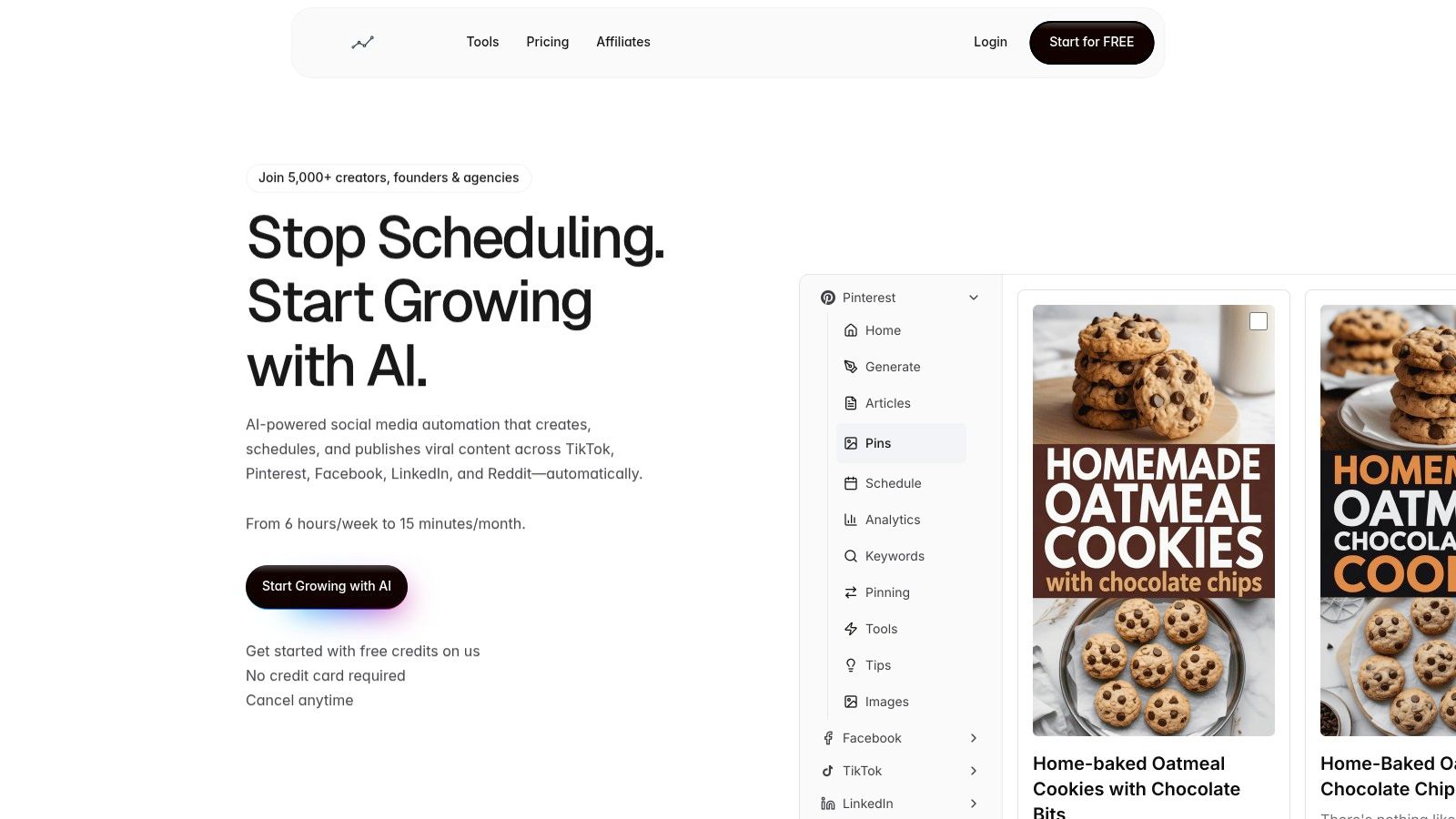
What truly sets it apart is its end-to-end automation and multi-platform intelligence. Instead of just pushing the same content everywhere, its AI crafts tailored posts for TikTok, Pinterest, LinkedIn, Reddit, and more. For a practical example, an agency could upload a single client brief, and the AI will generate a week's worth of content, including a LinkedIn article, five engaging tweets, three Instagram carousel posts with images, and two TikTok video scripts, all adapted to each platform's best practices.
Key Strengths & Use Cases
Agency-Scale Management: The unified dashboard is a game-changer for agencies and freelancers managing multiple client accounts. Actionable Insight: You can onboard a new client, input their brand voice and target keywords, and have a full month of draft social media content ready for their approval in under an hour, dramatically reducing client onboarding time.
Data-Driven Content Recycling: An intelligent system automatically identifies your top-performing posts and strategically resurfaces them. Practical Example: A viral TikTok video from three months ago can be automatically repurposed as an Instagram Reel next week, complete with a new trending audio suggestion to maximize its second wave of engagement.
Niche Platform Specialization: NicheTrafficKit offers specific tools for platforms that are often overlooked by other schedulers. Its Pinterest SEO and viral pin design tools help drive referral traffic, while its Reddit discovery feature guides community engagement in relevant subreddits.
Implementation Tips
To get the most out of NicheTrafficKit, dedicate time to the initial AI training. Actionable Tip: Instead of generic descriptions, provide the AI with links to 3-5 of your best-performing past posts and 3-5 posts from competitors you admire. This gives the AI concrete examples to model, leading to higher-quality outputs much faster. Plan for a brief period of human review and refinement on the first few batches of generated content.
Feature Highlights | Best For | Pricing Model |
|---|---|---|
End-to-end AI content generation | Creators & agencies | Token-based |
Platform-specific optimization | Multi-platform marketers | Starts at $39/mo |
Unified multi-account dashboard | Social media managers | Scalable plans |
Automatic content recycling | Data-driven teams | Free trial available |
Pros:
Massive Time Savings: Truly automates the entire social media workflow, from ideation to publishing.
Platform-Specific Content: Creates trend-aware content optimized for each social network's algorithm.
Scalable for Agencies: Built to manage numerous accounts from a single, intuitive interface.
Data-Driven Growth: Advanced analytics and intelligent recycling maximize content performance.
Cons:
The token-based system may require purchasing add-ons for high-volume content creators.
Initial AI outputs require human oversight and tuning to perfectly match a nuanced brand voice.
Website: https://nichetraffickit.com
2. HubSpot Marketing Hub
HubSpot Marketing Hub is arguably the most comprehensive all-in-one platform for inbound marketing, combining a robust CRM with powerful content and automation features. It stands out by connecting every touchpoint in the customer journey, from initial blog post view to final sale, providing unparalleled attribution reporting. Its strength lies in its scalability and user-friendly interface, making it accessible for startups while offering the depth required by large enterprises.
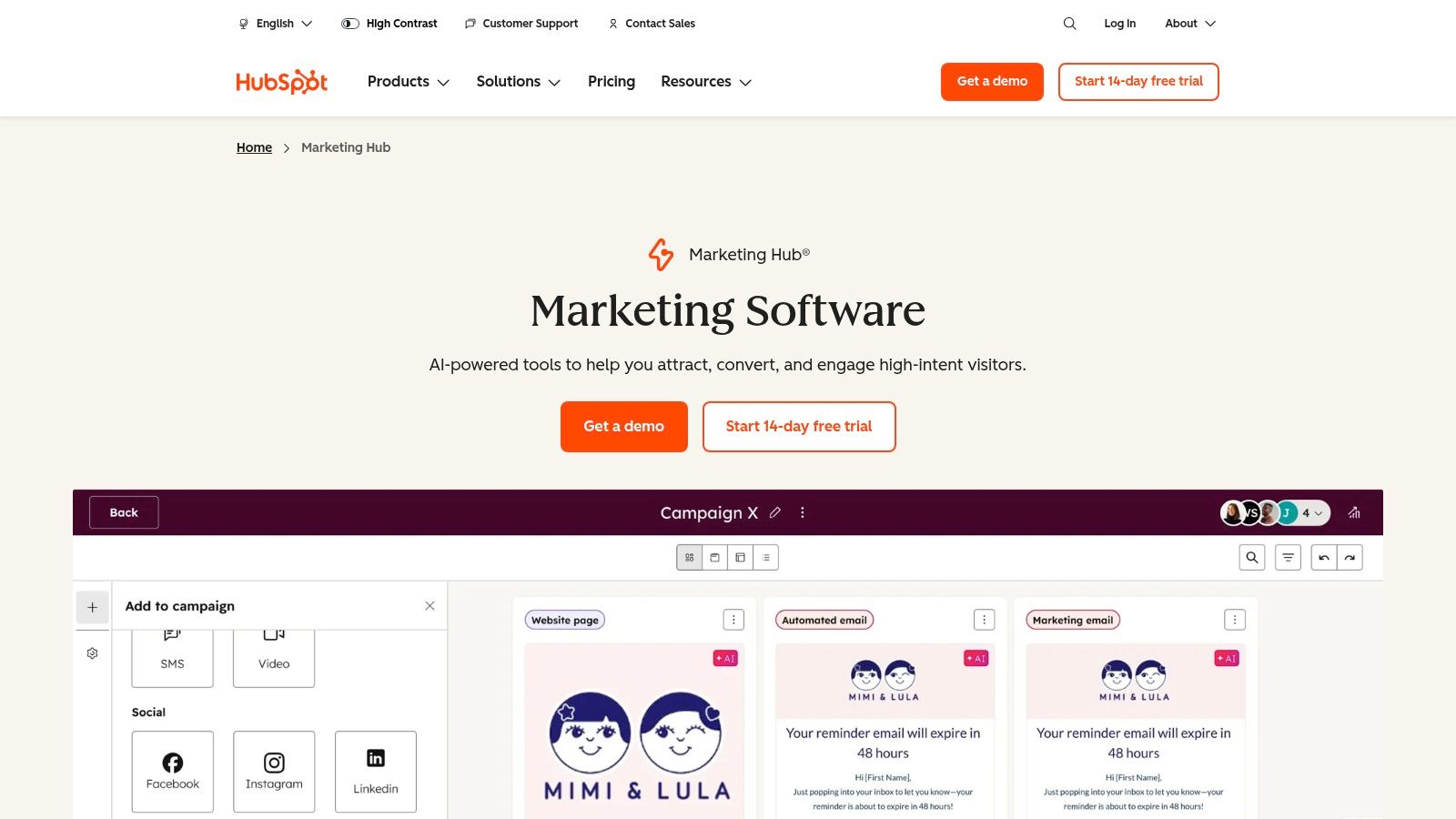
This platform excels at automating lead nurturing sequences triggered by content engagement. Practical Example: A user downloads your "Beginner's Guide to SEO" ebook. You can create a workflow that automatically enrolls them in a 5-day email course, sends a follow-up email with a case study after one week, and then notifies a sales rep via an internal Slack message if that user visits your pricing page more than twice.
Core Features & Use Cases
Visual Workflow Automation: Build complex, trigger-based campaigns for lead nurturing. Actionable Insight: Use if/then branches to create personalized paths. For example, if a lead clicks a link about "enterprise features" in an email, move them to a high-intent sales sequence; if they don't click, send them a more general educational article.
Integrated Content Tools: Manage your blog, SEO strategy, social media publishing, and landing pages from a single dashboard. Use smart content features to personalize website content based on a visitor's lifecycle stage.
CRM & Reporting: Leverage the native HubSpot CRM to get a complete view of every contact interaction. Create detailed attribution reports to prove the ROI of specific content assets.
Implementation & Pricing
Pricing: HubSpot offers a free tier with basic tools. Paid plans start with the Starter tier (from ~$18/mo), with advanced automation features locked behind Professional (from $800/mo) and Enterprise (from $3,600/mo) tiers. Be mindful that costs scale with contact list size and paid user seats, and higher tiers often require a one-time onboarding fee.
Pros: All-in-one suite, massive integration ecosystem, excellent support and free educational resources.
Cons: Can become expensive quickly; the best automation features are in costly upper tiers.
3. Adobe Marketo Engage
Adobe Marketo Engage is an enterprise-grade marketing automation powerhouse designed for large organizations managing complex B2B or high-consideration B2C customer journeys. It excels in orchestrating sophisticated, multi-touch lifecycle marketing and account-based marketing (ABM) strategies. Its core strength is its depth, providing granular control over every aspect of lead management, from scoring and routing to advanced multi-channel nurturing and revenue attribution.
This platform is built for intricate automation scenarios. Practical Example: A global SaaS company can use Marketo to create a dynamic nurture stream for a target account. If a user from that account with a "Director" title downloads a whitepaper, they are sent a high-level ROI case study. If another user from the same account with a "Developer" title visits the API documentation, they are sent a technical guide. Both actions increase the overall account score, triggering an alert to the account executive in Salesforce only when the combined score hits a "sales-ready" threshold.
Core Features & Use Cases
Advanced Nurture Streams: Build sophisticated, multi-path nurture campaigns with complex branching logic based on behavioral, demographic, and firmographic data. Ideal for long sales cycles.
Native CRM Integrations: Offers deep, bi-directional sync with major CRMs like Salesforce and Microsoft Dynamics. Actionable Insight: Use this sync to automatically change a prospect's nurture track in Marketo the moment their status is updated to "Discovery Call Booked" in Salesforce, preventing them from receiving irrelevant marketing emails.
AI & Personalization: Higher tiers leverage AI to predict the best content for specific audience segments and optimize send times.
Robust Reporting & Attribution: Create detailed multi-touch attribution models (e.g., W-Shaped, Full Path) to precisely measure the revenue impact of specific content marketing efforts.
Implementation & Pricing
Pricing: Marketo Engage has opaque pricing that requires direct engagement with their sales team for a custom quote. It is a significant investment typically positioned for enterprise and upper mid-market budgets.
Pros: Extremely powerful for complex segmentation and large teams, mature governance features for scalability, and deep reporting capabilities for proving content ROI.
Cons: Has a notoriously steep learning curve compared to more SMB-focused tools; pricing is not transparent and can be very high.
Website: https://business.adobe.com/products/marketo/marketo-engage.html
4. Semrush (Content Marketing Toolkit)
Semrush expands beyond its core SEO capabilities with a powerful Content Marketing Toolkit designed to automate the research-to-optimization cycle. It excels by integrating deep keyword and competitor data directly into the content creation workflow. This connection allows marketers to build data-driven content briefs, write SEO-optimized copy with real-time feedback, and track performance from a single, unified platform.
The platform automates the most time-consuming parts of content strategy. Practical Example: You want to write an article about "project management software for small business." The SEO Content Template tool will automatically analyze the top 10 ranking articles for that keyword and generate a brief that tells you the ideal word count (e.g., 2,200 words), key subtopics to cover (e.g., "pricing models," "integrations"), and semantically related terms to include (e.g., "Gantt chart," "task dependencies").
Core Features & Use Cases
Topic Research & Content Briefs: Automatically generate content ideas and data-rich briefs based on competitor analysis. Actionable Insight: Use the "Mind Map" view in the Topic Research tool to visually discover question-based keywords (e.g., "How does...?", "What is the best...?"), which are perfect for creating FAQ sections or dedicated blog posts that target voice search queries.
SEO Writing Assistant: Get real-time feedback on your content's SEO, readability, and tone of voice directly within your Google Docs or WordPress editor.
Content Audit & Analytics: Connect your Google Analytics and Search Console to automatically audit existing content, identifying pieces to update or remove. You can learn more about leveraging analytics tools for niche platforms to complement this data.
Implementation & Pricing
Pricing: While Semrush offers some free tools, the Content Marketing Toolkit is part of its paid plans. The Pro plan starts at around $129.95/mo, but full access to all content features typically requires the Guru ($249.95/mo) or Business ($499.95/mo) tiers.
Pros: All-in-one workflow from research to optimization, industry-leading SEO and competitor data, extensive integrations (Google Docs, WordPress).
Cons: The best features are locked behind more expensive plans, and costs for additional users or projects can accumulate quickly.
Website: https://www.semrush.com/features/content-marketing-tools/
5. Jasper (AI Content Automation Platform)
Jasper shifts the focus of content marketing automation from distribution to production, leveraging AI to generate on-brand content at an unprecedented scale. It excels at creating a unified "Brand Voice" from your existing style guides, product catalogs, and top-performing content, ensuring consistency across all generated assets. This makes it an invaluable tool for teams looking to dramatically increase their content velocity.
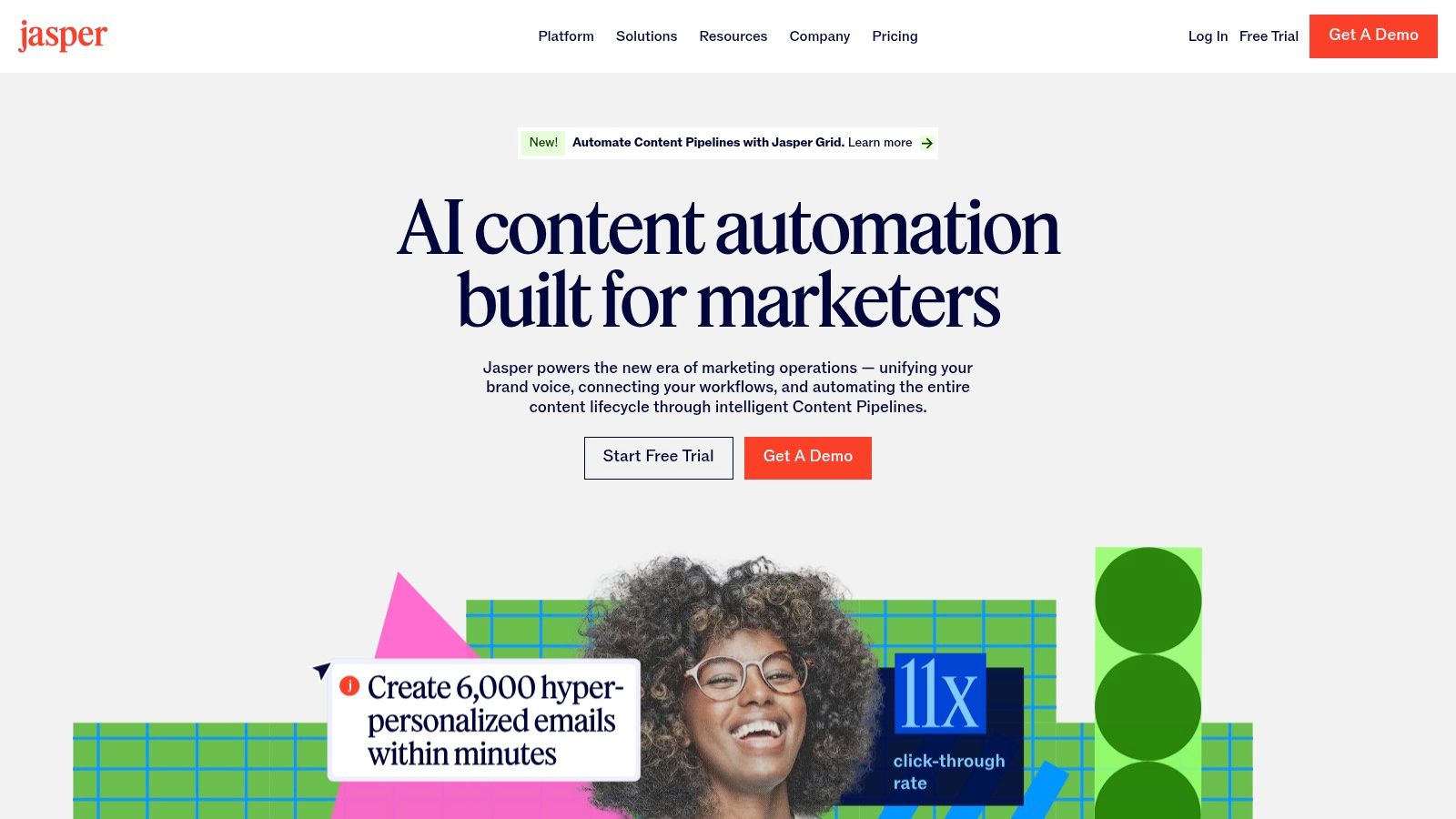
The platform's strength lies in its ability to build multi-asset campaigns from a single brief. Practical Example: A marketing team can input a link to a recently published case study PDF. Jasper can then scan the document and, using a campaign workflow, automatically generate a promotional email to customers, three unique LinkedIn posts highlighting key stats, five tweets with different angles, and a short summary blog post, all in the company's pre-defined brand voice. This is a key way that AI SaaS boosts sales productivity. Understanding the broader landscape of AI content creation tools can further inform your strategy.
Core Features & Use Cases
Campaign & Workflow Automation: Use the Canvas to build repeatable workflows that automate content creation from a single input. Actionable Insight: Create a "Podcast Repurposing" campaign. Each week, you upload the transcript, and the workflow automatically generates show notes, a summary email newsletter, social media posts with pull quotes, and a blog post outline.
Brand Voice & Knowledge: Train the AI on your company’s specific tone, facts, and messaging to ensure all generated content is accurate and on-brand.
Content Generation & Collaboration: Instantly create everything from long-form blog articles to social media captions and ad variants within a collaborative team environment.
Implementation & Pricing
Pricing: Jasper offers a Creator plan for individuals (from $39/mo, billed annually). Team-focused features like Brand Voices and collaboration start with the Pro plan (from $59/user/mo), while advanced automation and governance are in the Business tier (custom pricing).
Pros: Dramatically speeds up content creation at scale, excellent for creating on-brand content consistently, powerful workflow builder for campaigns.
Cons: AI-generated content always requires human review for accuracy and nuance; the most valuable team features are in the higher-priced Pro and Business tiers.
Website: https://www.jasper.ai/
6. CoSchedule Marketing Suite / Calendar
CoSchedule is a powerful content marketing automation tool that excels at helping teams organize, plan, and execute their entire content strategy from a single, unified calendar. Its standout feature is its calendar-first user experience, which provides unparalleled visibility into all marketing activities. This visual-first approach makes it ideal for content-heavy teams needing to eliminate workflow bottlenecks and improve collaboration.

The platform automates the tedious aspects of content publishing and promotion. Practical Example: You schedule a blog post to be published on Wednesday. Within that same calendar entry, you can create and schedule 10 social media posts to promote it over the next two weeks across different channels. If you need to delay the blog post, you simply drag the calendar entry to Friday, and all 10 associated social posts automatically reschedule themselves relative to the new publish date.
Core Features & Use Cases
Drag-and-Drop Marketing Calendar: Visualize and manage your entire marketing timeline. Actionable Insight: Use color-coding and custom tags to filter your calendar view. For instance, you could see only "Product Launch" related content or view all activities managed by a specific team member, making it easy to spot gaps or conflicts.
Social Media Automation: Schedule and publish content across all major social networks. Use ReQueue to automatically re-share your best evergreen content to fill gaps in your social media schedule without manual effort.
Content & Campaign Workflows: Create standardized task templates to manage the entire content production process, from ideation to publication, ensuring consistency and accountability.
AI Assistant: Leverage AI to generate content ideas, write social media copy, and rephrase headlines, speeding up the content creation process directly within the platform.
Implementation & Pricing
Pricing: CoSchedule offers a Free plan with basic calendar and social publishing features. The Social Calendar plan starts at $19 per user/month, while the Content Calendar plan (with more robust features) starts at $29 per user/month. The full Marketing Suite with advanced automation requires a custom quote.
Pros: Excellent calendar-first UX for team visibility, strong social and editorial coordination features, and a free tier to get started.
Cons: Advanced collaboration and automation features are locked behind the custom-priced Marketing Suite; Twitter/X profiles are billed separately, which can increase costs.
Website: https://coschedule.com/pricing
7. Hootsuite
Hootsuite is a veteran in the social media management space, positioning itself as a powerful distribution and analytics engine among content marketing automation tools. It excels at scheduling and publishing content at scale across numerous social networks from a single dashboard. Its core strength is centralizing the entire social media content lifecycle, from ideation to scheduling, monitoring, and detailed performance analysis.
The platform automates the time-consuming process of content distribution. Practical Example: A social media manager can plan a campaign for Black Friday. Using the bulk scheduler, they can upload a single CSV file with 50 different promotional posts, each with unique copy and links, scheduled to go out across Instagram, Facebook, and Twitter at specific times over the entire sales week. This entire process can take less than 30 minutes. The platform is especially useful for visual-heavy platforms like Pinterest here.
Core Features & Use Cases
Bulk & Automated Scheduling: Upload and schedule hundreds of social media posts at once using a CSV file. Actionable Insight: Use the "Best Time to Publish" feature not just for single posts, but set it as a default for your entire calendar. Hootsuite will then automatically find the optimal slot for every post you add to the queue, maximizing engagement without manual guesswork.
Centralized Engagement: Manage comments, mentions, and direct messages from all connected social channels in a unified inbox, enabling faster community management.
AI Content Creation: Use the integrated OwlyWriter AI to generate post ideas, write captions in various tones, create hashtags, and repurpose top-performing content.
Performance Analytics: Build customizable reports to track key metrics like reach, engagement, and link clicks. Compare performance across different networks to measure the ROI of your social content strategy.
Implementation & Pricing
Pricing: Hootsuite offers a 30-day free trial. Paid plans begin with the Professional tier (from ~$99/mo) for a single user and up to 10 social accounts. The Team plan (from $249/mo) adds user collaboration, while advanced automation and analytics are reserved for the Business (from $739/mo) and custom Enterprise tiers.
Pros: Mature and reliable platform, supports a wide range of social networks, strong analytics and reporting capabilities.
Cons: Can be expensive for small teams; the most valuable automation and analytics features are in the higher-priced tiers.
8. Sprout Social
Sprout Social is a premium social media management platform that elevates content marketing automation by centralizing publishing, engagement, and analytics. It’s designed for teams that require sophisticated workflows, providing a unified smart inbox and advanced approval processes. The platform excels at translating social media performance into actionable business intelligence, making it a favorite for data-driven companies.
Its automation capabilities are centered on streamlining social operations at scale. Practical Example: A large consumer brand can set up an automation rule in the Smart Inbox. Any incoming tweet containing keywords like "broken," "complaint," or "unhappy" is automatically tagged as "Urgent Support" and assigned to the customer service team's queue, ensuring rapid response and preventing negative comments from escalating publicly.
Core Features & Use Cases
Social Content Calendar & Publishing: Plan, create, and schedule posts across all major social networks from a single calendar. Actionable Insight: Use the "Content Suggestions" feature (in higher plans) which surfaces relevant articles and news from around the web, allowing you to easily curate and share valuable third-party content to supplement your original posts.
Unified Smart Inbox: Manage all incoming messages, comments, and brand mentions in one stream. Use automated rules and message tagging to prioritize and assign conversations efficiently.
Advanced Analytics & Listening: Generate detailed reports on post performance, audience demographics, and competitive benchmarks. Higher tiers offer social listening tools to track brand sentiment and identify content trends.
AI Assist Enhancements: Leverage AI to refine post copy, adjust tone, or generate replies, speeding up the content creation and community management process.
Implementation & Pricing
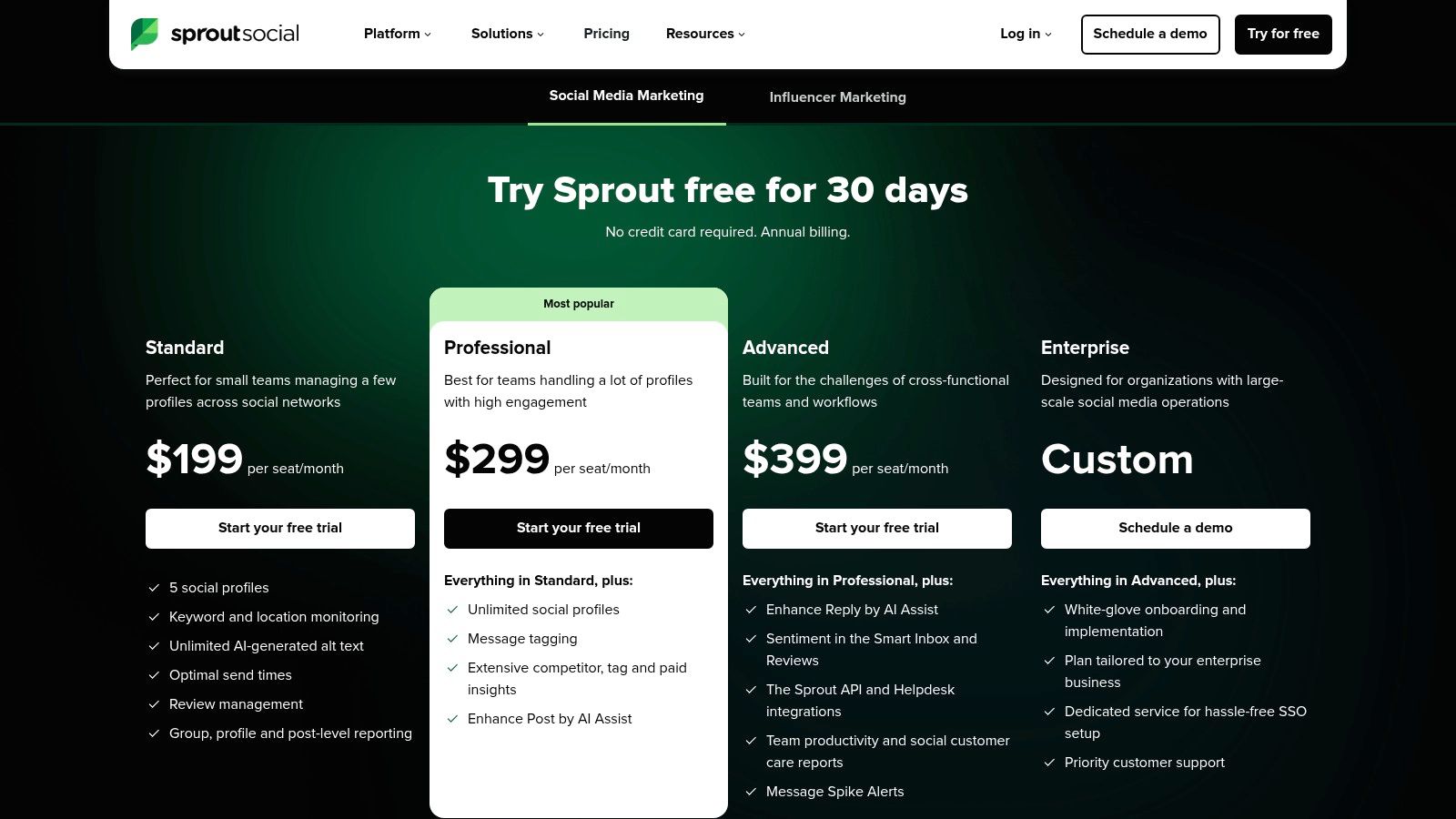
Pricing: Sprout Social offers several plans with transparent pricing available on their site. The Standard plan starts at $249/mo per user, with Professional at $399/mo per user, and Advanced at $499/mo per user. Note that premium add-ons like social listening and advanced analytics are separate costs.
Pros: Excellent and highly detailed analytics, robust features for team collaboration and scaling, and transparent, up-to-date pricing.
Cons: The per-user pricing model can become expensive for larger teams; key features like advanced listening are sold as add-ons.
Website: https://sproutsocial.com/pricing/
9. StoryChief
StoryChief is a powerful content marketing platform designed to streamline the entire content lifecycle, from ideation and creation to multi-channel distribution and analysis. It excels at unifying team collaboration, making it a standout choice for agencies and in-house marketing teams that need to manage complex approval workflows and publish content across various channels simultaneously. Its strength lies in centralizing blog and social media management.
This platform automates the distribution process, allowing you to write an article once and have it published everywhere. Practical Example: A marketing manager drafts a blog post about a new product feature. They invite the product manager and a copy editor to review and approve it directly in the StoryChief editor. Once approved, they click "Publish." The article is automatically pushed live to their WordPress blog, sent as a newsletter via Mailchimp, and promoted with pre-written posts on LinkedIn and Twitter—all from a single action.
Core Features & Use Cases
Content Collaboration & Approval: Use the collaborative editor with built-in approval flows to manage content creation. Actionable Insight: Create a content request form within StoryChief for other departments. When the sales team needs a new case study, they can fill out the form, which automatically creates a new story draft and assigns it to the content team, keeping all requests organized and trackable.
Multi-Channel Publishing: Automate the distribution of articles to your blog/CMS and social media channels from one interface. The platform optimizes formatting for each destination.
Integrated SEO & Analytics: Get real-time SEO feedback as you write. After publishing, track content performance and get insights from a unified analytics dashboard.
Implementation & Pricing
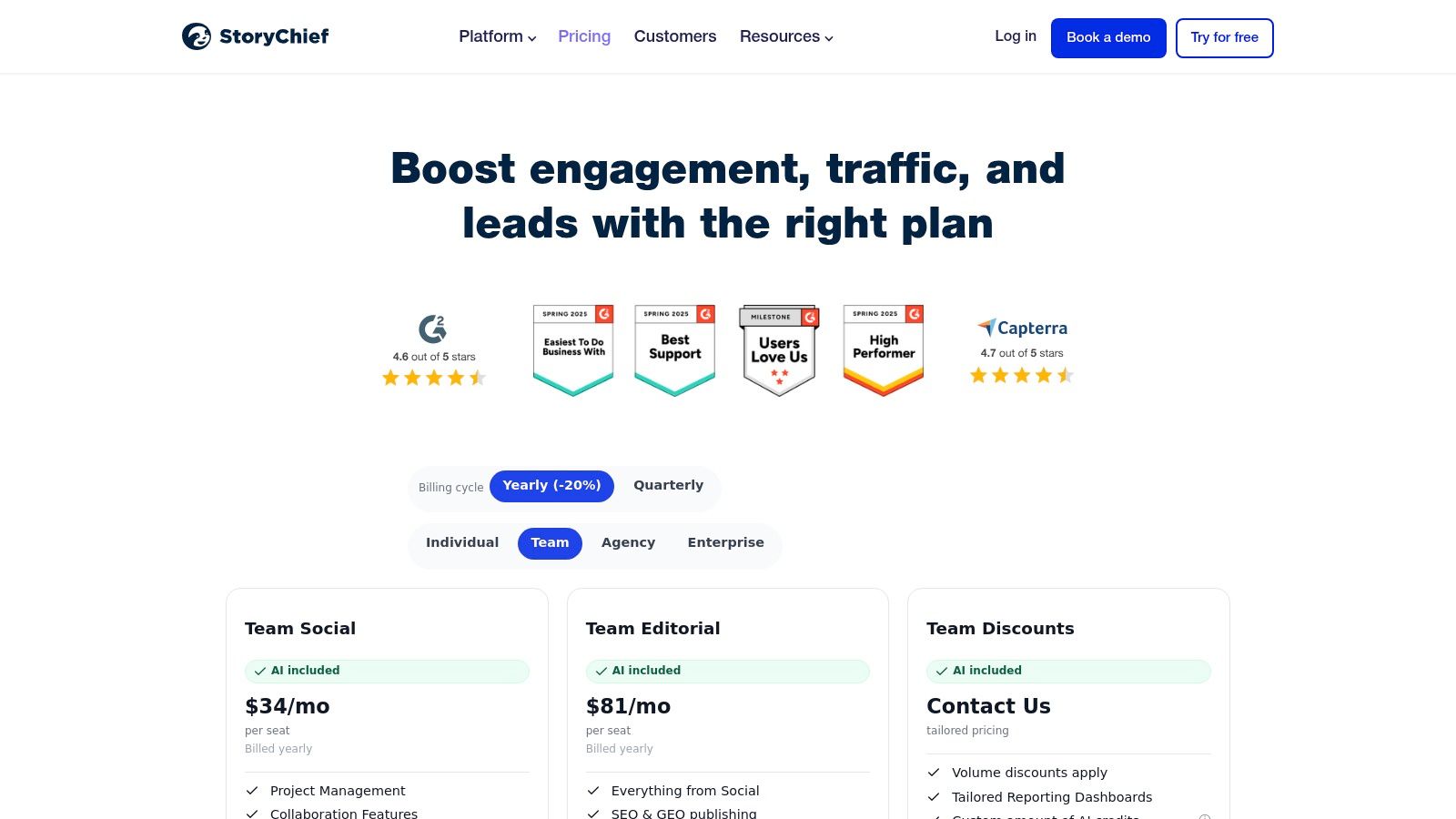
Pricing: StoryChief offers several tiers, including Team (from €120/mo) and Agency (from €280/mo). Costs are displayed in EUR, a key consideration for US-based buyers. AI writing credits are included, with options for paid add-ons.
Pros: Excellent for streamlining multi-stakeholder approvals, combines blog SEO and social media into one tool, and offers agency-specific pricing and features.
Cons: Pricing in EUR may create exchange-rate complexities; some advanced governance and collaboration features are reserved for higher-tier plans.
Website: https://www.storychief.io/pricing
10. Contently
Contently offers a unique blend of a content marketing platform with an integrated marketplace of vetted freelance talent. It's designed for enterprises that need to scale high-quality content production while maintaining strict brand governance. The platform’s strength lies in unifying strategy, creation, approval, and performance measurement, making it a comprehensive solution for large marketing organizations, particularly those in regulated industries.
This platform moves beyond simple publishing automation by systematizing the entire content lifecycle. Practical Example: A financial services company needs to produce a series of 12 articles on retirement planning. A marketing manager creates a single content brief outlining the tone, compliance requirements, and target audience. They then commission the entire series to a pre-vetted financial writer from the marketplace. The platform automatically routes each draft through an editorial, legal, and compliance review stage, creating a clear audit trail before anything is published.
Core Features & Use Cases
Talent Marketplace & Management: Access a network of over 160,000 writers, designers, and videographers. Manage contracts, payments, and communication directly within the platform.
Workflow & Governance: Create custom, multi-stage approval workflows to ensure all content meets editorial, brand, and legal standards. Actionable Insight: For recurring content types like monthly reports, create a workflow template. This ensures that every report automatically goes through the same data verification, editorial review, and design stages, preventing missed steps and ensuring consistency.
Content Strategy & Analytics: Use built-in tools to develop data-backed content strategies and create smart briefs. Track content performance with detailed analytics to measure ROI.
Implementation & Pricing
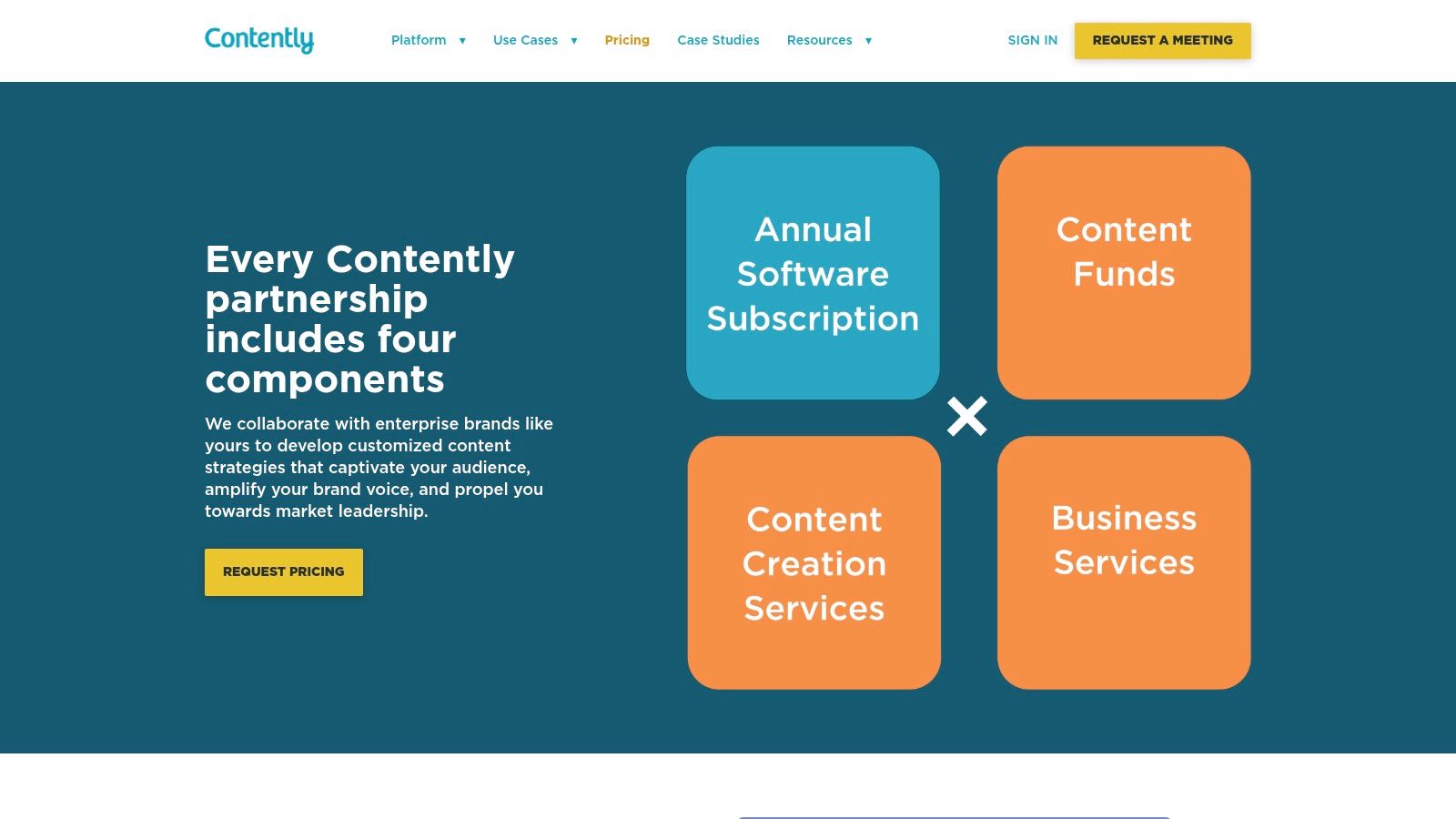
Pricing: Contently uses a custom, enterprise-focused pricing model, which is available only upon request. The cost is based on factors like team size, content volume, and the level of service required.
Pros: Combines powerful platform technology with on-demand creative talent, provides strong governance for regulated industries, and offers tailored onboarding and enterprise-level services.
Cons: Pricing is not transparent and is aimed at mid-market or enterprise budgets; it is likely overkill for small businesses seeking a simple tool.
Website: https://contently.com/pricing/
11. Salesforce Marketing Cloud Account Engagement (Pardot)
Salesforce Marketing Cloud Account Engagement, formerly known as Pardot, is a B2B marketing automation powerhouse designed for organizations that live inside the Salesforce ecosystem. Its core strength is the native, two-way sync with Salesforce CRM, allowing marketing and sales teams to operate from a single source of truth. This tight integration ensures that content engagement directly informs sales activities and revenue reporting.
The platform excels at building sophisticated, multi-asset content journeys. Practical Example: A prospect from a target account fills out a form to download a whitepaper. This action automatically adds 30 points to their lead score. Over the next two weeks, an automated journey sends them a related case study and a webinar invitation. If they attend the webinar (adding 50 points), their total score crosses the 75-point "sales-ready" threshold. This automatically creates a new task in Salesforce for the assigned sales rep to follow up, including a full history of the content the prospect engaged with.
Core Features & Use Cases
Deep Salesforce Data Activation: Trigger automated content workflows based on any standard or custom field in Salesforce CRM. Actionable Insight: Create a dynamic email list that automatically pulls in any contacts whose "Lead Status" in Salesforce is "Cold." Then, build a re-engagement campaign in Pardot that sends them your top-performing content over 30 days to warm them up again.
Lead Scoring, Nurturing & ABM: Use Engagement Studio to build visual journeys for lead nurturing. Leverage advanced lead scoring and grading to qualify prospects.
Cross-Channel Journeys: Create and manage dynamic content, landing pages, forms, and email campaigns from a unified builder.
AI-Powered Analytics: Higher tiers include Einstein AI features for predictive lead scoring and campaign attribution analysis.
Implementation & Pricing
Pricing: Pardot is an enterprise-grade solution with pricing to match. Plans start with Growth ($1,250/mo), Plus ($2,500/mo), Advanced ($4,000/mo), and Premium ($15,000/mo), all billed annually. Advanced features like AI and B2B Marketing Analytics are reserved for higher tiers.
Pros: Unmatched native Salesforce integration, robust ABM reporting, and enterprise-level security and scalability.
Cons: High entry price and annual contracts make it unsuitable for most SMBs; the best automation and AI features are locked in expensive tiers.
Website: https://www.salesforce.com/marketing/b2b-automation/pricing/
12. G2 – Content Marketing Software Category
While not a tool itself, G2’s Content Marketing Software category is an indispensable resource for discovery and validation in the procurement process. It functions as a comprehensive, peer-reviewed marketplace where you can compare dozens of content marketing automation tools side-by-side. Its strength lies in its use of verified user reviews and real-time data to create unbiased rankings, helping you cut through marketing jargon.
This platform is crucial for the initial research and shortlisting phase. Practical Example: A marketing manager at a 50-person B2B tech company needs a new tool. They can go to G2 and apply filters for "Company Size: Small-Business," "Features: SEO," and "Integrations: Slack." The platform instantly shortlists the top 5 tools that meet these specific criteria, complete with user ratings and links to recent reviews, saving hours of manual research.
Core Features & Use Cases
Up-to-Date Category Grids: Visualize the market landscape with G2 Grids, which plot tools based on user satisfaction and market presence.
Verified User Reviews & Pricing: Access detailed reviews from verified users that often include insights into specific use cases, implementation challenges, and customer support quality.
Advanced Filtering: Narrow down the extensive list of content marketing software to find the perfect fit for your tech stack. Actionable Insight: Don't just look at the overall score. Sort reviews by "What do you dislike?" to quickly identify recurring complaints or limitations that might be deal-breakers for your specific workflow.
Implementation & Pricing
Pricing: G2 is completely free to use for software buyers. The platform makes money from vendors who pay for premium profiles, sponsored placements, and market intelligence reports.
Pros: Excellent for unbiased discovery and side-by-side comparisons, fresh data from real users, and direct links to trials and promotions.
Cons: Be aware of sponsored placements which appear at the top of lists; pricing and feature details should always be cross-checked on the vendor's official website as they can sometimes be outdated.
Top 12 Content Marketing Automation Tools Comparison
Product | Core features | Quality (★) | Price & Value (💰) | Target & USP (👥 ✨) |
|---|---|---|---|---|
NicheTrafficKit 🏆 | AI end-to-end content creation, viral research, auto-publish across TikTok/Pinterest/IG/YouTube/Reddit | ★★★★★ (4.9/5 social proof) | 💰 $39–$499/mo (200–3000 tokens), yearly discount, free trial | 👥 Creators, SMBs, agencies ✨ Platform-specific posts, Pinterest SEO, faceless YouTube, bulk publish |
HubSpot Marketing Hub | Email workflows, CRM-native marketing, social publishing, SEO tools | ★★★★☆ | 💰 Free → Enterprise; costs scale with seats/contacts | 👥 SMB → Enterprise ✨ Integrated CRM + marketing stack |
Adobe Marketo Engage | Advanced nurture streams, ABM, deep CRM integrations, APIs | ★★★★☆ | 💰 Enterprise pricing (quote) | 👥 Large enterprises ✨ Complex journeys, governance & scalability |
Semrush (Content Toolkit) | Topic research, SEO writing assistant, content calendar & analytics | ★★★★☆ | 💰 Tiered plans; add-ons may add cost | 👥 SEO/content teams ✨ Research + optimization + market intelligence |
Jasper (AI Content) | AI writing, brand voices, content pipelines, workflow automation | ★★★★☆ | 💰 Subscription (best for teams) | 👥 Marketing teams & agencies ✨ Brand voice controls & campaign pipelines |
CoSchedule Marketing Suite | Editorial calendar, drag‑drop campaigns, social scheduling, AI assistant | ★★★☆☆ | 💰 Free tier → Suite (add‑ons via demo) | 👥 Mid-market teams ✨ Calendar-first UX for editorial planning |
Hootsuite | Unlimited scheduling, centralized inbox, AI captioning, analytics | ★★★★☆ | 💰 Tiered plans; some details in-app | 👥 Broad social teams ✨ Mature network support & integrations |
Sprout Social | Publishing calendar, all‑in‑one inbox, listening, advanced analytics | ★★★★☆ | 💰 Higher seat-based pricing | 👥 Mid → Enterprise ✨ Deep analytics & approval workflows |
StoryChief | Editorial + social publishing, SEO insights, approvals, AI credits | ★★★☆☆ | 💰 Pricing in EUR; agency & enterprise options | 👥 Agencies & in-house teams ✨ CMS + social publishing flow |
Contently | Platform + vetted freelancer marketplace, briefs, workflows & analytics | ★★★★☆ | 💰 Enterprise pricing (quote) | 👥 Enterprises ✨ Integrated talent + content governance |
Salesforce Marketing Cloud (Pardot) | B2B lead scoring, nurturing, ABM dashboards, Salesforce-native | ★★★★☆ | 💰 Annual contracts; premium entry price | 👥 B2B enterprises ✨ Native Salesforce data activation & ABM |
G2 – Content Marketing Category | Category rankings, verified reviews, vendor comparisons & trial links | ★★★★☆ | 💰 Free for buyers; vendor sponsorships exist | 👥 Buyers & researchers ✨ Verified reviews & side-by-side comparisons |
Making Your Final Decision: Which Tool Fits Your Workflow?
We've explored a comprehensive landscape of the industry's top content marketing automation tools, from all-in-one CRM powerhouses like HubSpot to specialized platforms like CoSchedule and enterprise-grade solutions such as Marketo. The sheer variety can feel overwhelming, but this diversity is your greatest advantage. It ensures a solution exists that is tailor-made for your unique challenges, team size, and strategic objectives.
The core takeaway is this: selecting the right tool isn't about chasing the most features, but about identifying and solving your most significant workflow bottlenecks. The goal of automation is not to replace your strategic input but to liberate you from repetitive, time-consuming tasks so you can focus on high-impact activities.
A Practical Framework for Your Selection Process
To move from analysis to action, your decision should be guided by a clear understanding of your operational needs. Avoid getting distracted by a platform's marketing promises and instead focus on how its core functionality aligns with your day-to-day reality.
Here is a simple, three-step framework to guide your final choice:
Identify Your Primary Pain Point: Pinpoint the single biggest obstacle in your content pipeline. Is it generating a consistent flow of high-quality ideas? Is it the manual effort of adapting and scheduling content for different social platforms? Or is it the struggle to measure the ROI of your content efforts effectively? Your main problem should be the primary filter for your tool selection.
Match Pain Point to Platform Strength: Revisit the tools we've covered through the lens of your primary challenge.
Challenge: Scaling content creation and multi-channel distribution. Actionable Insight: Look at AI-driven platforms like NicheTrafficKit or Jasper that automate creation, and distribution hubs like StoryChief.
Challenge: Integrating content efforts with sales and customer data. Actionable Insight: A CRM-centric tool like HubSpot Marketing Hub or Salesforce Pardot is likely the best fit.
Challenge: Optimizing content for search engine performance. Actionable Insight: Semrush's Content Marketing Toolkit is purpose-built for this.
Validate with a Real-World Test: Never commit to a tool based on a demo alone. Take full advantage of free trials or sandbox environments. Use this period to execute a real, small-scale content campaign from start to finish. This hands-on experience will reveal workflow friction and usability issues that a sales presentation will never show you.
Key Implementation Considerations
Once you've made a choice, successful implementation is crucial. Remember that even the most powerful content marketing automation tools are only as effective as the strategy behind them.
Start Small and Iterate: Don't try to automate everything on day one. Actionable Tip: Begin by automating one specific task, like scheduling your LinkedIn posts. Master it for two weeks, measure the time saved, and then expand to automating your email newsletter distribution.
Invest in Team Training: Ensure everyone who will use the platform receives proper training. A tool that only one person understands quickly becomes a silo rather than a solution.
Define Your Metrics for Success: Before you begin, clearly define what success looks like. Is it increased lead generation, higher engagement rates, or more organic traffic? Set clear KPIs to measure the tool's impact on your bottom line.
Ultimately, the best content marketing automation tools act as a powerful extension of your team. They handle the mechanics so you can focus on the art and science of creating content that connects, converts, and builds a loyal audience. Choose wisely, implement thoughtfully, and you’ll unlock a new level of efficiency and strategic growth.
Ready to eliminate the friction in your content creation and distribution process? NicheTrafficKit offers an AI-powered, end-to-end solution designed to automate everything from idea generation to multi-platform publishing. See how you can reclaim hours of your week and scale your content strategy by exploring NicheTrafficKit today.
